Joudirh
Participant
December 23, 2018
Answered

la langue arabe en Illustrator cs6 version 16.0.0

  • December 23, 2018
  • 2 replies
  • 1089 views

salut tout le monde !!

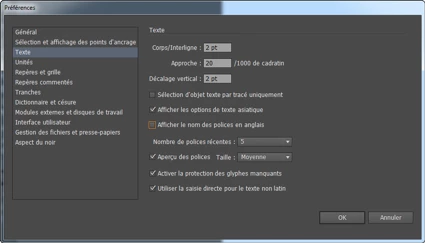
j'ai  installé illustrator cs6, j' avais besin d'utiliser la langue arabe, après plusieurs essais de paramètrage rien ne s'est passé

je croix que cette version  n'accepte pas la langue arabe

aidez mai svp et merci infiniment
    This topic has been closed for replies.
    Correct answer Mohammad.Harb

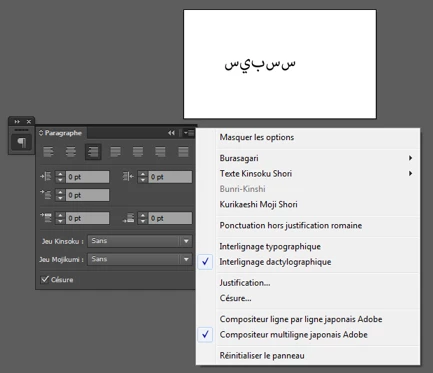
    Before installing illustrator, in the creative cloud app settings, you need to set the default app language to : ENGLISHيدعم العربية

    ( english supports arabic)

    now, uninstall illustrator. set the language setting, then reinstall it again

    2 replies

    Zaid Al Hilali
    Community Expert
    Community Expert
    December 23, 2018

    If you installed this Illustrator CS6 from a DVD, then you don't have the option to make it write Arabic. Having said that, you will need to use classical techniques or old utilities to insert Arabic text however you will not have much Right-to-Left text controls.

    Joudirh
    JoudirhAuthor
    Participant
    December 23, 2018

    Sincerely, I understood the real reason of the problem, thank you very much

    Jacob Bugge
    Community Expert
    Community Expert
    December 23, 2018

    Joudirh,

    As far as I remember, you can just download CS6 in the desired language version here and use that with your serial number/registration key:

    http://helpx.adobe.com/x-productkb/policy-pricing/cs6-product-downloads.html

    Remember updating:

    http://www.adobe.com/support/downloads/product.jsp?product=27&platform=Windows

    http://www.adobe.com/support/downloads/product.jsp?product=27&platform=Macintosh

    Mohammad.Harb
    Community Expert
    Mohammad.HarbCommunity ExpertCorrect answer
    Community Expert
    December 23, 2018

    Before installing illustrator, in the creative cloud app settings, you need to set the default app language to : ENGLISHيدعم العربية

    ( english supports arabic)

    now, uninstall illustrator. set the language setting, then reinstall it again