
Large Canvas Size makes pixel perfect art not possible ?
Does anyone know what the max canvas or artboard size is for being able to export pixel perfect art as png? It only seems to work when the artboard or canvas size is below a certain threshold. Has anyone else experienced this?
I have two projects which are both 160,000 px in width. I can export pixel perfect art from one but not the other. The only difference as far as I can tell is the canvas size or the artboard size.
The working project was created with 5 artboards of 400 pixels x 120 pixels which created a default canvas size of about 16,000 pixels wide.
The exported png appears as it should when brought back in (pixel preview).
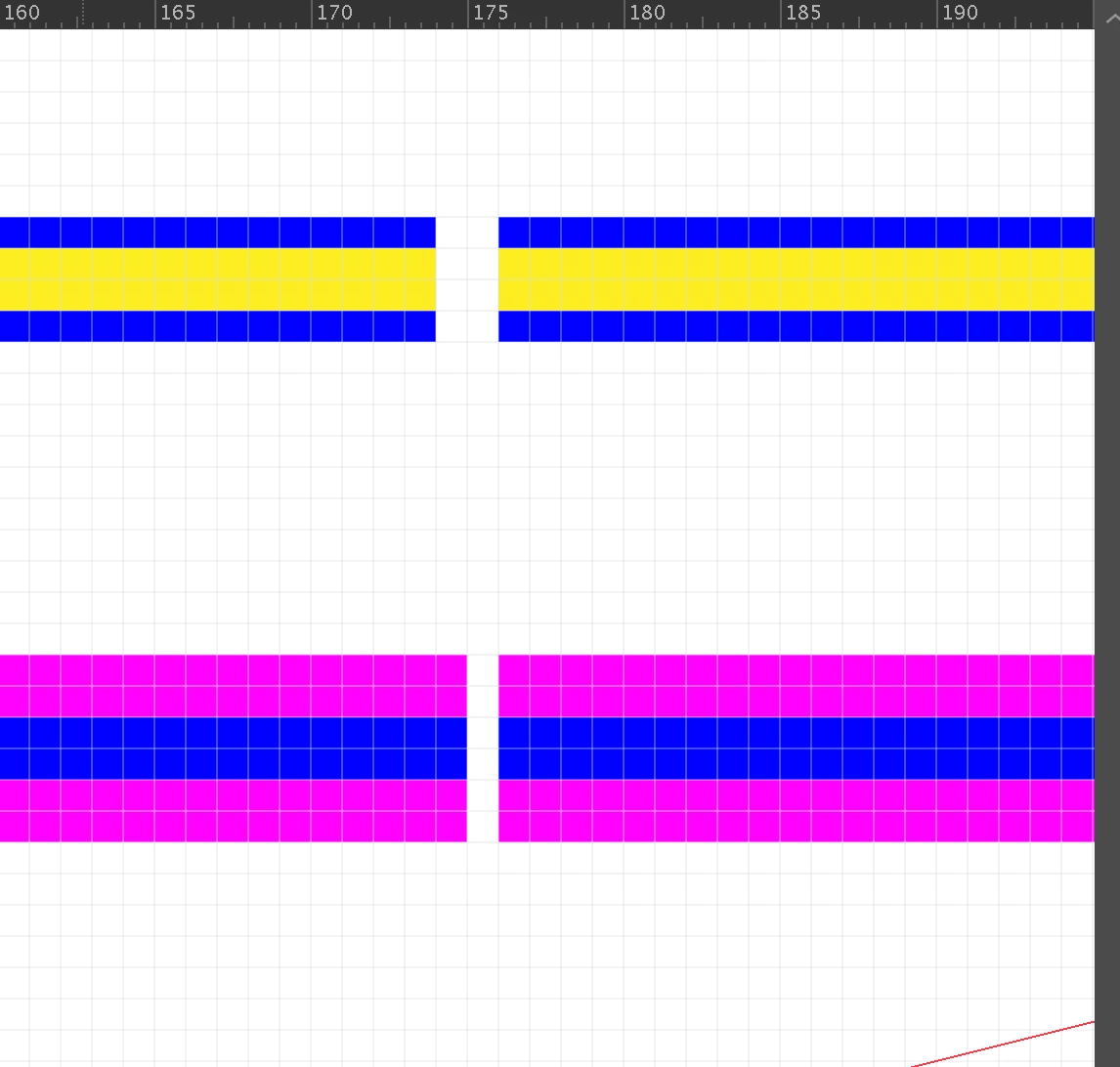
The NOT working project was created with 5 artboards of 160,000 pixels x 120 pixels creating a default canvas size of about 160,000 pixels wide.
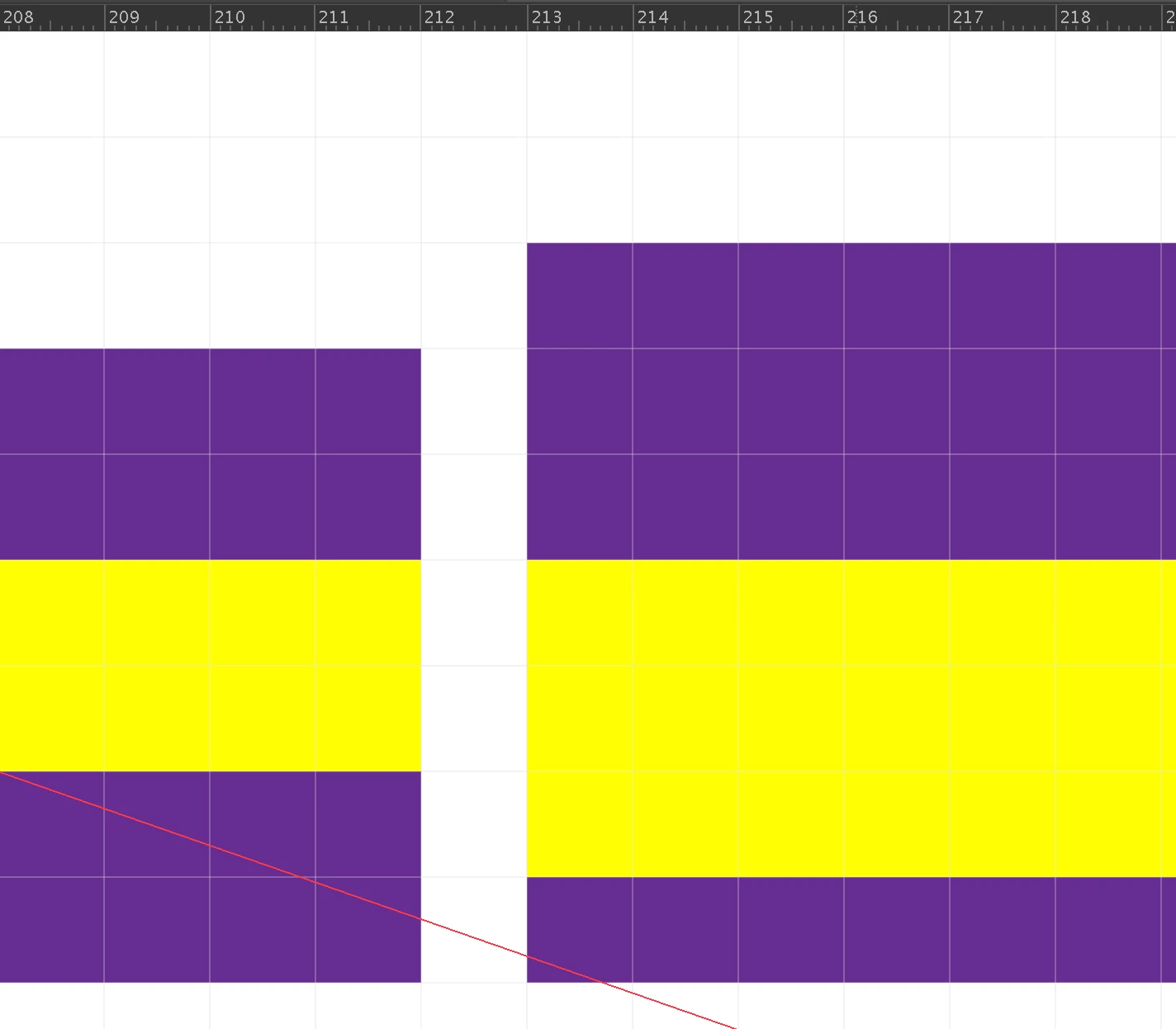
The exported png DOES NOT appear as it should when brought back in. Although the size of the overall image matches the artboard (a resized artboard which is 400 x 120), the pixels have shifted around and multiplied somehow (pixel preview). The imported png is on the right with original rectangles on the left:
So either there is a bug or there is something fundamental that I'm missing.
From testing I know that this pixel problem only occurs with adobe's new large canvas layout. So maybe that is the issue here as the working project has a canvas which is only 16k in width (despite my having set the project dimensions as 160k in width)?
I'd like to work with the max width possible (163830 pixels seems to be the max from what I can tell). Any tips or specific settings which can fix this are greatly appreciated. There must be some way of creating pixel perfect art on a very wide canvas...
Packaged working project: https://drive.google.com/drive/folders/1qHlEysYVrTEwzIM6JKowIdgyeF0VegQv?usp=sharing
Package NOT working project:
https://drive.google.com/drive/folders/1XCfFjtFB89atJPEj7k3VfE73I2m0CCeX?usp=sharing
Cheers,
Jen


 AdChoices