


Large Format Document & PDF Downsampling Issue
Illustrator version: 29.8.1
Previously, when illustrator artboards/set of artboards went over a certain size, Illustrator would convert the document to a large format document and extend the canvas area to a new larger maxiumum. When saving out PDFs, the size would be converted to 1/10th scale. That has since been fixed with newer PDF versions.
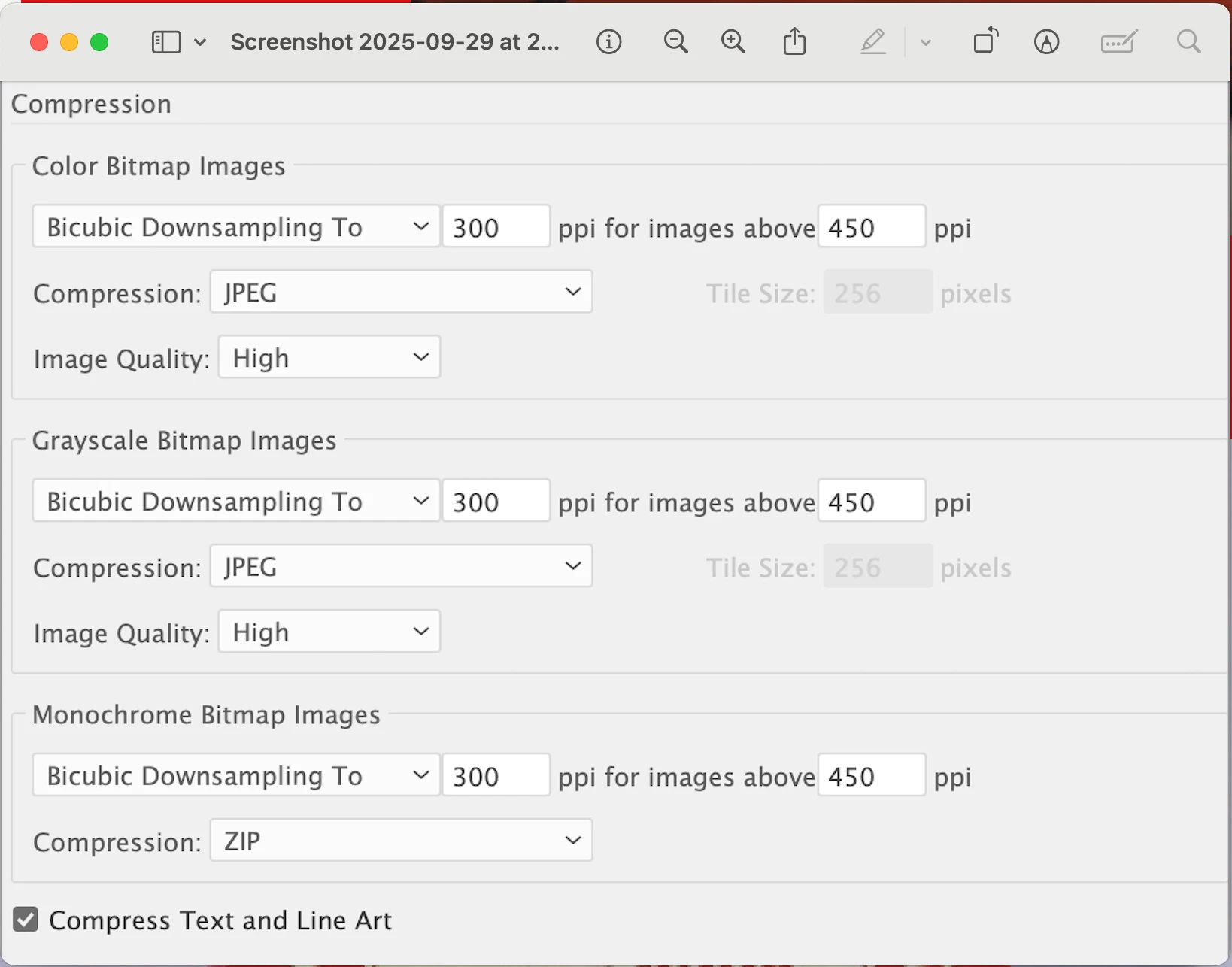
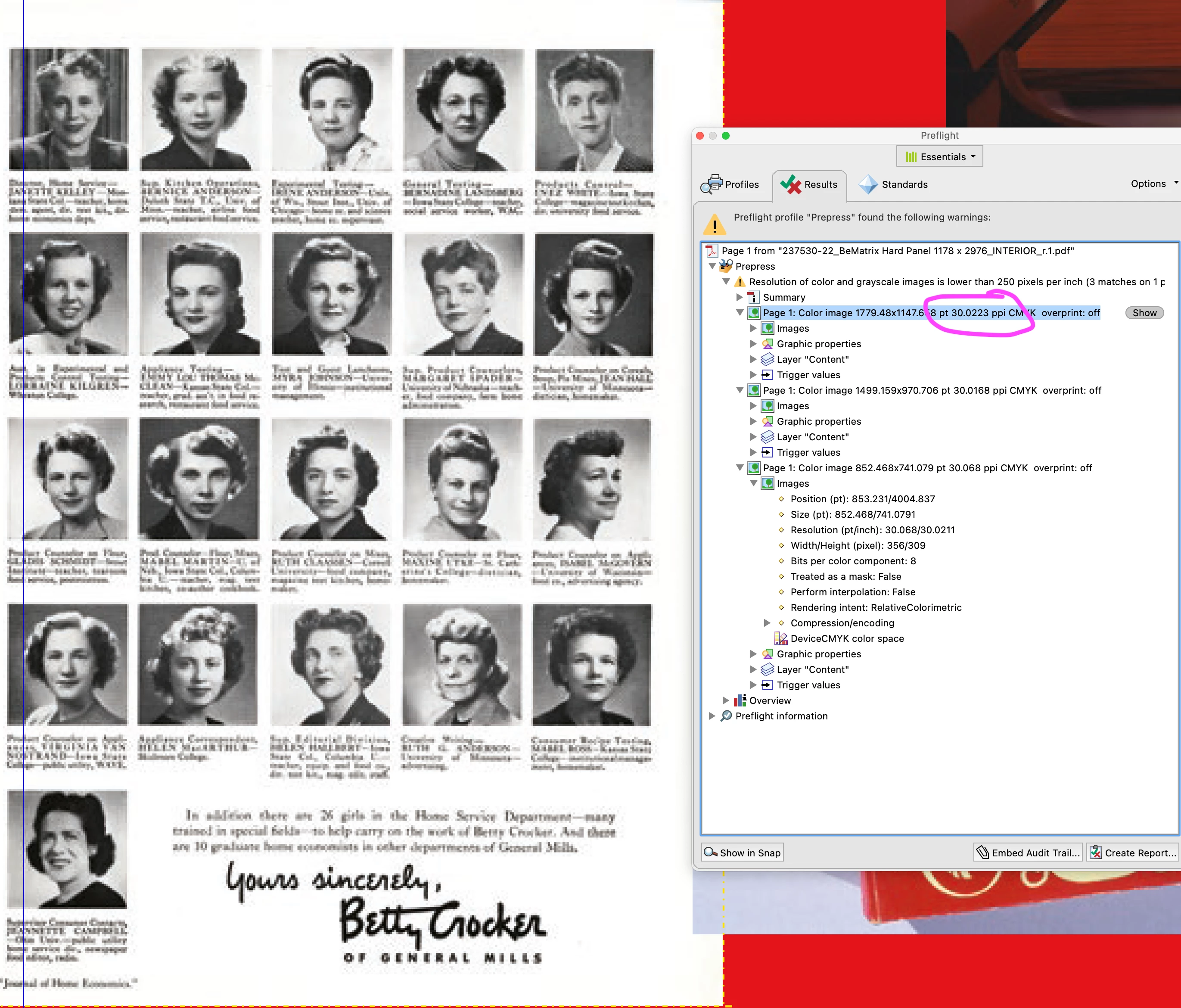
However, I have a document that is a large format document with some raster images in it. My adobe PDF preset is setup to downsample raster images 300dpi for anything over 450. This usually works fine. And I have not noticed this issue before. But currently, the downsampling number I have of 300dpi is getting converted to 30dpi in the final PDF. I have confirmed this in acrobat with a preflight check. if I take the same document, and set the downsampling to 2400dpi, the output PDF is 240dpi. So it seems to me that the downsampling number is getting the same 1/10th scaling treatment that was happening with the dimensions.
Here are my downsampling settings:
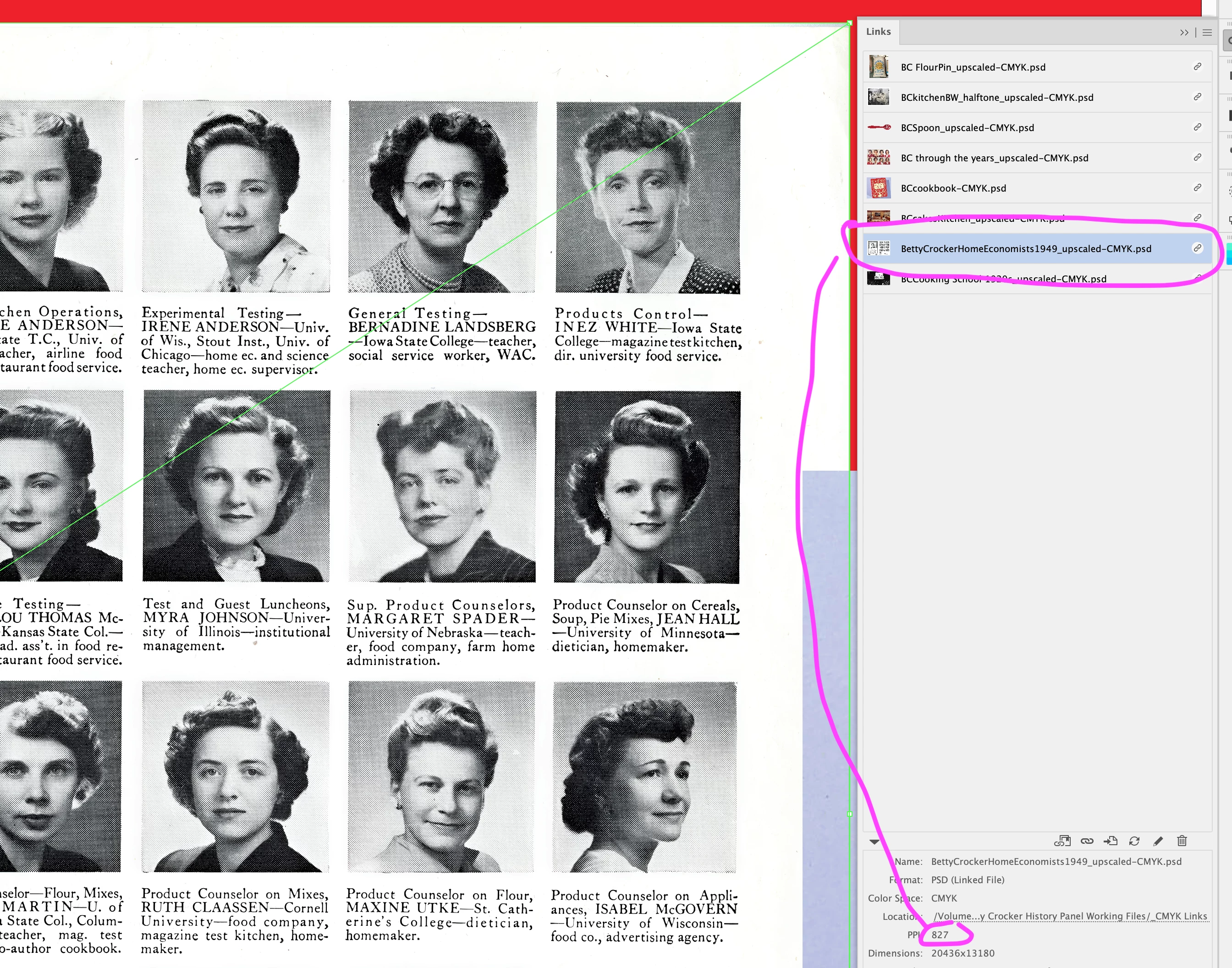
Here is the resolution of the image in illustrator:
Here is the effective resolution of the image in the final PDF:
If I take any image from this document, copy it over to a regular format illutrator document, and save it out with the same PDF preset with 300dpi downsampling, I get the correct DPI in the final pdf. I have tried opening this with an older version of Illustrator 2024, but currently it's crashing on my machine when trying to save the PDF.
Is this a bug with the newer versions of Ilustrator? This hasn't been an issue for me in the past, so it seems to be something new.
Is anyone else experiencing this issue?
 AdChoices