Known Participant
August 12, 2019
Answered

Layer panel: Is there a shortcut to go/move to the selected object / highlighted layers in the layer panel?

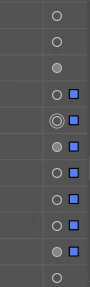
I spend hours searching for these blue babies.
Is there a solution?

    maxwithdax
    maxwithdaxCorrect answer
    Community Expert
    August 12, 2019

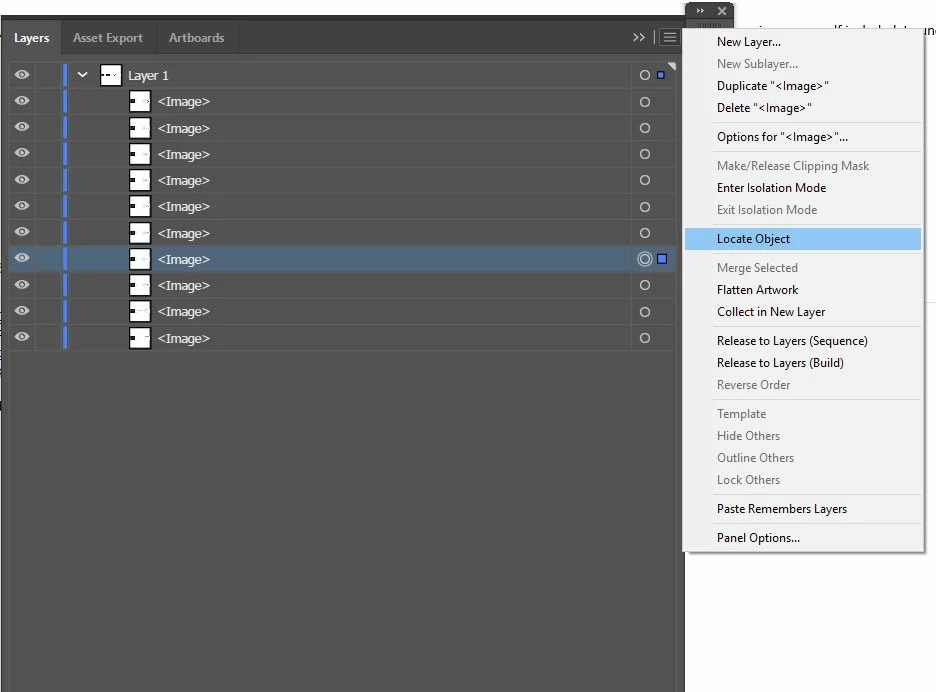
    This is the easiest way I know of. Unfortunately you cannot setup a shortcut key for it though.

    -Dax

    5 replies

    Inspiring
    June 11, 2025

    Select the object then in the layers panel at the bottom, select the magnifying glass and it will highlight the layer. I learned this in the Adobe Illustrator Advanced Course by Dan Scott on Udemy. I highly recommend (especially if you get it on significant discount. They frequently run sales.)

    Translate
    maxwithdax
    Community Expert
    maxwithdaxCommunity ExpertCorrect answer
    Community Expert
    August 12, 2019

    This is the easiest way I know of. Unfortunately you cannot setup a shortcut key for it though.

    -Dax

    Translate
    CarlosCanto
    Community Expert
    Community Expert
    August 12, 2019

    maxwithdax  wrote

    This is the easiest way I know of. Unfortunately you cannot setup a shortcut key for it though.

    -Dax

    you can't? I've been using F12, but couldn't remember if it was default or not

    Translate
    CarlosCanto
    Community Expert
    Community Expert
    August 12, 2019

    oh, I see what happened. I recorded an Action and assigned F12 to it maaaaaany years ago.

    Translate
    Ton Frederiks
    Community Expert
    Community Expert
    August 12, 2019

    Did you try the magnifying glass in the Layers panel?

    Translate