
Layer won't appear in front of other
- August 6, 2023
- 2 replies
- 9449 views
Hi,
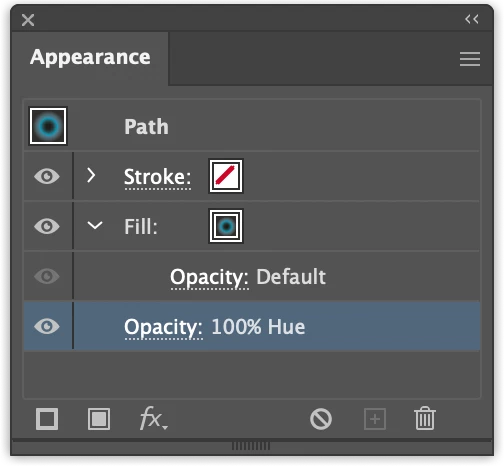
I'm relatively new to illustrations and have run into an issue while trying to place an eye (I designed it by folllowing a YT tutorial) over the top of a face. I have really simplified it here by posting a screenshot of a file with only two layers. In the actual file I'm working on there are many layers. I thought maybe it was something with one of the many other layers in my project, so I started a new file with just a solid fill face and the eye. It's clearly something to do with the eye, but I don't know what setting to tinker with to fix this issue. I have grouped the object, and as you can see in the screen shot, I have the eye on top in the layers menu, and even though I realize selecting Arrange and Bring to Front doesn't have anything to do with ordering layers, I tried that with the eye as well, and it will not move to the top of the face. I can export the eye as an asset and place it in front, but obviously it cannot be edited and reshaped with curve or pen tool at that point. Does anyone know what's going on? I appreciate any help or insight here. Thank you!
 AdChoices