

Answered
Layers menu colors switching to black
I use layer colors in my layers menu to keep things organized. For some reason they are now switching to all black. I have even changed them back and they revert back to black. Any reconmondations?
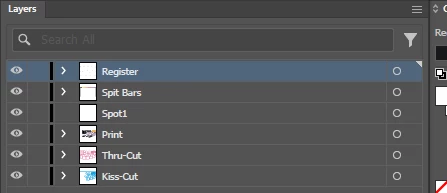
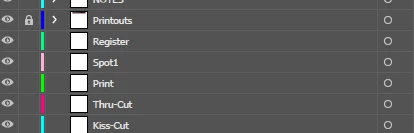

I use layer colors in my layers menu to keep things organized. For some reason they are now switching to all black. I have even changed them back and they revert back to black. Any reconmondations?
Already have an account? Login
Enter your E-mail address. We'll send you an e-mail with instructions to reset your password.

 AdChoices