
Participant
September 26, 2023
Question

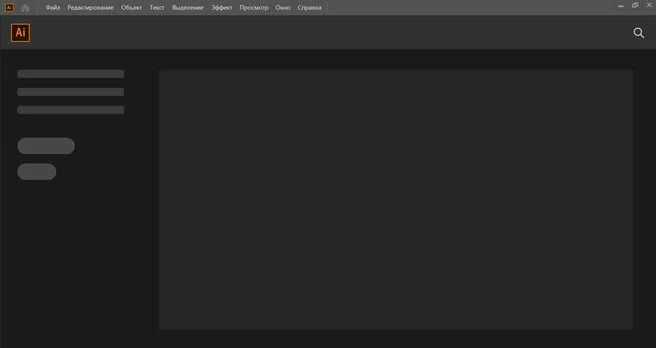
Легендарная ошибка Пустого черногг экоана
  • September 26, 2023
  • 1 reply
  • 525 views

Здравствуйте. Я уже три дня борюсь с проблемой!! Установил иллюстратор 2020 и первый раз было как надо, а на утро после выключения приложение выдает чёрный пустой экран. Всё что предлагали сделать в настройках - я сделал! Всё что вы (представители) писали кому то в прошлый раз, я не смог проделать, потому что я максимально разблокировал все файлы и папки скрытые на макбуке, но тех папок и файлов которые вы писали- их нет! Которые в library. Помогите пожалуйста наконец! Я весь интернет обладал. 

This topic has been closed for replies.

1 reply

Anshul_Saini
Community Manager
Community Manager
October 21, 2023

Hi @alex32529275mb2b,


I'm sorry to hear about the trouble you're facing with Adobe Illustrator. A black blank screen issue can be frustrating, but there are a few steps you can try to resolve this problem:

  • Update Illustrator: First, please ensure you are using the latest version of Illustrator, currently version 28.0. Updating to the latest version can often resolve software issues.

  • Reset Preferences: Sometimes, issues like this can be due to corrupted preferences. You can try resetting Illustrator preferences by pressing and holding  Cmd + Option + Shift immediately after launching Illustrator. You should see a dialog box asking if you want to reset your preferences.

  • Renaming the UXP Folder: If resetting preferences doesn't work, another option is to rename the UXP folder. This folder may contain extensions and plugins that can sometimes interfere with normal operation. To do this:

    • Close Illustrator.
    • Navigate to the following location:
      • /Library/Application Support/Adobe
      • ~/Library/Application Support/Adobe
    • Rename the "UXP" folder to something else, like "UXP.old."
    • Restart Illustrator and check if the issue is resolved.


If these steps don't resolve the problem, please provide more details about your system, including the operating system you're using and any recent changes or updates you've made to your computer. This information can help further diagnose and address the issue.


We're here to assist you in getting Illustrator working as it should, so please don't hesitate to reach out with any more details or questions you may have.


Best regards,

Anshul Saini