MahaB82A
December 22, 2022
Answered

Line Color

  • December 22, 2022
  • 4 replies
  • 666 views

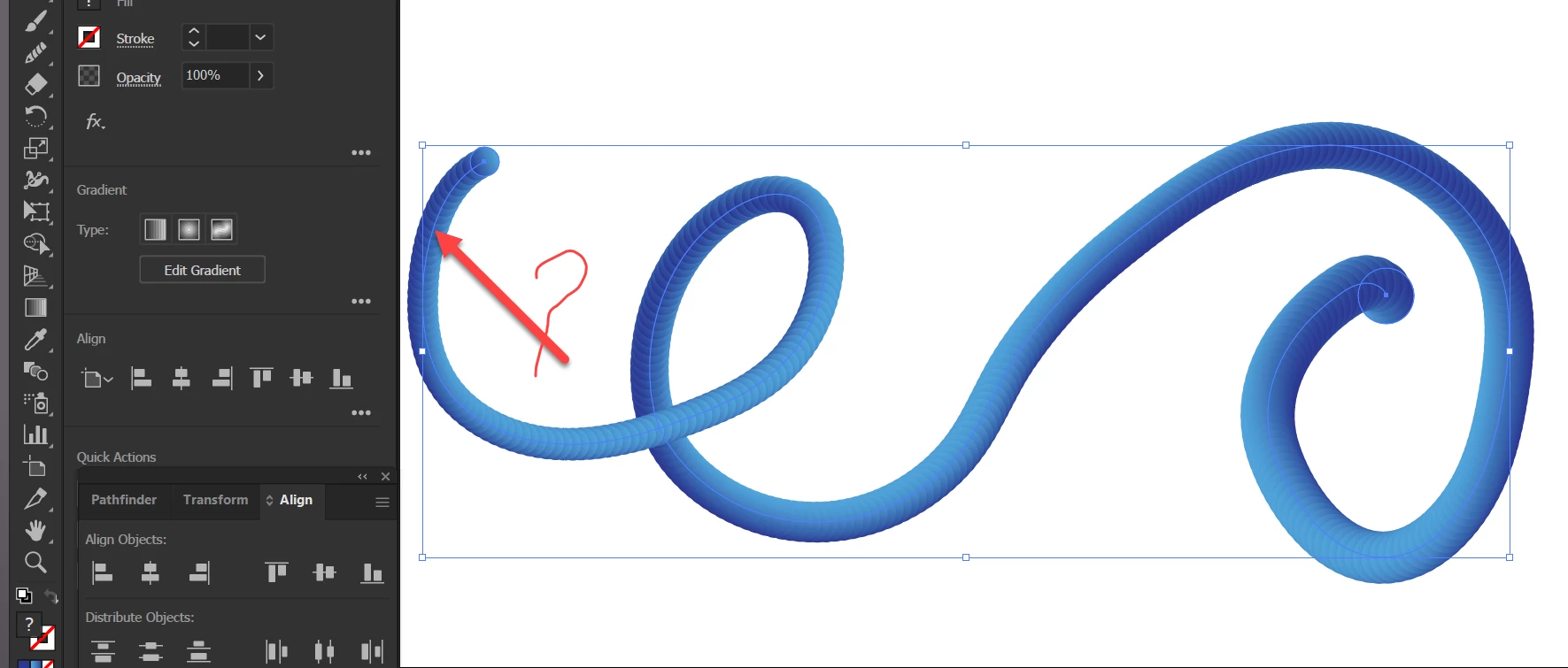
In this tutorial stroke is disabled but inner line color is black. How can you get inner line color black? mine inner line color is blue as usual. 

Blend Tool  

Time 11.44


This topic has been closed for replies.
Correct answer pixxxelschubser

Sorry - I don't understand your last post. Please describe it in a bit more detail!

And please read the previous answers again.


This only applies to the view, not to the print: changing the colour of the layer

from layers color "blue"
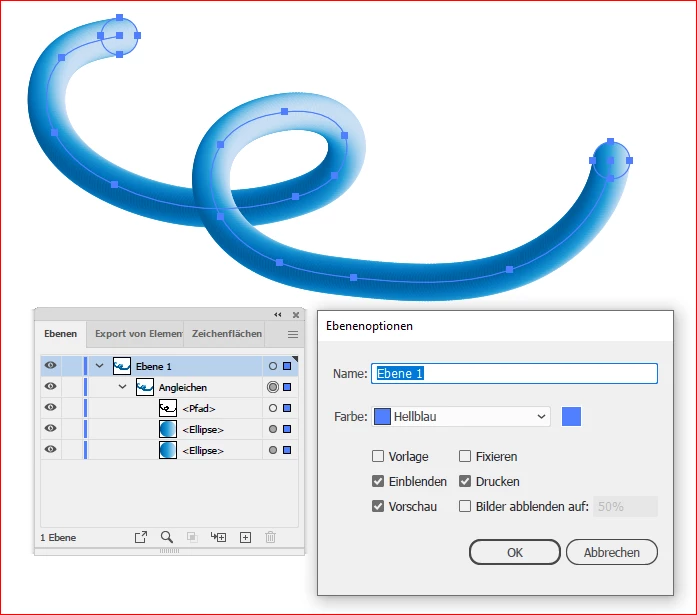
 

to layers color "black"
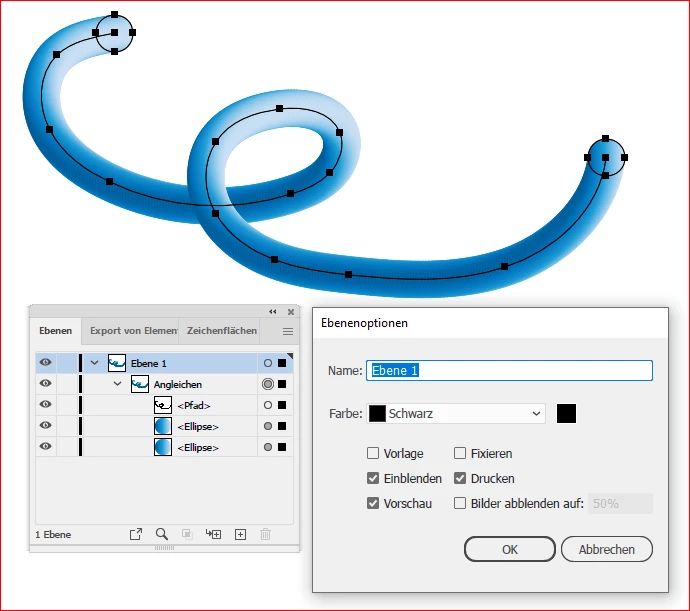


4 replies

pixxxelschubser
Community Expert
pixxxelschubserCommunity ExpertCorrect answer
Community Expert
December 22, 2022

Sorry - I don't understand your last post. Please describe it in a bit more detail!

And please read the previous answers again.


This only applies to the view, not to the print: changing the colour of the layer

from layers color "blue"


to layers color "black"


MahaB82A
MahaB82AAuthor
December 22, 2022

Thanks for the explanation.

pixxxelschubser
Community Expert
Community Expert
December 22, 2022

@MahaB82A 

As the previous speakers said: The "blue" is only the highlight colour of the spine path - matching the colour of the layer the blend is on.


Do you only want to change the highlight colour of the spine path? Then change the colour of the layer, see the answer from @Mylenium.


Do you want a real path with a black stroke? Then use the variant suggested by @Monika Gause .

MahaB82A
MahaB82AAuthor
December 22, 2022

How can I get a black line?


pixxxelschubser
Community Expert
Community Expert
December 22, 2022
  • Double click the layer (where the spine path is) in the Layers Panel.
  • Select black as the colour of the layer. Done.
Monika Gause
Community Expert
Community Expert
December 22, 2022

In that video this is just the path highlight.


You could copy the spine path and paste in front. The apply a color, if you want it with a stroke.

Mylenium
Legend
December 22, 2022

Double-clik on the spine path's layer in the layers palette to change the outline/ path display color.


Mylenium