
Answered
Line Surrounding the artboard
In the tutorial I can see very thin black line surrouning the art board, showing that artboard is active. But I cannot see that line in my file eventhough artboard is active. What is the reason for that?
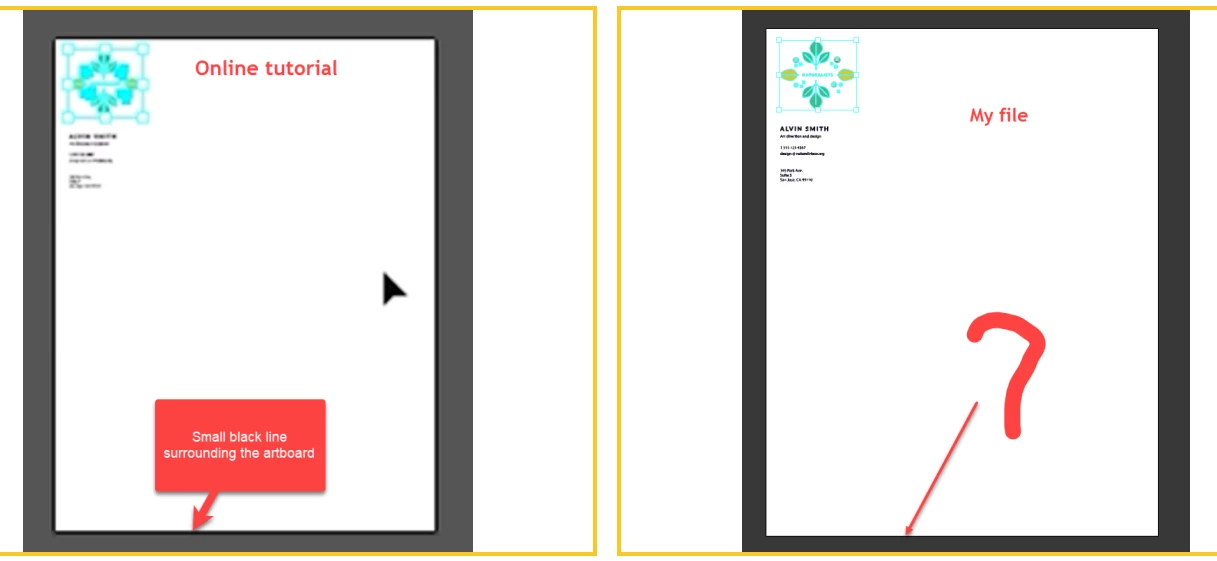
In the tutorial I can see very thin black line surrouning the art board, showing that artboard is active. But I cannot see that line in my file eventhough artboard is active. What is the reason for that?
If you use the default of having a dark gray area surrounding the artboards, the difference between a selected and non-selected artboard is very subtle.
To see it more clearly, change Illustrator User Interace Preference and set Canvas Color to White and you'll see it.
Already have an account? Login
Enter your E-mail address. We'll send you an e-mail with instructions to reset your password.
 AdChoices