
Question
Line thickness changes when moving object or copy & pasting
Hello everyone,
My illustrator worked fine for months & out of nowhere a very annoying bug appeared (or maybe I pressed something accidently).
Whenever I move an object (drag, allign or copy/paste): The thickness of the lines is changing (and stays that way even if I use the un-do shortcut).
Here is an example, before and after moving:
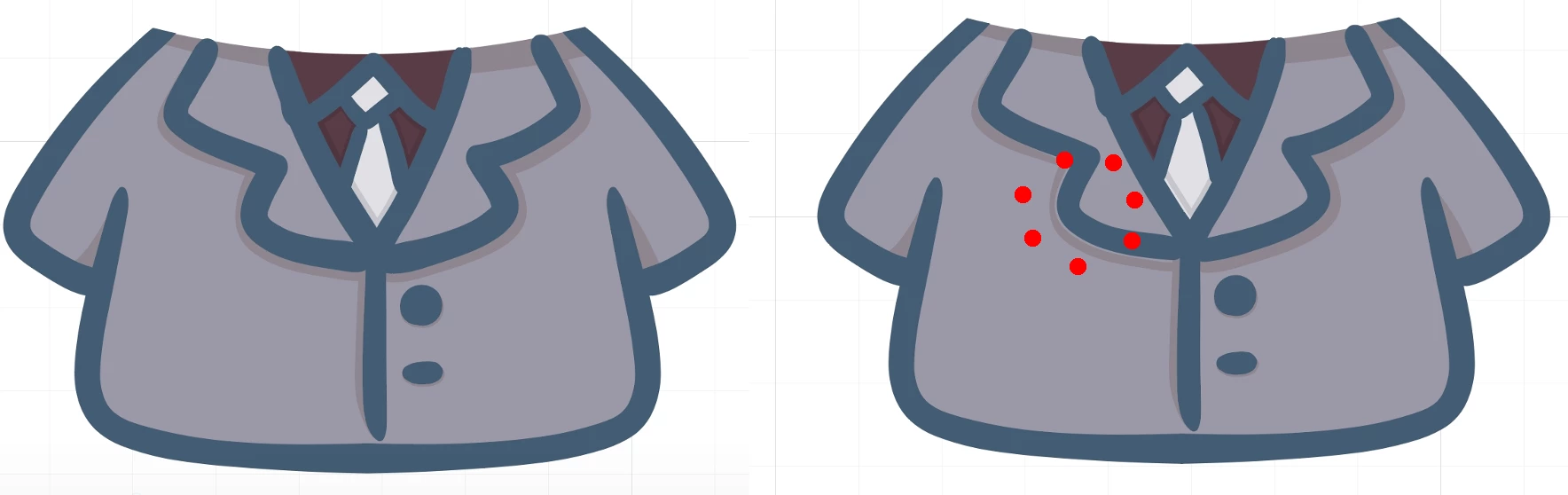
As you can see the line in the red dotted circle got thinner.
Here is a video recording for better overview:
Does anyone know how I can fix this? I already tried to re-install everything, reset all presets. But it keeps happening in that file. Even if I copy/paste the contents to a new illustrator file.
I use the latest version of Illustrator from the creative cloud subscription.
Thank you in advance!
 AdChoices