
Line Width Issues at Corners and Ends
I often run into this issue where certain anchors will incorrectly display the line width, as if one side of the width is sheared off. This is not the result of using the width tool to edit one side only — in fact, I've tried using that method to correct the issue to no avail.
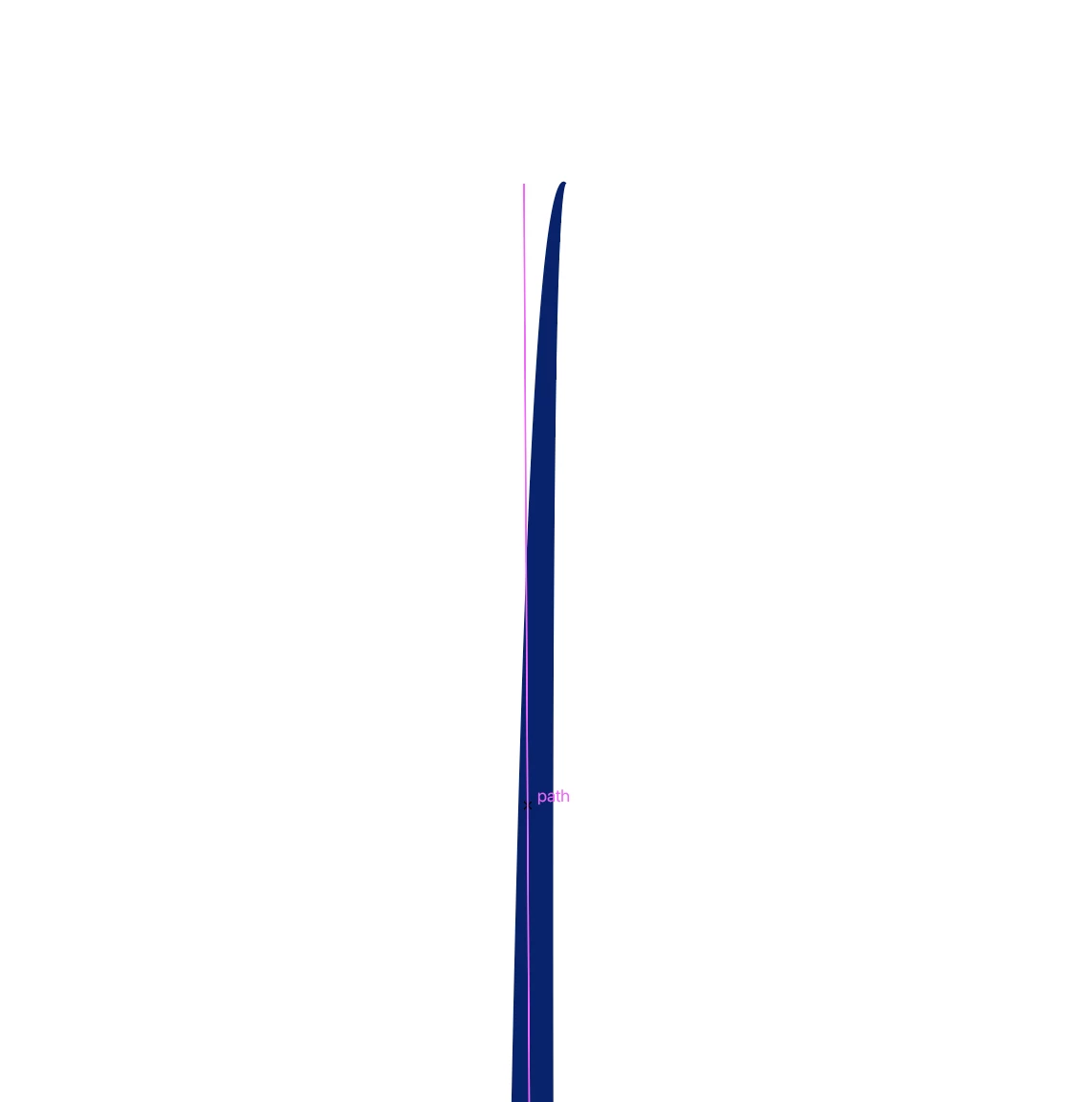
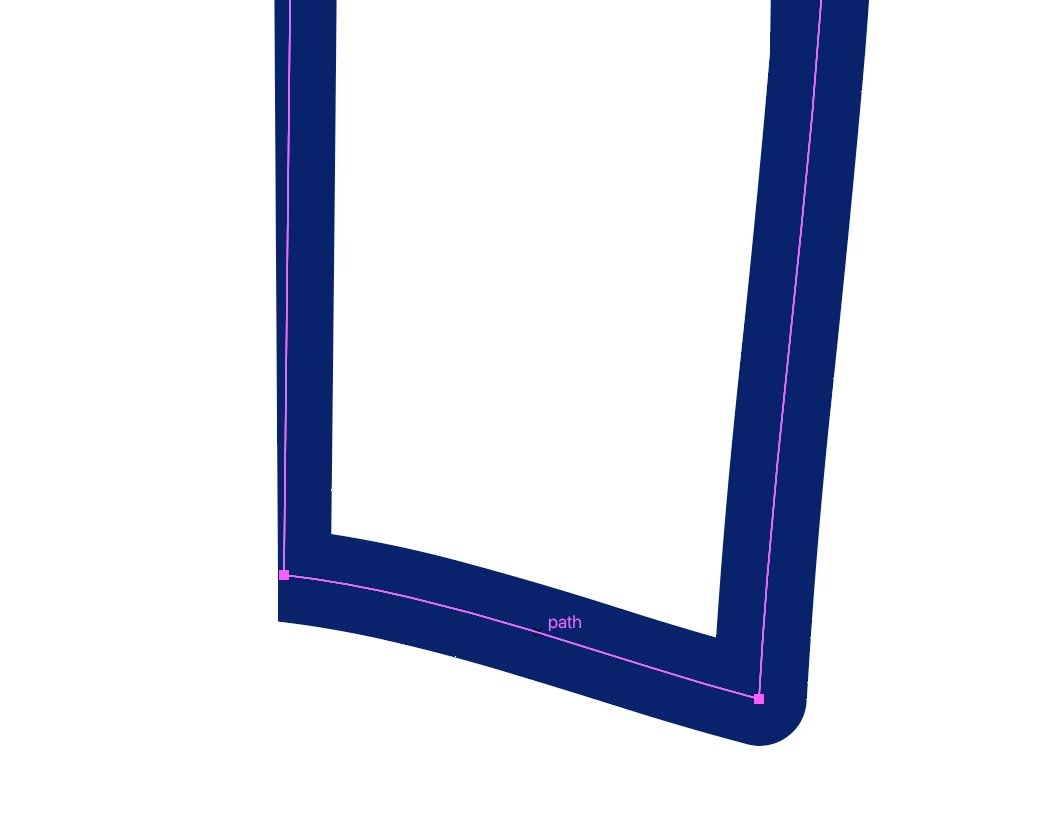
Two things seem to "fix" the display error, but they're only workarounds that cause their own unwanted effects:
1. If I round the corner of the affected anchor point, the issue disappears. But I often don't want a rounded corner.
2. If I use the width tool to increase the line width there, the issue disappears. But I have to increase it so much that it's far off from my desired width. If I try to decrease it again to get closer to the desired width, we go back to the issue displaying. (And I swear I'm not working with unrealistically small widths or crazy width changes between points! So it doesn't make sense.)
Some other tidbits that might inform the situation:
- I've noticed there might be a correlation between this issue and using the Pen tool to option-click points to remove handles. But the issue appears on other points in the line, not usually the one I've option-clicked. And I don't think it always happens on opt-clicked lines (some opt-clicked lines are safe, and sometimes it happens to non-opt-clicked lines).
- I'm using a custom Variable Width Profile on a "Basic" line. But I can't imagine that this issue is somehow embedded in the profile, because I apply it to plenty of lines without this happening.
- It happens on lines that were originally drawn with the Pencil tool.
- Sometimes if I make edits elsewhere in the line (like adjusting width, adding/removing/moving points, adjusting curves) the shearing issue will jump around to other points in the line or change the intensity of its appearance. But it rarely disappears completely.
Really hoping someone knows why this is happening so either I can fix my process or Adobe can fix this potential bug! Thank you!


 AdChoices