marcojoel
Participant
November 10, 2017
Answered

Line with straight base

  • November 10, 2017
  • 2 replies
  • 322 views

Hello there, I've done some works in illustrator, but never create something from scratch.

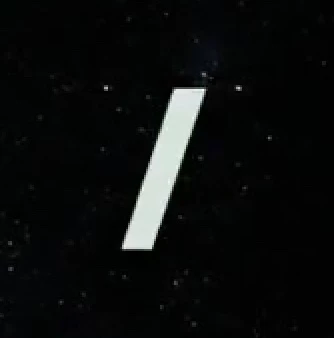
I need to create a line like the image below but I don't know how. can someone help me with this?
    This topic has been closed for replies.
    Correct answer Ton Frederiks

    If it is the shape that you are after and it does not need to be a stroke, you can use a rectangle and use the Shear Tool (found below the Scale Tool).

    2 replies

    Ton Frederiks
    Community Expert
    Ton FrederiksCommunity ExpertCorrect answer
    Community Expert
    November 10, 2017

    If it is the shape that you are after and it does not need to be a stroke, you can use a rectangle and use the Shear Tool (found below the Scale Tool).

    marcojoel
    marcojoelAuthor
    Participant
    November 10, 2017

    Thank you for yur help

    I've tried both and worked fine.

    Thank You

    Jacob Bugge
    Community Expert
    Community Expert
    November 11, 2017

    For my part you are welcome, Marco.

    Jacob Bugge
    Community Expert
    Community Expert
    November 10, 2017

    Marco,

    You may make the line longer than needed and then:

    A) Object>Path>Outline Stroke, then create a rectangle with a top and bottom that corresponds to the desired cutoffs (or just two vertical lines there), then Object>Path>Divide Objects Below (for each separate line), then just delete the unwanted top and bottom to have the desired shape;

    Or:

    B) Object>Path>Outline Stroke, then create a rectangle with a top and bottom that corresponds to the desired cutoffs, then select everything and Pathfinder>Intersect;

    Or:

    C) Just keep the line with a stroke (or outline it) then create a rectangle with a top and bottom that corresponds to the desired cutoffs, then select everything and Ctrl/Cmd+7 to create a Clipping Mask.

    C) is reversible, and you may Direct Select the line and move it about.

    In any case, you can also start with the rectangle, then make the line.