Participant
August 5, 2021
Question

Lines appearing after export

  • August 5, 2021
  • 1 reply
  • 1244 views

Hello, first time poster here.


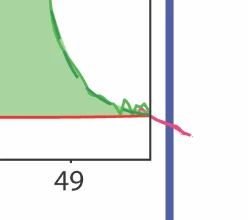
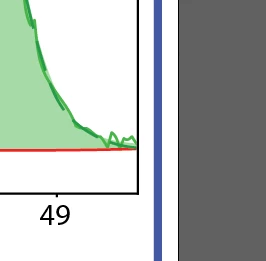
I am exporting a graphic from Illustrator. When viewed in Illustrator the file looks as intended. When I export it (have tried .tif, .png, .jpg, .pdf so far), An extra element appears in the render. I can not see or select the graphic that appears in preview mode, but it is visible in outline mode.  However, I can not select the line at all in outline mode. ALl other lines are selectable.


Apologies if this is a simple problem, but I can't figure it out! To me, it seems like a glitch. 


Thanks!
 

This topic has been closed for replies.

1 reply

Mylenium
Legend
August 5, 2021

Hard to say since you are not actually showing us screenshots with the lines selected or haven't really explained what kind of graphic this is, how it was created and so on. Based on the bits one can see we would have to assume that this an issue with a clipping mask or something liek that applied to the boundaries of the graph to clip the data lines. That's probably also the reason why you can't select anything because it's locked inside the group structure. You may need to drill into the layers palette and resolve this by ungrouping, regrouping and re-assigning the clipping mask.


Mylenium