Participant
August 15, 2019
Question

Lines are not perfect in Illustrator

  • August 15, 2019
  • 2 replies
  • 579 views

Dears,

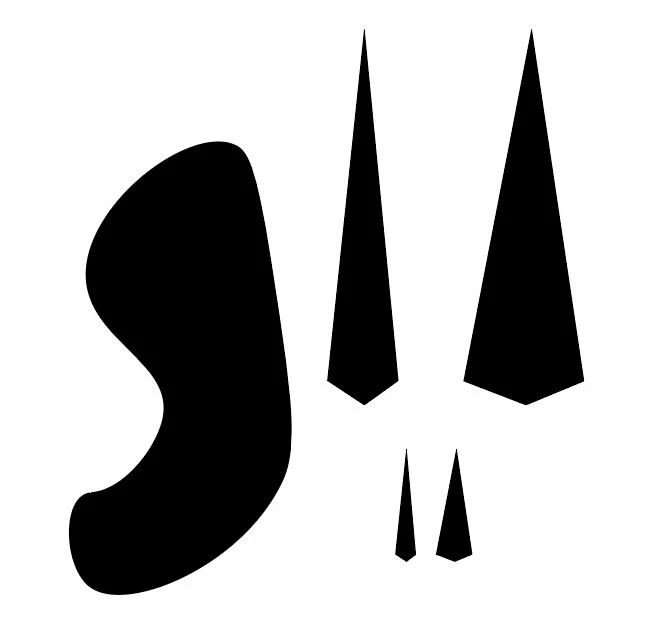
Lines in Illustrator are not perfect. With curves and side lines, it somehow not percetly made.. I don't know how to explain this so I attached a photo.

Naif !

    This topic has been closed for replies.

    2 replies

    Peter Villevoye
    Community Expert
    Community Expert
    August 15, 2019

    My guess is that you're referring to the jagged lines in the slightly angled lines.

    This is normal. The effect is called anti-aliasing, to give any angled line or irregular shape a less coarse preview on your pixelated screen. Don't worry, this doesn't happen in print, or when you scale or zoom in on your artwork ! It's just the very momentarily view on your screen.

    Enlarged:

    This is what a screen would render if it wouldn't be using anti-aliasing:

    And the enlarged view:

    Although the pixels have been very strict in either black or white (which might seem sharper), the on-screen rendition just feels too sharp ! So that's why it's a good thing to soften the edges a bit, and let the software calculate how pixels should represent values in between.

    Doug A Roberts
    Community Expert
    Community Expert
    August 15, 2019

    I'm not sure what imperfections we're supposed to be looking at.

    Participant
    August 15, 2019

    Doug A Roberts
    Community Expert
    Community Expert
    August 15, 2019

    Creating a similar angled shape in Photoshop matches that pixel-for-pixel, so I don't think there's anything wrong here.