
Paul Razzell
Participant
November 25, 2018
Answered

Lines disappear when exporting .ai to .svg. Please help!

  • November 25, 2018
  • 2 replies
  • 5674 views

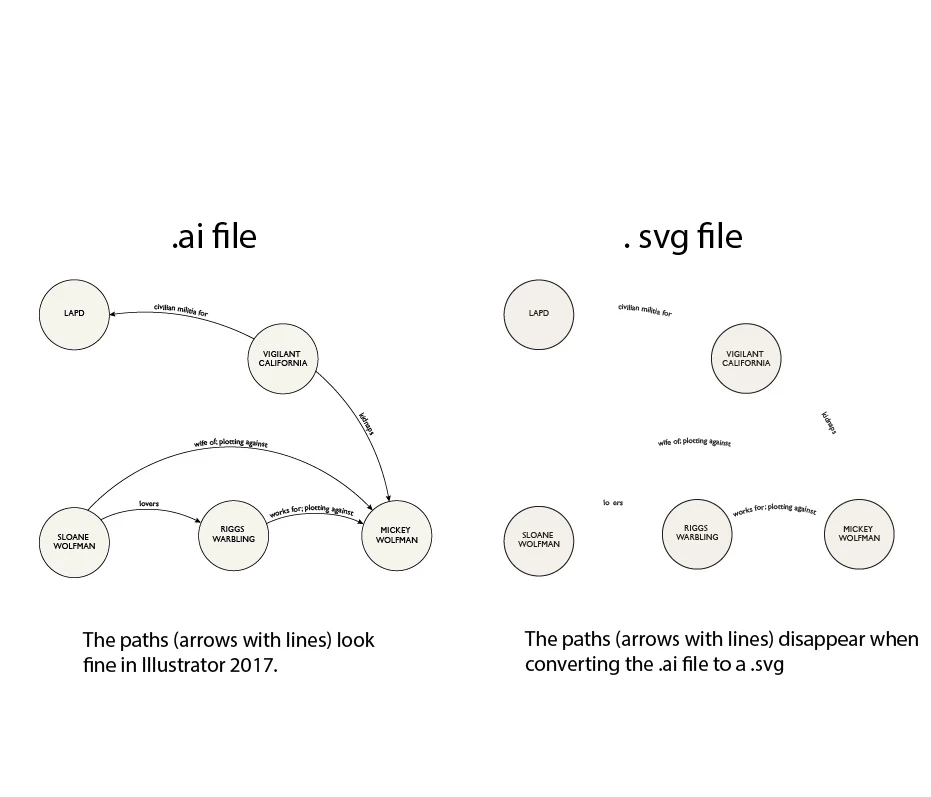
When I export my .ia file to a .svg, my carefully drawn lines and arrows disappear. The image below shows my diagram before and after exporting from Illustrator to .svg.

Can anyone explain how to export from an Illustrator 2017 file to a .svg and preserve all elements of the Illustrator file?
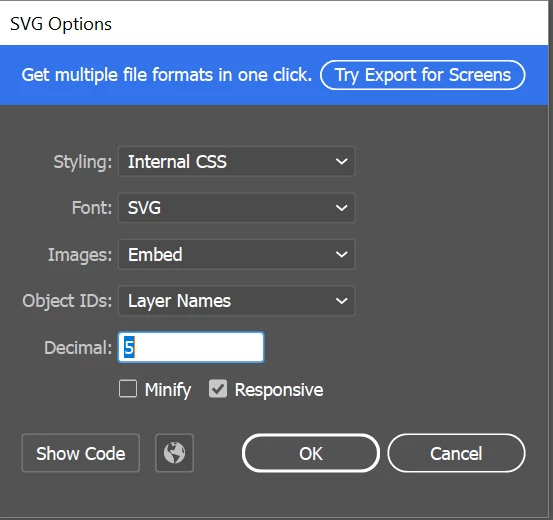
Here are my .svg export settings:
This issue is holding up a large project. Would be grateful for any guidance. Thanks!

This topic has been closed for replies.
Correct answer Monika Gause

You need to make one path for the path text and another one for the arrow.

2 replies

Participant
February 11, 2021

I have the same problem while exporting my svg icon. Some parts (lines) drown with the pen tool disappear 😔 please help 

Monika Gause
Community Expert
Community Expert
February 11, 2021

Without seeing your files (the AI as well as the resulting SVG) nobody will be able to help you unfortunately. Can you please upload them to Dropbox or the like?

Monika Gause
Community Expert
Community Expert
November 25, 2018

Are the paths gone? Or just the strokes?

How are those arrows built?

Paul Razzell
Participant
November 25, 2018

Hi Monika,

Many thanks for your reply.

The lines and arrows were made in Illustrator with the curvature tool. Then I labelled the lines using the type on a path tool.

As you can see, the labels are there but the lines and arrows, on which the labels were made, have disappeared.

You can see the .svg file itself and the original .ai file in this Dropbox folder.

Any solutions come to mind?

Paul

Monika Gause
Community Expert
Monika GauseCommunity ExpertCorrect answer
Community Expert
November 25, 2018

You need to make one path for the path text and another one for the arrow.