


Lines look jagged and strange in Illustrator
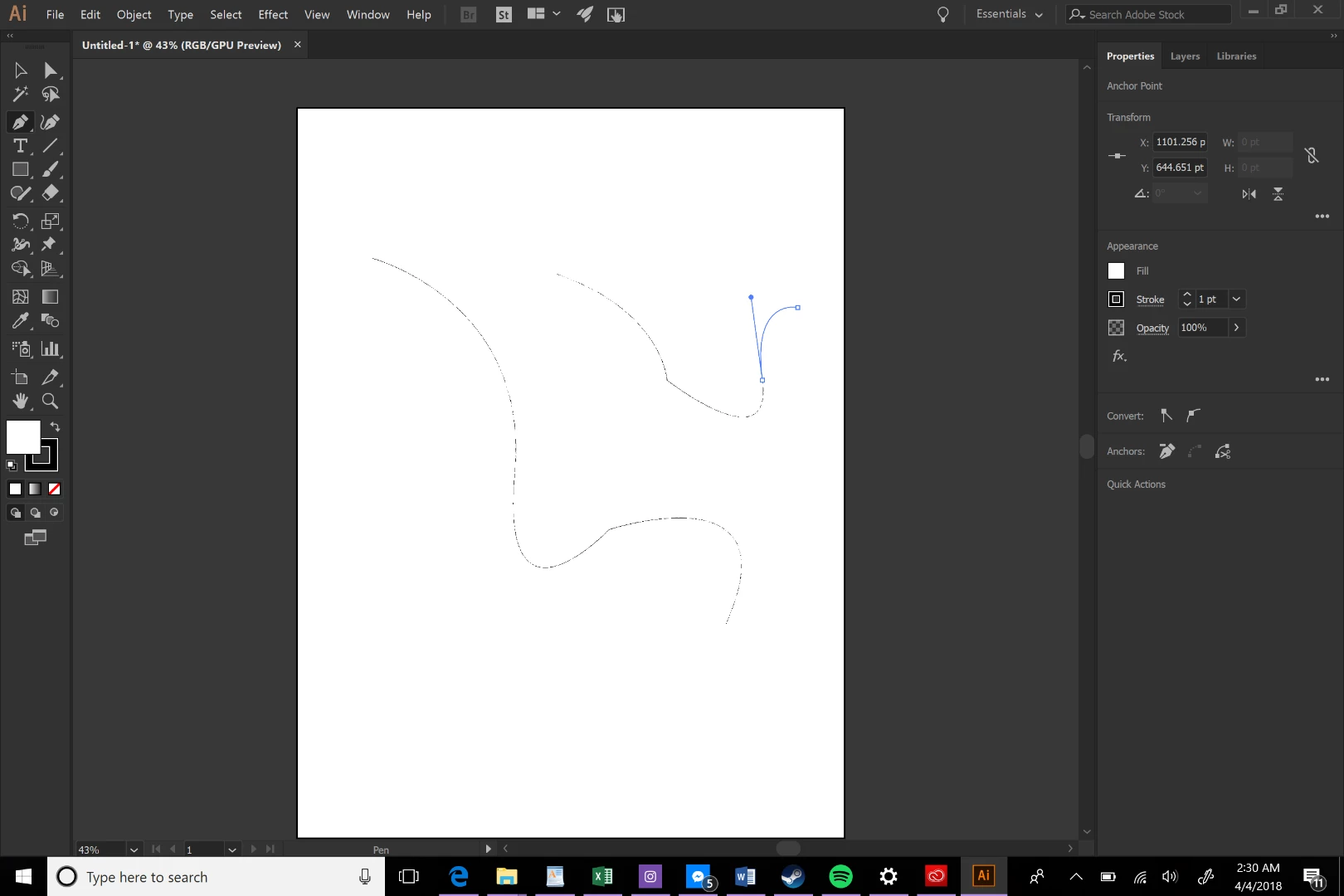
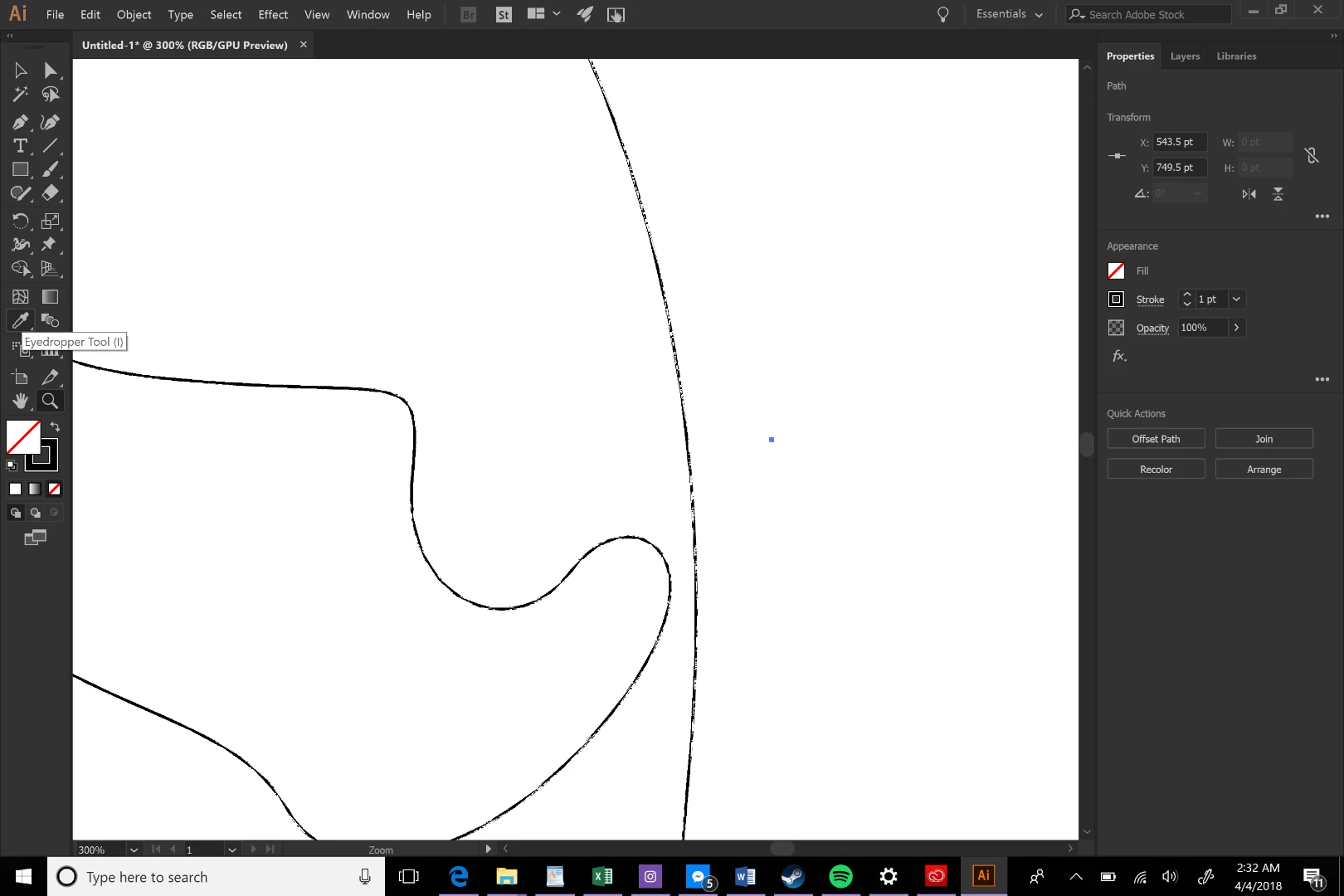
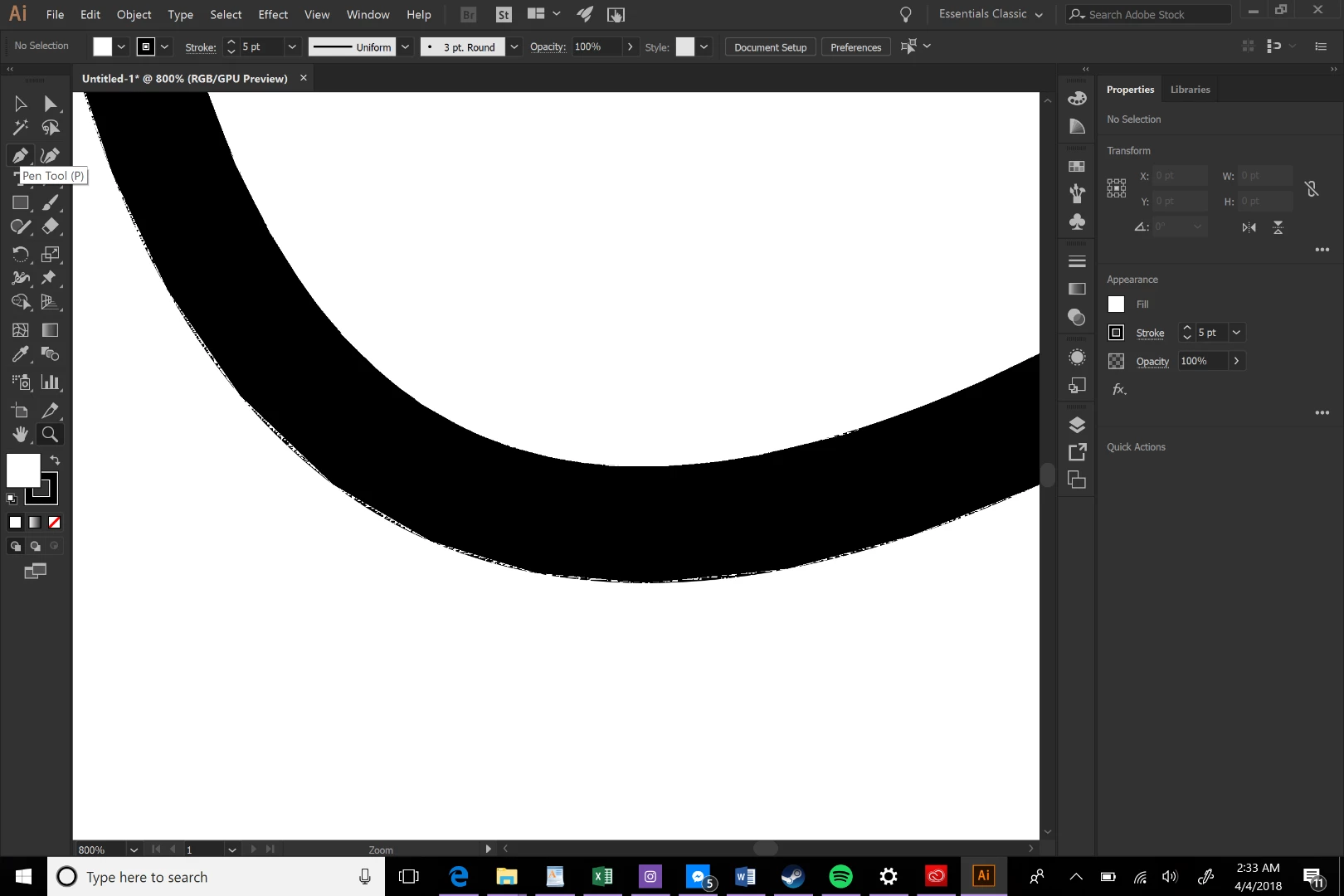
I recently upgraded from a MacBook Air to a Surface Pro 4. I've found that while making lines in illustrator on my surface, they look very strange, with an almost jaggedly patterned edge. I've tried messing around with settings and uninstalling and reinstalling the program, but nothing helps. It's very annoying, especially when I just want to play around with lines. I never had this problem on my old laptop with the same version of illustrator.
I'll include some screenshots of how it looks at a distance and zoomed in. It doesn't matter if I change the stroke width or color either. It's very frustrating and I just want to create, but ever since I noticed this problem, I haven't been able to work as efficiently, as the jagged lines really bother me. Whenever I used the Mac it worked fine. Any fix or solution would be greatly appreciated!

 AdChoices