
Participant
April 1, 2022
Question

linked image with clipping path wrong scale

  • April 1, 2022
  • 3 replies
  • 838 views

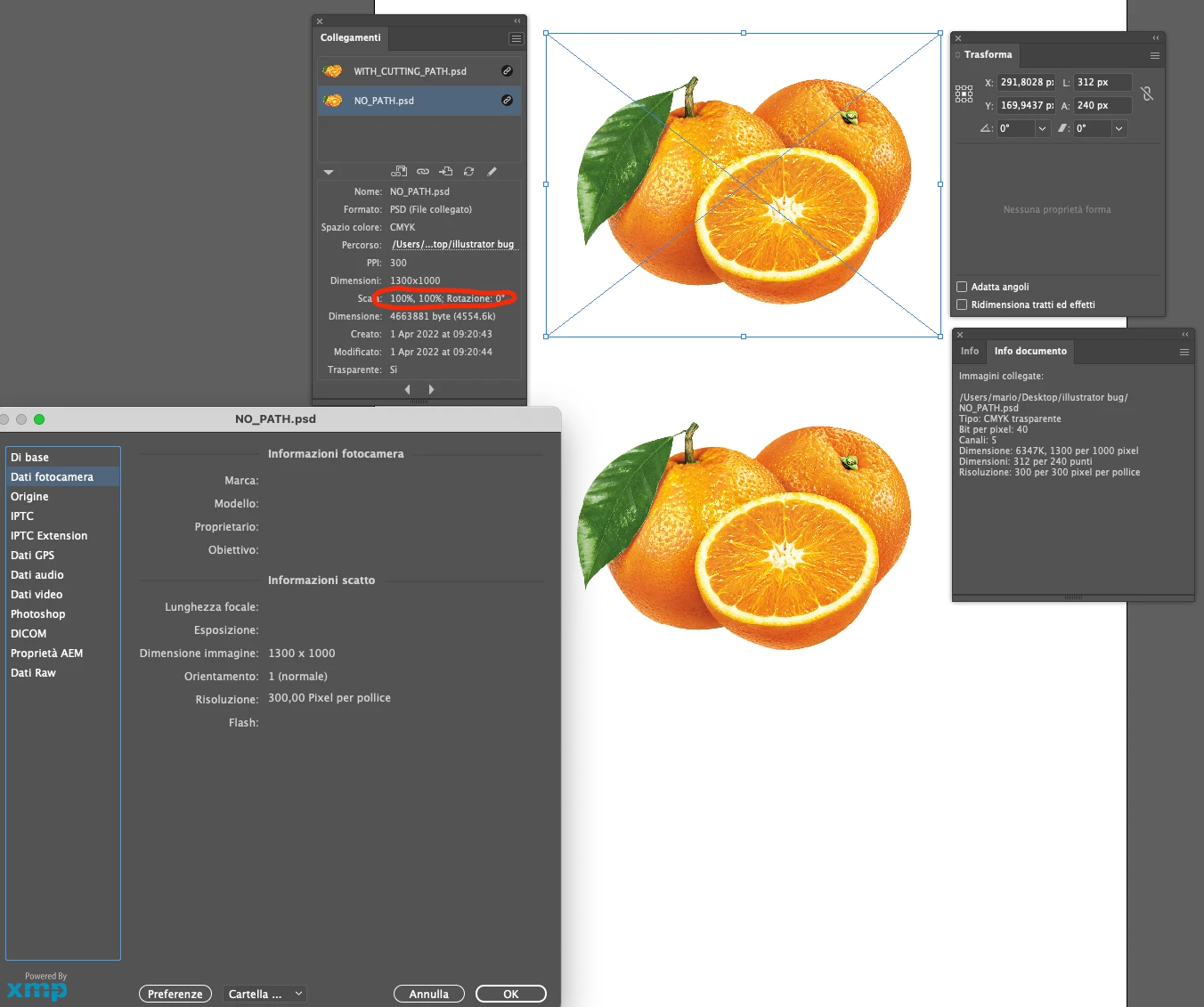
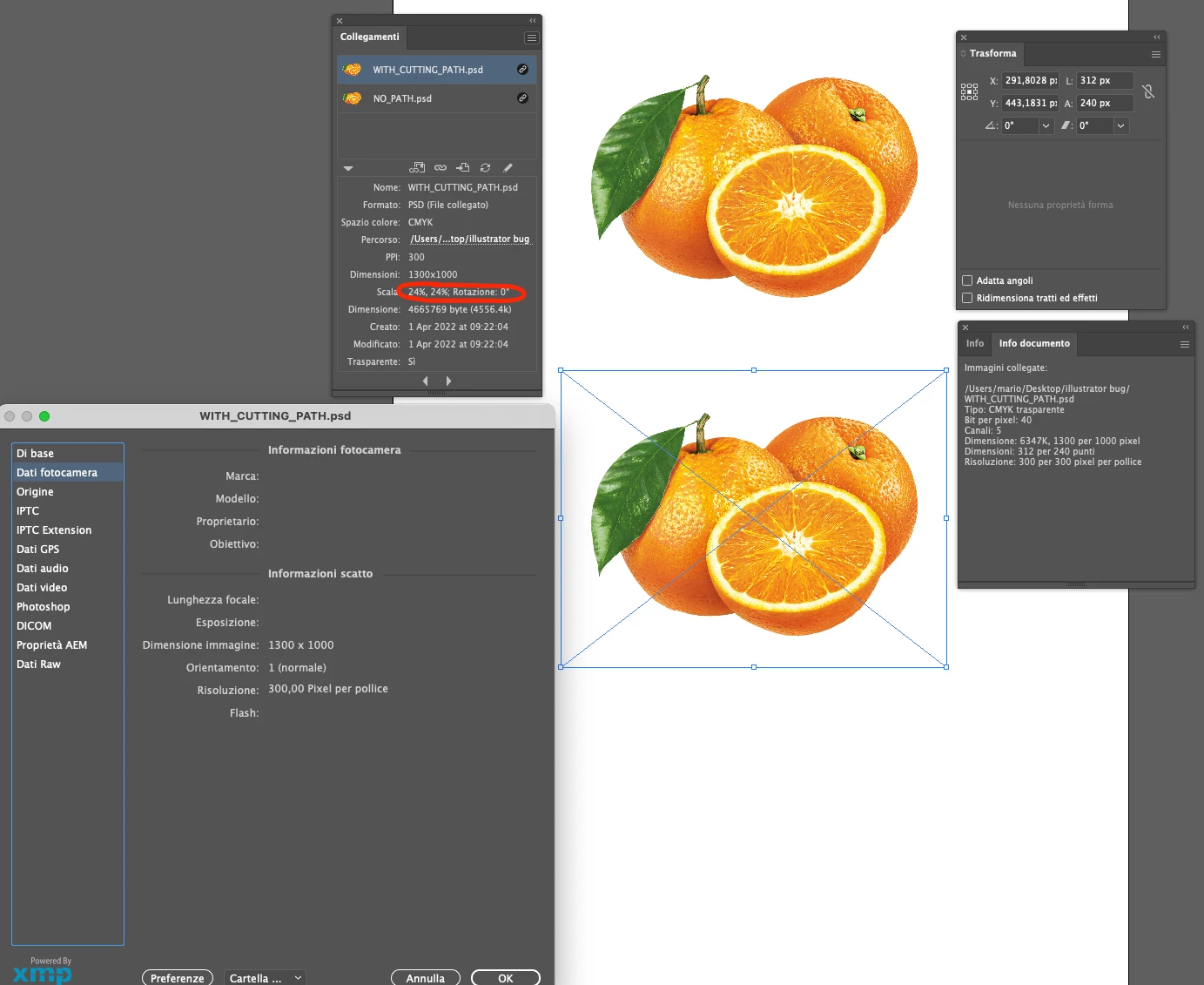
PSD images with a clipping path show an incorrect percentage, as if the image is always interpreted at 72 dpi, even when in photoshop it is saved at 300.

To reproduce the behavior simply import the same image twice, once without clipping path (the links panel shows 100%) and once with a clipping path (the links panel shows 24%)
This topic has been closed for replies.

3 replies

Mike_Gondek10189183
Community Expert
Community Expert
April 17, 2024

Is there a need to use clipping paths? Instead add a layer mask on layers in photoshop, and this should go away.


Ever since Photoshop added transparency, I have had no more need for clipping paths. Usually resolution is desired, but knocking out background  is more natural to have a slightly very very soft edge, especially in areas farther away from lens. But thankyou for this 80s flashback and the fond memories of those golden years in graphics.

SwearingDad
Inspiring
April 17, 2024

Many of my historical files have clipping paths so it has been a pain to manually remove them. And if you are sending a third party a JPG of a cut out image of say a product, then you still need a clipping path 🙂


I am torally with you, I now mainly work with transparent layers, but it is also daft IMHO that Adobe have not fixed a simple long standing bug.

Scott Falkner
Community Expert
Community Expert
April 17, 2024
quote

…it is also daft IMHO that Adobe have not fixed a simple long standing bug.


By @SwearingDad


You must be new here. Adobe have an entire building devoted to not fixing long-standing bugs in Illustrator.

SwearingDad
Inspiring
April 17, 2024

Just discovered this issue. in April 2024. Time to fix that bug Adobe! Doh!

Doug A Roberts
Community Expert
Community Expert
April 1, 2022

Damn, been there a long time to have only one vote.

Ton Frederiks
Community Expert
Community Expert
April 1, 2022

Made it 3.