Participant
March 23, 2026
Answered

Linked PNG color changes in .aic Cloud Documents after restarting Illustrator

  • March 23, 2026
  • 2 replies
  • 46 views

I have created an Illustrator file and placed a linked PNG. The Links panel shows that the PNG has a different color space than the document.

My Illustrator Color Settings are set to "Preserve Embedded Profiles" for both RGB and CMYK. The Document Color Mode is CMYK. Overprint Preview and Proof Colors are turned off, and "Simulate Colored Paper" in the Document Setup is also disabled.

If I close and reopen the document tab, the color of the linked item stays correct. However, after quitting Illustrator completely and reopening the file, the color of the linked image becomes brighter and a little washed out.

This issue only happens when the file is saved as a Cloud Document (.aic). With local .ai files, everything works perfectly fine. Has anyone encountered this bug before?

GPU/CPU Toggle does not change anything.


MacOS 26.0.1 Illustrator 30.2.1

    Correct answer Ton Frederiks

    @NAdler I can see a difference between a local saved file and a cloud version. There are a couple of things to be aware of.

    Cloud files do not like linked files (unless they are Photoshop cloud files).

    Illustrator has a problematic relationship with PNG files, it does not save the color profile when exporting them and if not present when importing, assumes that they are the same as the current document color profile.

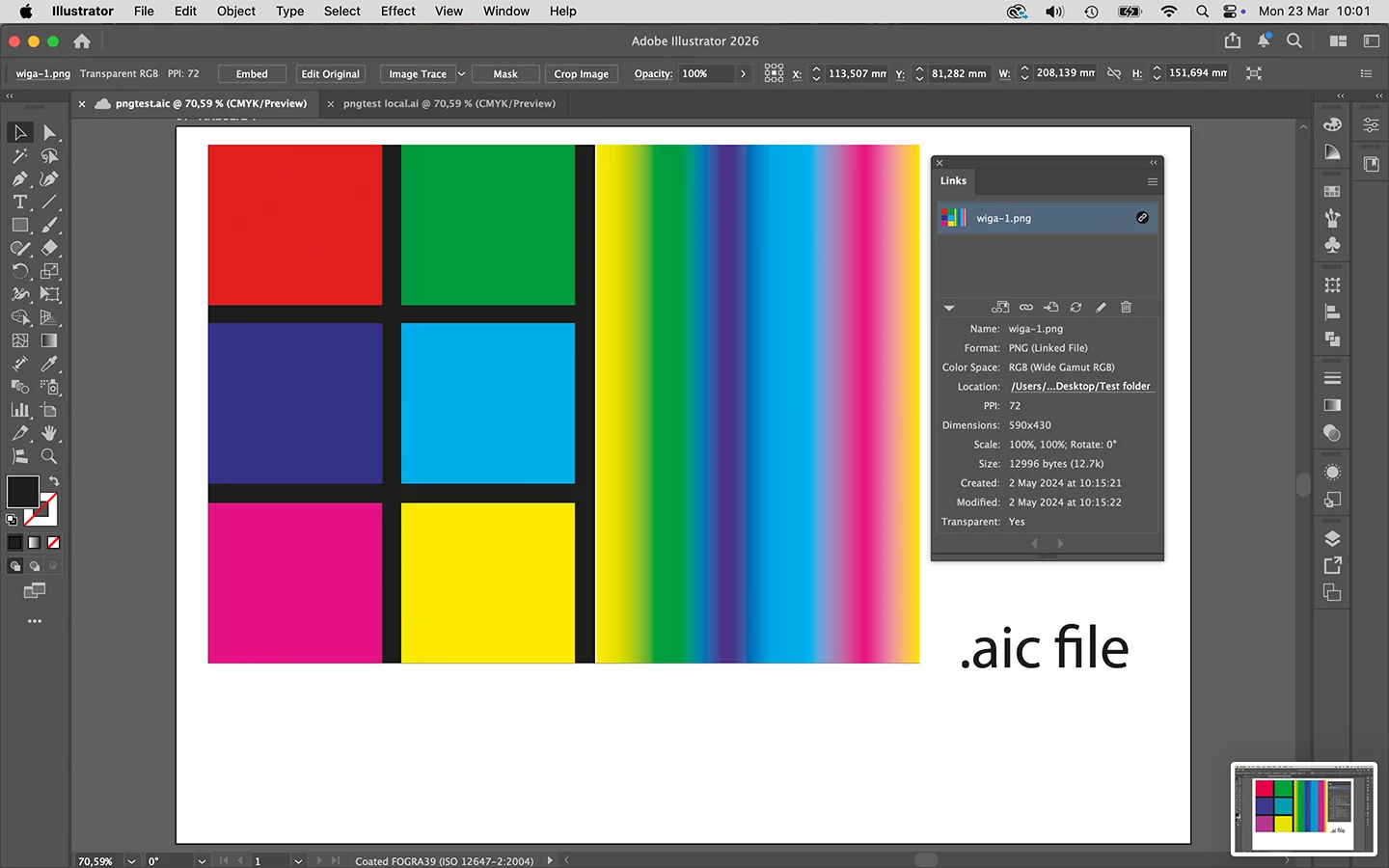
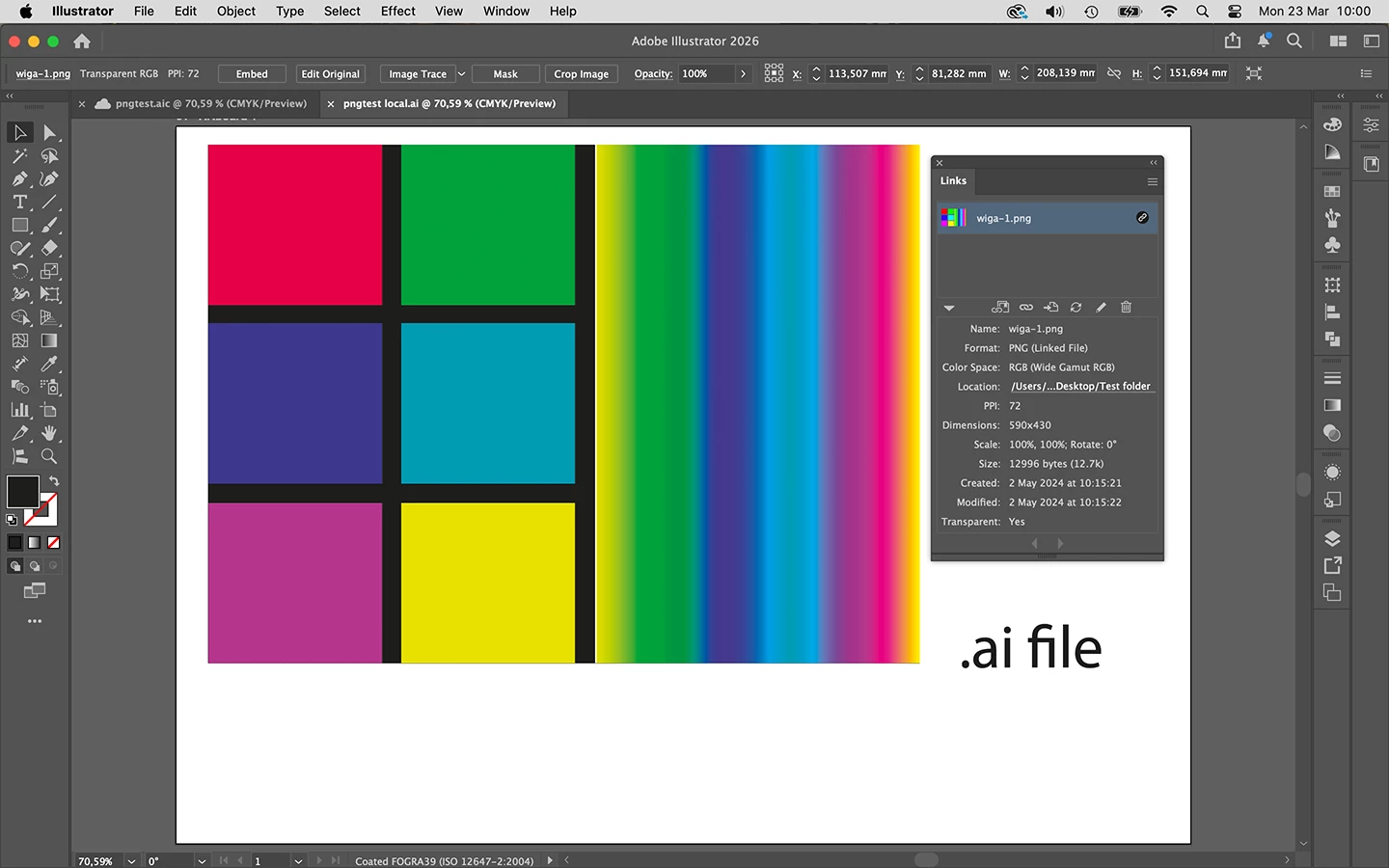
    This is what I see with an extreme example of an Wide Gamut RGB file in a CMYK document:

    Cloud saved file:

    Local saved file


    2 replies

    Ton Frederiks
    Community Expert
    Ton FrederiksCommunity ExpertCorrect answer
    Community Expert
    March 23, 2026

    @NAdler I can see a difference between a local saved file and a cloud version. There are a couple of things to be aware of.

    Cloud files do not like linked files (unless they are Photoshop cloud files).

    Illustrator has a problematic relationship with PNG files, it does not save the color profile when exporting them and if not present when importing, assumes that they are the same as the current document color profile.

    This is what I see with an extreme example of an Wide Gamut RGB file in a CMYK document:

    Cloud saved file:

    Local saved file


    creative explorer
    Community Expert
    Community Expert
    March 23, 2026

    @NAdler Yes, it’s a bug...and yes, it’s a known bug....well, Illustrator has a bug with placed images, and it sounds like it the same for linked images too (

    ). Cloud Documents mishandles linked images with embedded color profiles, causing a color shift (usually brighter/washed‑out) when reopening Illustrator. Local .ai files do not have this issue. 

    I believe 2025 does this as well...but not 2024!?! 

    m