Participant
January 16, 2020
Question

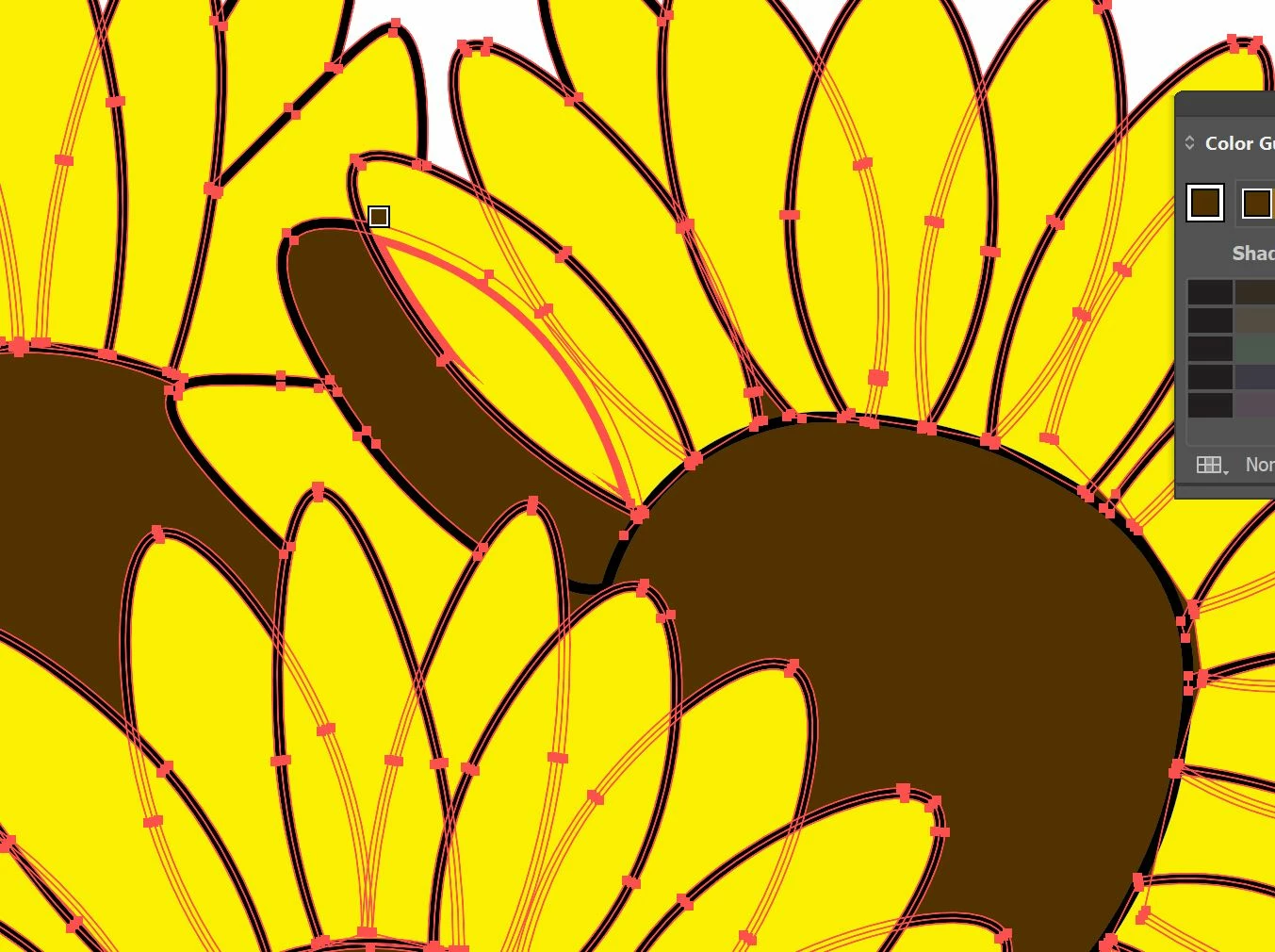
Live paint filling an area I don't want to color

  • January 16, 2020
  • 1 reply
  • 269 views

Hello, 

I'm trying to use the live paint bucket to fill in the center of the flower in the attached photo. However, every time I try to fill in the circle, one of the petals also gets filled in. How do I make sure the petal isn't included when I use the live paint bucket? I'm having a similar problem further down in the drawing (not pictured) and I don't know how to resolve it. Thank you!
 

This topic has been closed for replies.

1 reply

Larry G. Schneider
Community Expert
Community Expert
January 16, 2020

Try checking the gap settings in the Live Paint tool.

federicoh31997127
Participating Frequently
January 16, 2020

Try what Larry suggests you.

You can also preview before the artwork in Outline mode (Ctrl/Cmd+Y) and find out the area you want to paint is not closed. It's open (has gaps) to other shapes. You can try to close some of them or reduce their size.