
Question
Live Paint Selection Tool + Gradient Tool (Not Working)
Hi there,
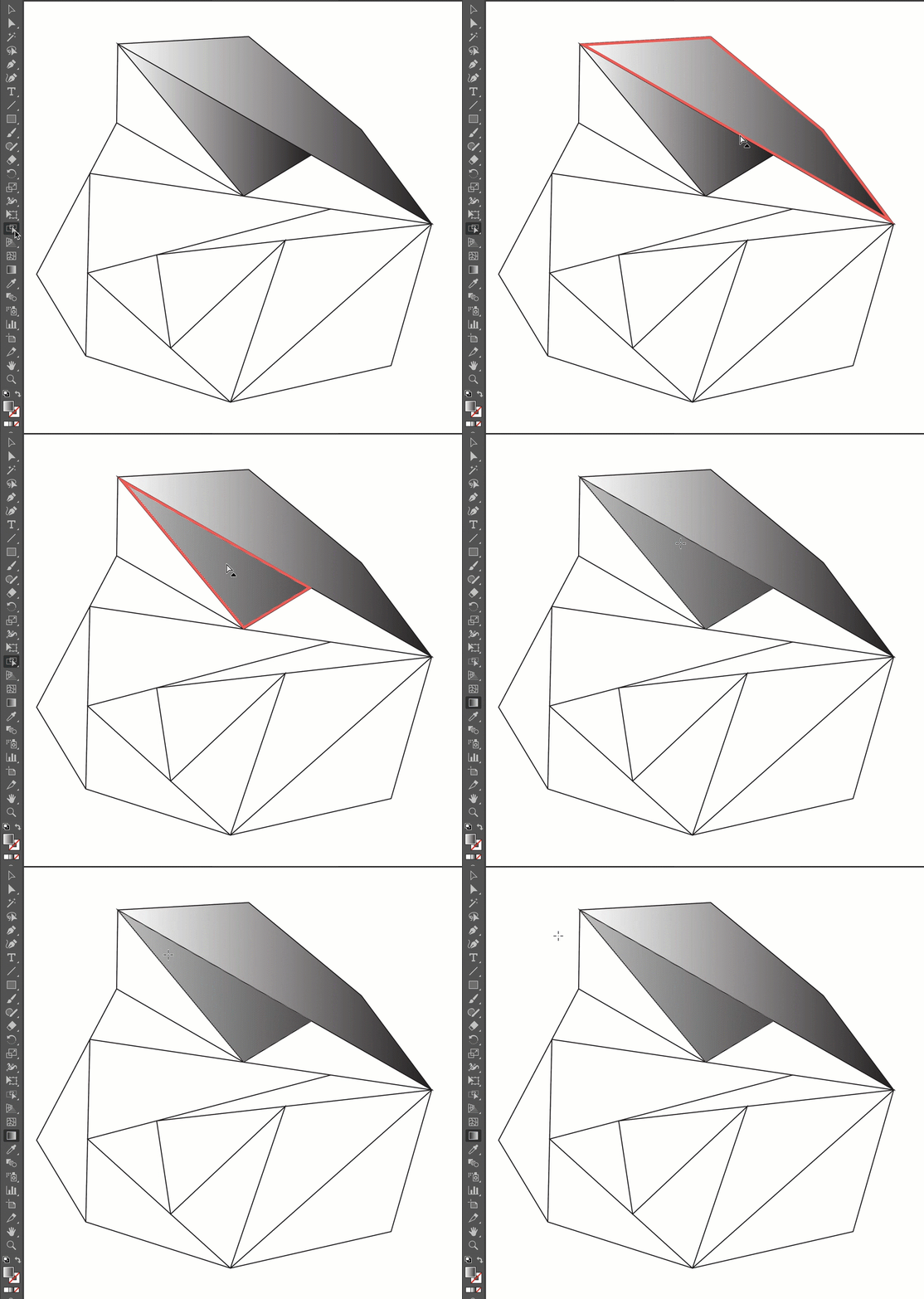
When trying to adjust the angle/direction of a gradient that is inside a Live Paint Group, I am no longer able to edit/change the direction of the gradient by completing the following stpes (which previously would work in earlier versions of Illustrator):
• Use Live Paint Selection Tool to select the segment inside of a Live Paint Group
• Switch to the Gradient Tool
• Drag to edit/change direction of gradient
The gradient indicators on the cursor do not show up, nor does dragging change/edit the direction of the gradient. I am currently working with version 25.4.1.
Any help is greatly appreciated.
 AdChoices