Inspiring
March 17, 2017
Answered

Live Trace: how to use inches for stroke weight

  • March 17, 2017
  • 2 replies
  • 3898 views

I'm using Illustrator CS5 on Win10 x64.  I need to laser cut a signature out of a piece of paper (for a stencil).  I have a good photo of a heavy signature.  My laser recognizes any line that's .001" thick as a vector (to be cut); anything else it sees as a raster object (to be engraved).  So, I need to convert the signature to a vector-outlined object with a stroke weight of .001". 

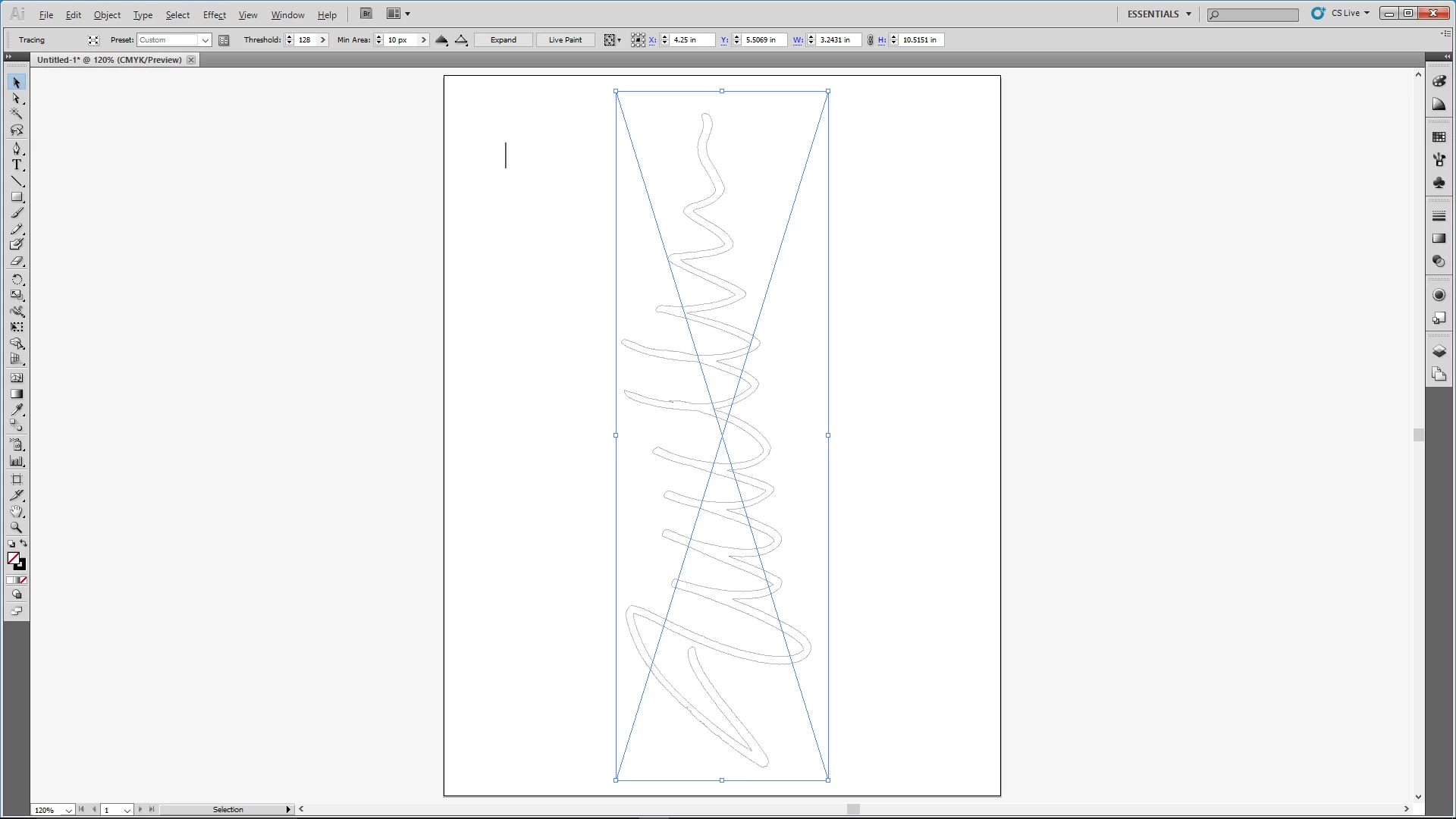
I create a new document and specify inches for units.  I place the signature photo in the new doc.  I invoke Live Trace options, but the maximum stroke weight units are in pixels.  Fine, I figure I'll trace it with a weight of 1 pixel and then convert the stroke to .001".  The trace works great, but I when I select it I'm not given any option to change the stroke weight.  Any tips appreciated.
    This topic has been closed for replies.
    Correct answer Cari Jansen

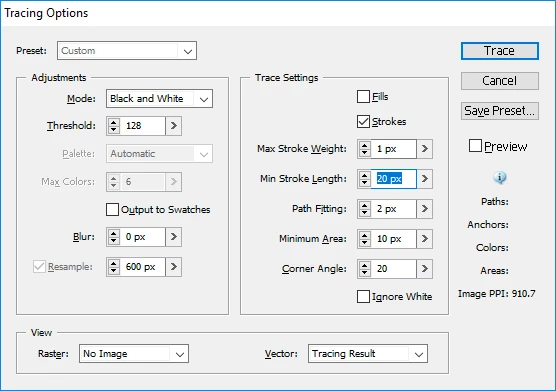
    Here are my trace settings.

    > trace it as a FILLED object only then select it and change fill to none and set stroke to 0.001”

    When I try that and select the traced signature, the stroke options disappear from beneath the menu bar.  I should point out that when I select the signature, the selection is a rectangle bounding the signature, not just the signature.  That may be part of the the problem:


    After you apply the Trace, have you tried selecting the signature on the page, then clicking on Expand in the Control panel? (then follow the steps I supplied earlier as well).

    2 replies

    Legend
    March 17, 2017

    or are you looking at converting your 1px strokes to a filled object with a 0.001" stroke on it?

    In that case you could apply:

    * Object > Expand (with Fill/Stroke selected in the Expand dialog box).

    * Press Shift-X to swap the default stroke/fill colours around

    * Set stroke weight to 0.001"

    Inspiring
    March 17, 2017

    No, I just want an empty fill and .001" stroke, but when I do as you suggest, the signature remains unselected.

    Legend
    March 17, 2017

    What settings are you using when you are Tracing the signature?

    I’m thinking it’s probably easier to trace it as a FILLED object only then select it and change fill to none and set stroke ato 0.001”?

    Legend
    March 17, 2017

    You can use the following work around:

    1. Ensure your Trace is extracted and NOT selected.
    2. Add a small line to your artboard, with stroke weight set to 1px.
    3. Select JUST this line.
    4. Choose Select > Same > Stroke Weight

    and it should select all objects with 1 px stroke weight on the artboard (assuming nothing is locked)

    Inspiring
    March 17, 2017

    How will that help me set the stroke weight of the signature to .001"?

    Legend
    March 17, 2017

    With all the strokes that are 1px selected, you can then enter 0.001" in the Stroke Weight field in the Control Panel at the top of Illustrator, that should adjust the stroke weigh of all selected strokes.