
yosh089
Participant
January 9, 2018
Answered

Looking for Pantone color swatch

  • January 9, 2018
  • 3 replies
  • 14704 views

Hi,

Pantone Color of the Year 2018 Tools for Designers I Ultra Violet 18-3838

I want to setup my Illustrator file with the Pantone 18-3838 color.

Its my first time i am working with pantone colors.

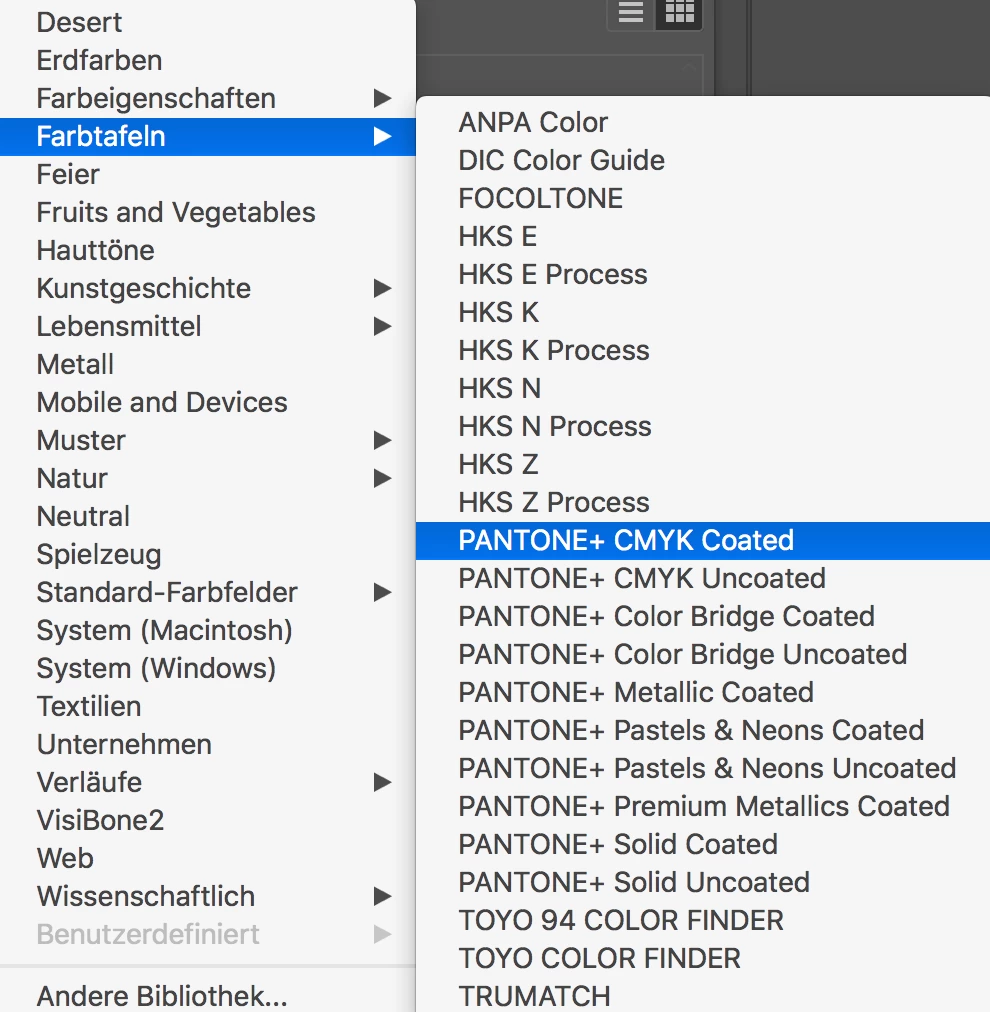
When i open the color librarys there are lots of pantone options - see screenshot below.

Can someone please tell me where i find the 18-3838?

Thanks,

Joerg
    This topic has been closed for replies.
    Correct answer @mj

    This is part of the cotton swatch library that does not ship with Illustrator.

    See: PANTONE 18-3838 TCX Ultra Violet - Find a Pantone Color | Quick Online Color Tool  which will give you color mixes where possible.

    That's the bad news.

    The good news is you can import color swatches into Ai or use Pantone X-Ref to approximate the color in another color space.

    See this article for more info on both options. https://successfulfashiondesigner.com/tutorials/where-are-the-pantone-colors-in-adobe-illustrator/

    A direct link to PantoneXref

    Color Xref - Pantone Color Cross-Reference

    Good luck

    3 replies

    yosh089
    yosh089Author
    Participant
    January 9, 2018

    Thanks guys. Both helped Awesome!

    Monika Gause
    Community Expert
    Community Expert
    November 22, 2019

    Nevertheless you should get a printed example from your client, because you can't know if the converted color does match.

    Ton Frederiks
    Community Expert
    Community Expert
    January 9, 2018

    You  can use Pantone Color Manager to add swatches to Illustrator:

    https://store.pantone.com/eu/en/pantone-color-manager-software-download.html

    But you can also create your own swatch.

    According to the link you gave PANTONE 2096 C is the one you need for printing.

    You can simulate it using sRGB values R101 G78 B163

    @mj
    Community Expert
    @mjCommunity ExpertCorrect answer
    Community Expert
    January 9, 2018

    This is part of the cotton swatch library that does not ship with Illustrator.

    See: PANTONE 18-3838 TCX Ultra Violet - Find a Pantone Color | Quick Online Color Tool  which will give you color mixes where possible.

    That's the bad news.

    The good news is you can import color swatches into Ai or use Pantone X-Ref to approximate the color in another color space.

    See this article for more info on both options. https://successfulfashiondesigner.com/tutorials/where-are-the-pantone-colors-in-adobe-illustrator/

    A direct link to PantoneXref

    Color Xref - Pantone Color Cross-Reference

    Good luck

    Participating Frequently
    November 22, 2019

    Hi,


    My client needs a cover page to be designed with "PANTONE 17-1463 TCX" and he had provided the link as given below


    https://www.pantone.com/color-finder/17-1463-TCX

    It is showing purchase option for this pantone color as "Cotton Swatch Card".


    I'm ready to purchase this Card, but can I able to use this in Adobe InDesign CS6.

    If yes, what kind of file I will be getting and how I could use it? Can anyone help on this ASAP.


    Thanks,

    Muthu