
Looking to create a script to automate a "fake a non-stacked area graph"
Hello everyone,
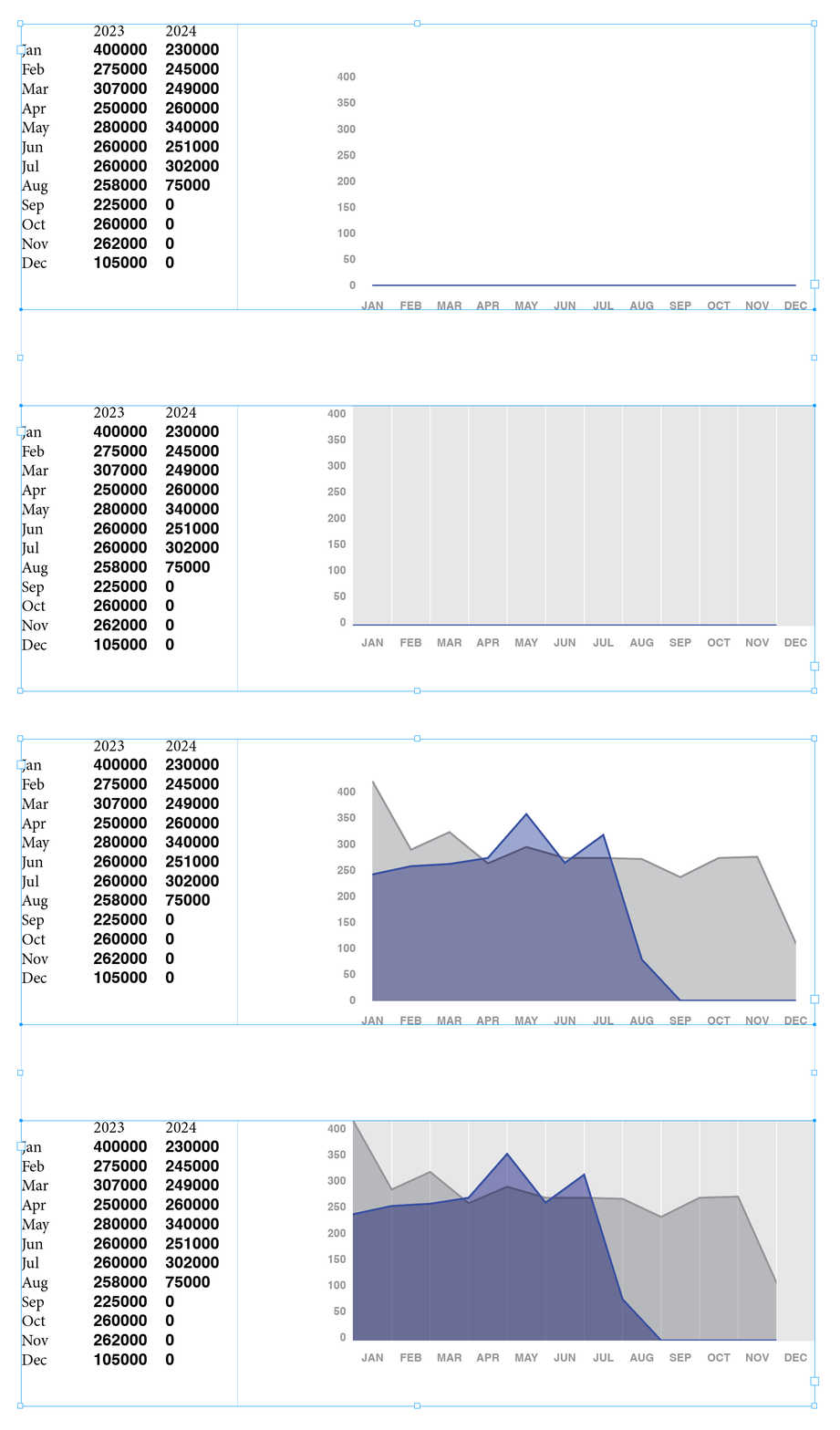
I've been tasked with creating a document for my company's customers that shows a bunch of pertinent metrics for each customer that prints out as a pdf. Easy enough for most of the metrics. The one thing I can't figure out is the graph - I've got a script basically setup to automate the actual graph creation that will save the file as a .ai that will then import into the Indesign file based on a naming convention - but my graph has one little hiccup that I can't figure out how to automate and I'm hoping the experts here may be able to help me.
The teams requesting the document didn't want a stacked area graph, but they also didn't want a simple line graph either, because they're hard to see on the page. So when I did a mock-up version I ended up getting to what they did want by creating a line graph and then using the pen tool to basically turn the lines into area graphs (i.e. I filled the lines into and basically turned them into shapes) and laid them on top of the lines on the graph. All fine and dandy when I thought I was only creating a small handful of these. But (and I should have seen this coming) everyone else liked the documents so much that they've started requesting them too.
As I mentioned, I've got 95% of this sorted with a script, I'm just not sure how to automate faking the "area" shape part at the end, especially considering each graph is going to be unique. I absolutely do not want to have to do this manually. Right now i'm sitting at about 50 customers they want this done for and this is a small part of my actual work, it can't take over my life. Does anyone know of a way I can script an answer?


 AdChoices