
DanielBlazquez
Inspiring
November 8, 2020
Answered

Lost gradient when opening an .ai

  • November 8, 2020
  • 5 replies
  • 447 views

1. Original document (it is a new file)
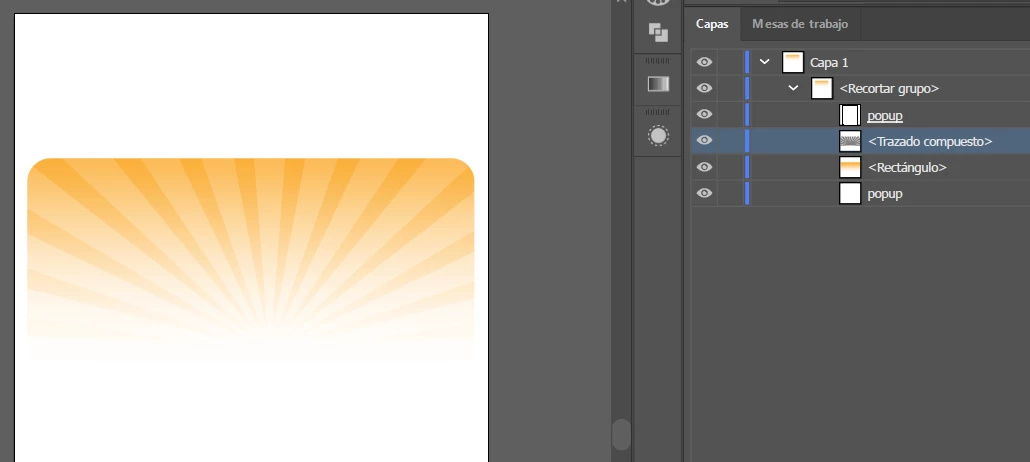
2. Closed the document and opened it again 😞
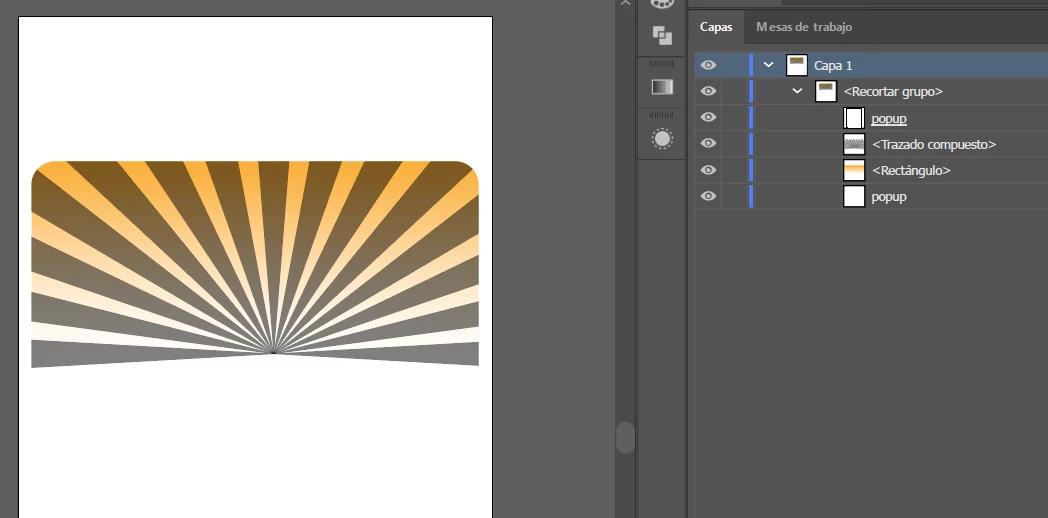
 

This topic has been closed for replies.
Correct answer DanielBlazquez

I solved it by eliminating the stray points on the object.

Select > Object > Stray Points

5 replies

DanielBlazquez
DanielBlazquezAuthorCorrect answer
Inspiring
November 9, 2020

I solved it by eliminating the stray points on the object.

Select > Object > Stray Points

DanielBlazquez
Inspiring
November 9, 2020

Adjunto un vídeo muy sencillo con el error

Jacob Bugge
Community Expert
Community Expert
November 8, 2020

Daniel,


I believe it is a different issue than loss of gradient: you still have colour transitions throughout, only the paler parts becoming the (much) darker parts.


The change in appearance could be caused by the sunburst (the rays) having more or less the same colours/colour transition as the underlying rectangle, only at reduced Opacity, maybe about 50%, and then a change in Blending Mode from Normal in the top screenshot to Difference in the bottom screenshot, to be seen in the Transparency palette.


Edit: Hi Kurt.


Edit edit: Everything above is based solely upon my (mis)interpretation/recreation of something corresponding to (fragments of) the appearance of the screenshots, without my clicking the link.


Kurt Gold
Community Expert
Community Expert
November 8, 2020

The issue with the sample file you provided is that it does not contain the original gradients as per your screenshot (1.).


Therfore I'm afraid that it is rather difficult to provide some reasonable advice ...


DanielBlazquez
Inspiring
November 9, 2020

The gradient is replaced by the plain black when the file is saved. I think it has to do with compound objects. 

DanielBlazquez
Inspiring
November 8, 2020