Silly-V
Legend
November 11, 2017
Answered

Mac OS all open-dialog favorites disappeared from all

  • November 11, 2017
  • 1 reply
  • 2458 views

Something strange happened on my Mac, with El Capitan as OS: all my favorites disappeared from all the [Adobe] apps' Open Dialogs.

I can drag favorites into the open dialogs, and they will stay around for app session but be erased back to none after an app restart.

What's strange is the new favorites I drag on have dark folder icons instead of the usual icons I can still see in Finder.
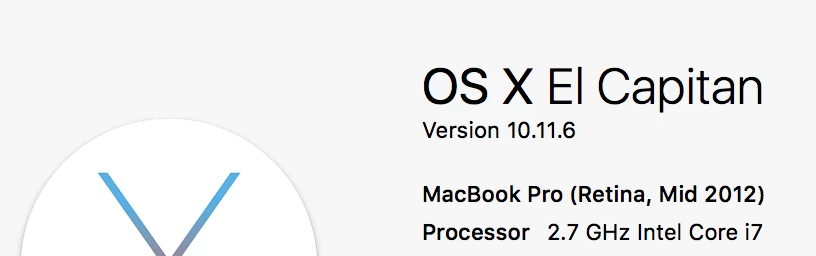
This has happened to all my CC apps which have file-open dialogs: Illustrator, Photoshop, Indesign, AfterEffects...

An unwelcome issue.
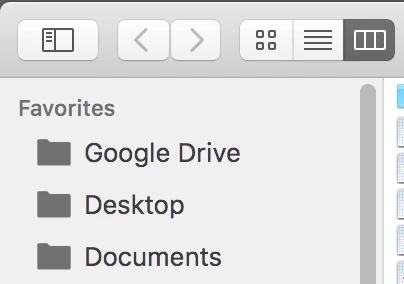
The new 'evil' icons
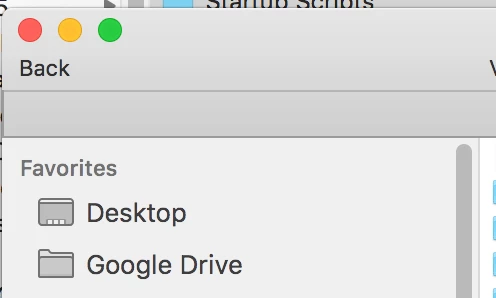
The usual icons I know and love, and which work

[EDIT] Sorry, I was unclear and did not realize it - when I said 'all apps', I meant all "Adobe Apps". It's not an issue in any other apps.

This topic has been closed for replies.
Correct answer jane-e

Can you please consider this:

  1. It is an Adobe forum to help Adobe users.
  2. Users of Adobe products who have this issue will go to this forum looking for help
  3. If we have a link to the solution, the next guy can find their answer thanks to the posted answer here.
  4. People come here looking for fast answers to their Adobe-related problem, educating them on what's wrong with their question is not helpful; a solution is helpful.

On the link (https://www.macworld.com/article/3004016/operating-systems%2… )

Yes, I went to that place first and it's not a solution.

This only happens to me in Adobe apps, not the any other apps, not Finder.

Based on the fact that it happens to my Adobe applications, I'd say it's related to Adobe products in some way. It doesn't matter who started it, Adobe products is where I'm seeing the finished result - if there's any solution it would be great. The links thus far provided are not the correct answer - let's see some new answers.

[Edit] I realized my post was unclear when I said "all apps". I meant all Adobe apps.


I would have sent you to the thread Favorites have all disappeared from "open file" prompt. How can I fix this? where this issue has been discussed and answered, Silly-V​—

—except that I see that you posted there the day before you started a fresh discussion asking the same question in this thread.

1 reply

gener7
Community Expert
Community Expert
November 12, 2017

It seems like an OSX issue with no relation to Adobe products.

https://www.google.com/search?q=favorites+not+in+osx+dialogs&ie=utf-8&oe=utf-8  for related articles.

Silly-V
Silly-VAuthor
Legend
November 12, 2017

So, not any apparent fixes proposed yet since I've read this link just now, but hopefully someone can figure out the answer and post it here.

gener7
Community Expert
Community Expert
November 12, 2017

It's Apple code, no one here in the Adobe forums can fix their code.

Best bet to ask is here:

OS X El Capitan - Official Apple Support Communities

If it were me, I would get DriveDX at the App store to check my drive.

Then if it passed, I would backup everything to Time Machine, and reinstall El Capitan then recover from Time Machine.

I have a mid 2009 Mac running 10.11.6 that for other reasons I did a Time Machine restore. Very easy.