Participant
March 15, 2021
Answered

Machine won't detect my cutlines? [Vinyl stickers]

  • March 15, 2021
  • 6 replies
  • 1949 views

Hi all,


I'm new to the whole cutlines business and have watched countless youtube tutorials.

I'm trying to create a sticker of an irregular-shaped dot with no bleed, so no white border. But the machine keeps detecting it as a square outline.


Here's the link to my file: https://www.dropbox.com/s/hxnw8p08b165ct2/sample.ai?dl=0


Here are my steps:

1) Open .png image file

2) Image trace with full colours

3) Expand, then i deleted the white background

4) Unite, then i changed from Fill to Stroke, and removed any colour from it (so both fill and stroke are transparent).


It would truly be super helpful if you guys could open up my file and give me a dummy step-by-step solution.
This topic has been closed for replies.
Correct answer Faniah

Thank you so much everyone!

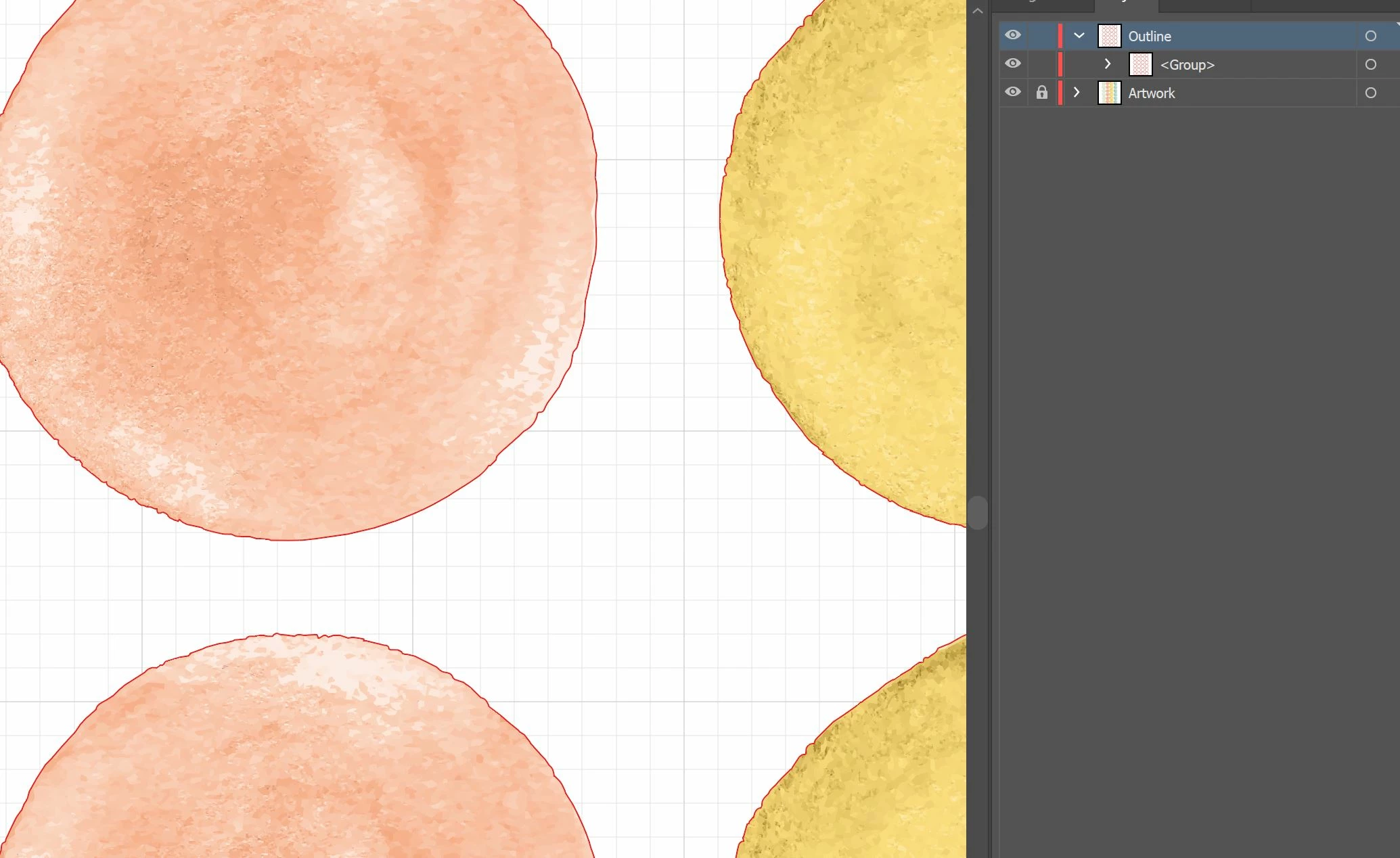
So i went to vectorize my artwork, and left it 'expand'-ed instead of uniting like what i did previously. Then i created another layer for the outline, and gave it a red 0.25 stroke.


Just sent this to the printing company, hopefully it cuts properly now! Will update this post soon once i've heard from them.

6 replies

Ton Frederiks
Community Expert
Community Expert
March 23, 2021

Maybe you could simplify your cut paths. Ungroup them, release compound paths, delete unnecessary path.


pixxxelschubser
Community Expert
Community Expert
March 23, 2021

Can you show us the requirements from the company?


Normally they want to have:

  • a separate layer named eg "Cutlines" or similar
  • a stroke width with given value
  • a stroke color which is defined in your document (and maybe also have an unique name)


Normally you only need four paths - closed and not grouped. 

But your paths are in deep nested groups! Ungroup it.

There should be four paths, but these are two paths and two compound paths. Release the compound paths and delete the unnecessary elements.

FaniahAuthorCorrect answer
Participant
March 20, 2021

Thank you so much everyone!

So i went to vectorize my artwork, and left it 'expand'-ed instead of uniting like what i did previously. Then i created another layer for the outline, and gave it a red 0.25 stroke.


Just sent this to the printing company, hopefully it cuts properly now! Will update this post soon once i've heard from them.

Participating Frequently
March 16, 2021

Not sure if you are cutting the original art or changing to vector art then cutting

I set the cut line on youre original art file.


Ton Frederiks
Community Expert
Community Expert
March 15, 2021

Your top path does not have fill and stroke.

Should it not have a certain color and size to be recognized by the cutter?

Doug A Roberts
Community Expert
Community Expert
March 15, 2021

Since the only other object in your file is the image within a clipping mask, have you tried removing that so you are left with this structure in Layers?

Participating Frequently
March 20, 2021

I thought you were doing the printing. 
I'm surprised another company who offers  die cutting didn't catch that you're file was prepared incorrect. 
If you like, post the file and I will check it for you 

FaniahAuthor
Participant
March 23, 2021

Ok update, my revised ones also didn't work! It would truly be amazing if you could take a look at my file attached here: https://www.dropbox.com/s/53jyye4tstawnr4/sample%202.ai?dl=0


They said there's no proper route outline. Should I not have vectorised it and left it expanded? I'm so confused. This is like the 4th time I sent my file to them lol, I think they're sick of me haha.