


Known Participant
February 23, 2026
Answered

macOS Tahoe 26.2 and 26.3 - Files not Saving

  • February 23, 2026
  • 1 reply
  • 40 views

Hey all,

I had this issue in macOS 26.2, do I updated to 26.3 hoping things would improve. Both have issues.

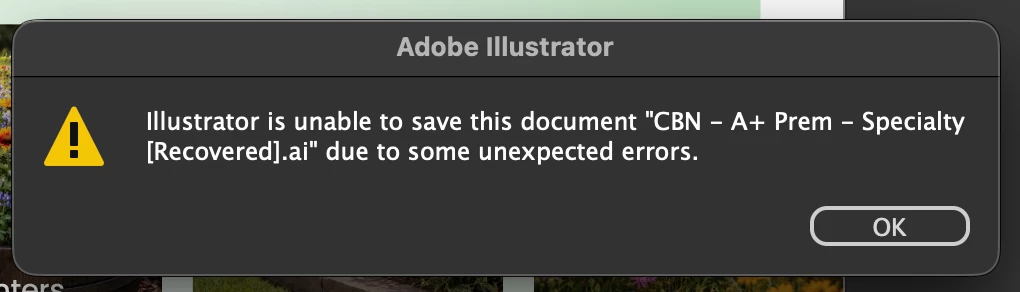
I try saving, the percentage goes up slowly, but eventually goes back down and keeps showing different seemingly random %s. It'll go 15%, then 34%, then 76%, then back down to something like 26%, then 40%, and just keeps going for maybe 10 or 15 minutes. It then eventually gives up and shows the error below:
I've tried:

  • Restarting Illustrator (and attempting to save the recovered file)
  • Restarting the computer
  • Checking for Illustrator updates (it's fully up-to-date)
  • Saving to a different location (like the Desktop)

Some information:

  • I'm not using any 3rd party plugins.
  • Files do save if I create a new one from scratch and try saving it. Existing files do not.

    Correct answer Monika Gause

    Gaussian blur is a pixel based effect. If you save with “PDF compatibility” enabled, then all effects will be expanded inside that part of the file. If you don’t need the embedded PDF, then you can turn off that as well when saving.

    1 reply

    Monika Gause
    Community Expert
    Community Expert
    February 23, 2026

    Does it save when you turn off “Save in Background” in the Preferences?

    dcmaiaAuthor
    Known Participant
    February 23, 2026

    I removed the gaussian blur adjustment from everything just in case so I could save and move on. I did turn off ‘Save in Background' out of curiosity and it does save noticeably faster.

    BTW, simply removing gaussian blurs reduced my file sizes from 3-4GB to 600-800MB. Is the effect supposed to increase the file size like that?

    Monika Gause
    Community Expert
    Monika GauseCommunity ExpertCorrect answer
    Community Expert
    February 23, 2026

    Gaussian blur is a pixel based effect. If you save with “PDF compatibility” enabled, then all effects will be expanded inside that part of the file. If you don’t need the embedded PDF, then you can turn off that as well when saving.