Participant
May 15, 2020
Answered

Mail Merge to print Envelopes using an Illustrator CC file.

  • May 15, 2020
  • 1 reply
  • 5865 views

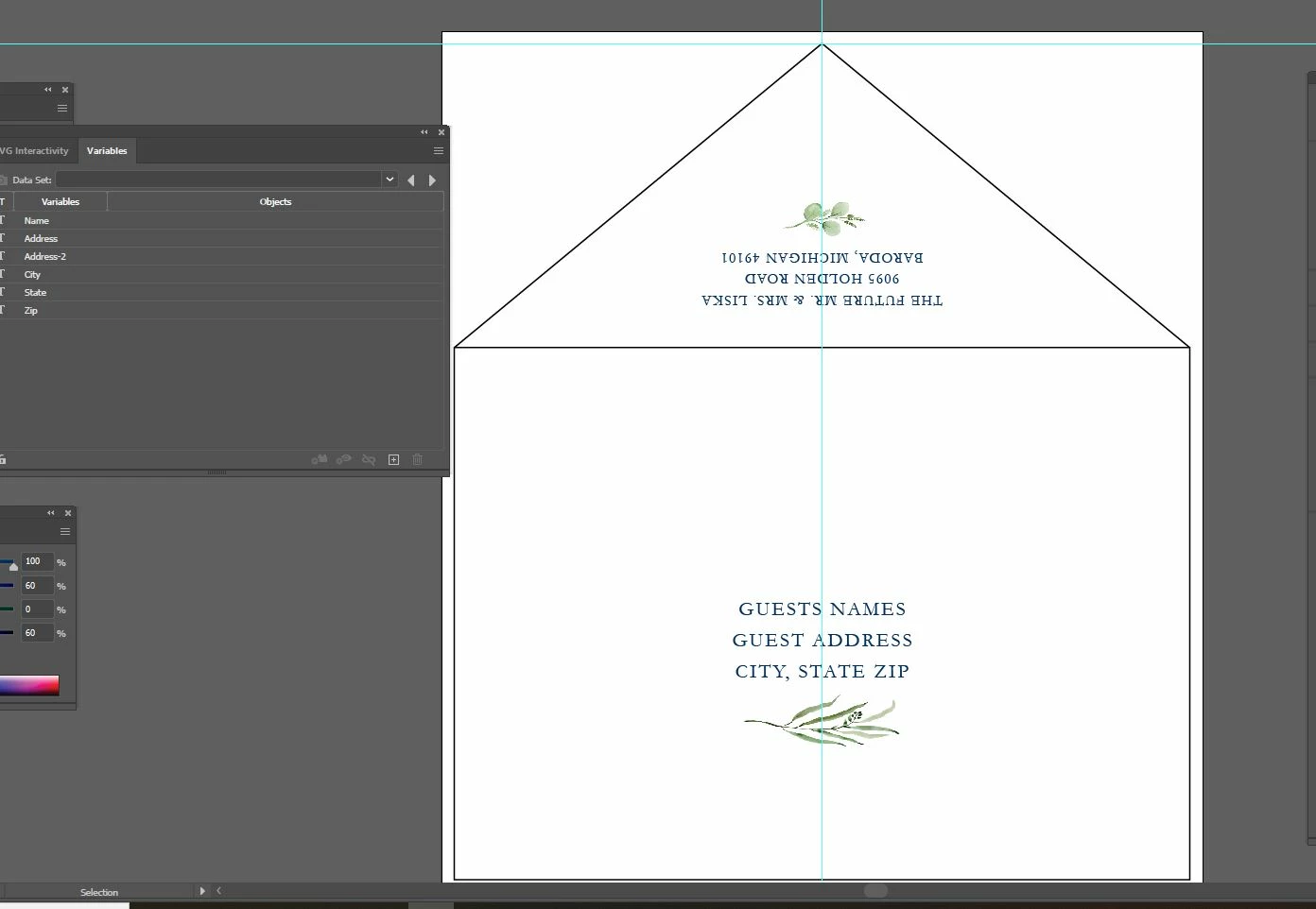
I imported a cvs file (saved from an excel file with a bunch of addresses) using the Variables window. I have a text box in Illustrator with multiple lines of copy, as in a standard address layout for variable envelope address printing. I want just the first line of text to be just one variable (Name); the 2nd line of text to another (Address); then the 3rd line of text to 3 variable (City, State, Zip). When I highlight just the first line of type then click Make Text Dynamic" to one variable (Names) it grabs all 3 lines of text. Isit even possible to have one text box have multiple variables involved. I eventually need to Save them as a multiple page pdf. Also, what do I do about blank fields?
This topic has been closed for replies.
Correct answer TheInvitationPlace

Do you have a screenshot of the artwork in question by any chance? I'm just curious to see if a script could be developed or if any native solution would serve as some workaround.


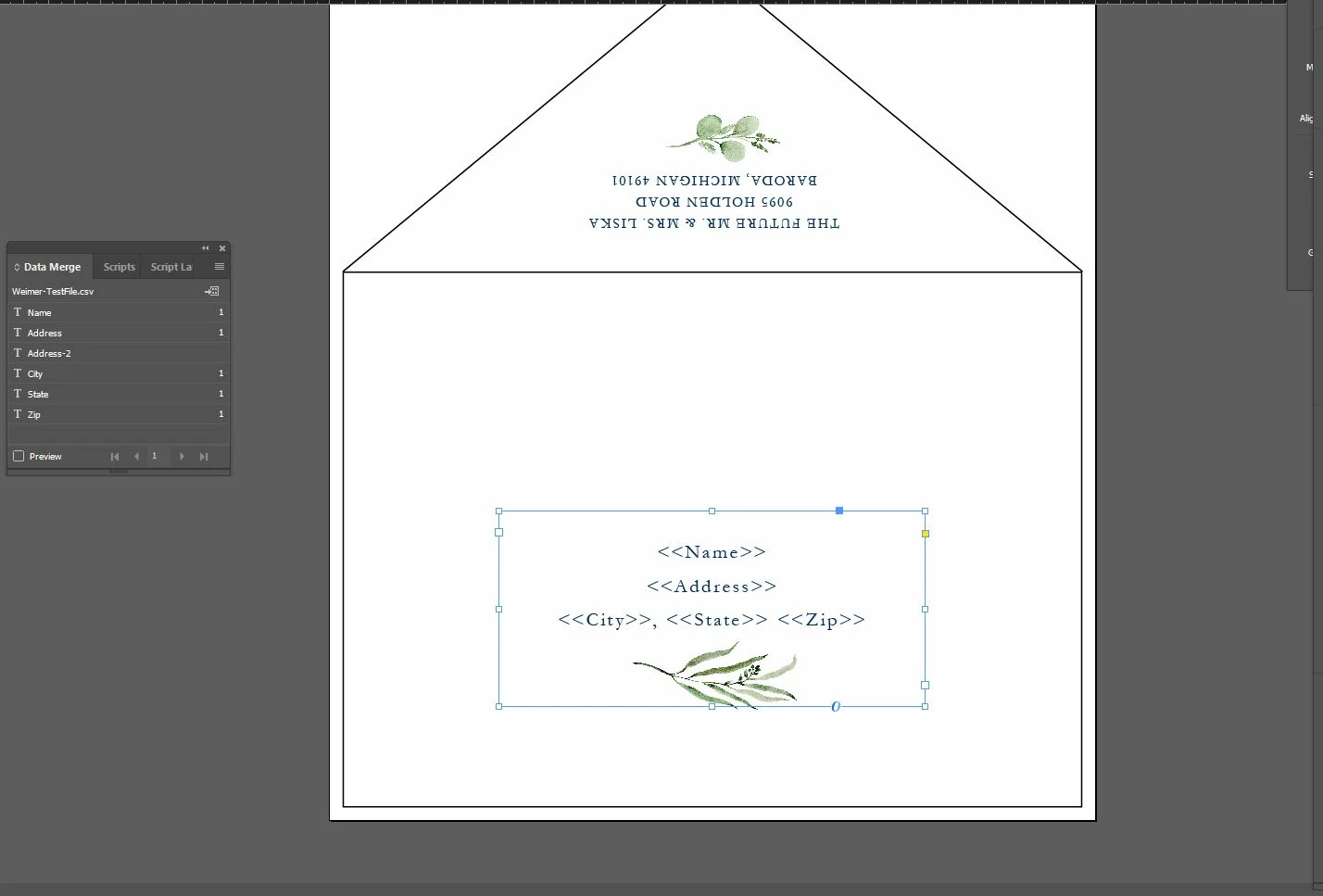
Here you go...hope this helps. I actually just changed my Adobe CC account to add InDesign & it's working BEAUTIFULLY!!! I think I like InDesign waaaay better. I'm more text based anyway vs graphics based. I do like having both because of the flexibility with vector images in Illustrator but InDesign just made this "mail merge" a BREEZE!!! Holy moly...what a difference.

1 reply

CarlosCanto
Community Expert
Community Expert
May 15, 2020

No, it's not possible to assign 3 variables to 3 paragraphs in 1 text frame. You have to break your text frame in 3 one-line frames.


blank fields? Empty strings should work. 

Participant
May 15, 2020

If I did multiple text boxes that could work with the 1st line for the envelope which is the "name" field, the 2nd address line field but how would that work with the 3rd line?...which needs to be "City" with a comma after, then "state" then "zip"  (all on one line like a typical envelope address....and since each word is a different length based on how many letters are in each city name or state that changes the length of the line, where the comma falls & these lines needs to be centered line over line, not flush left. What program would I need to use to make that happen? Does In-Design work for that? or is there a script for Illustrator I could download & import/install?

Silly-V
Legend
May 15, 2020

Do you have a screenshot of the artwork in question by any chance? I'm just curious to see if a script could be developed or if any native solution would serve as some workaround.