
Maintaining the shape defined by the pattern brush while using it to draw a curve
Hi there,
I am trying to draw a curve use a pattern brush but I want to maintain the shape of the pattern brush. here is an example:
Here is the pattern:
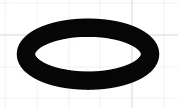
iHere is what it looks like when drawn using a line:
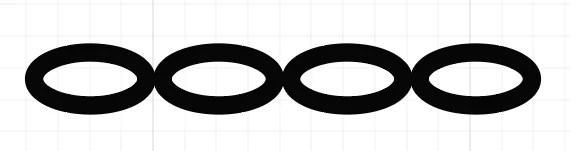
So far so good. Here is what it looks like if I bend the line:
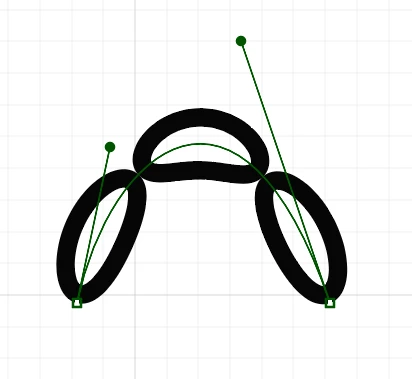
As you can see, the oval on top is reshaped. But what I want is to maintain the shape, so that it looks like:
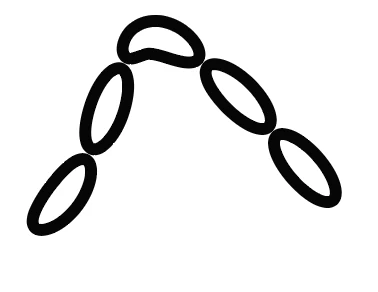
As you can see, the top one did not retain the original shape. What I really want is like this:
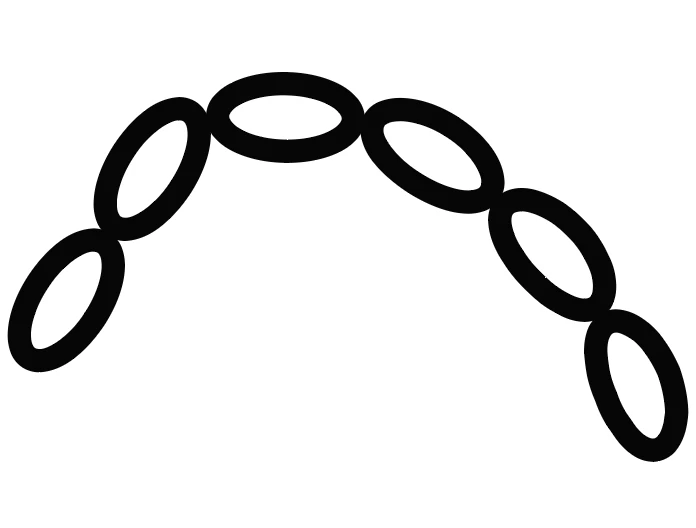
I can draw them separately (2 chain on the side and 1 oval on the top) but that has its own issues.
1. The size might be uneven (as you can see, the top oval on the image above is slighly different).
2. It makes changing color and other steps a bit cumbersome.
Is there a way to achive this with a single line? I played around with the "fit" settings in the pattern brush options but didn't find anything that could help.
If someone has an idea how to fix this or how to make this process easier, that would be greatly appreciated. Thanks in advance.


 AdChoices