



Make Convert All Spot Colors to Process Persistant - Printing to Color Laser
Anyone have a way to keep this setting stay enabled. When this setting is off and you print to a color laser printer, you get rectangles of color slightly altered wherever you have transparency.
I looked at the Illustrator prefs and could not find a setting there. I edited the print.ai file in new document profiles, and that would stick for print.ai, but magically that goes away along with our job slug that I would like on all documents. Other items stick such as cleaning out all the default colors so my swatches panel is not a mess.
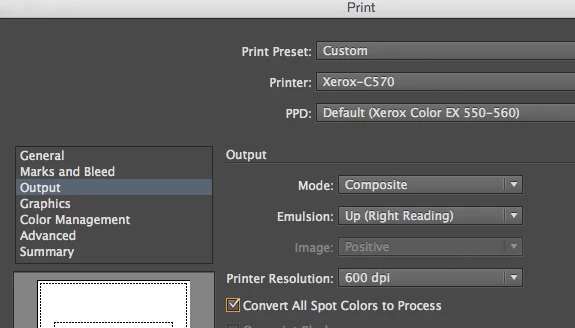
This problem has been around for so many years, and so many prints come out looking bad due to this. Many print design agencies just accept this, and is disappointing that Adobe does not resolve this issue that affects so many.
 AdChoices