
Participant
December 27, 2016
Question

Make line drawing animated in After Effects

  • December 27, 2016
  • 2 replies
  • 4214 views

Hello, I have a question about making a icon animated in after effects. The animation I'm going for is to make it drawn one line at a time.

Here's the image, edited in photoshop:
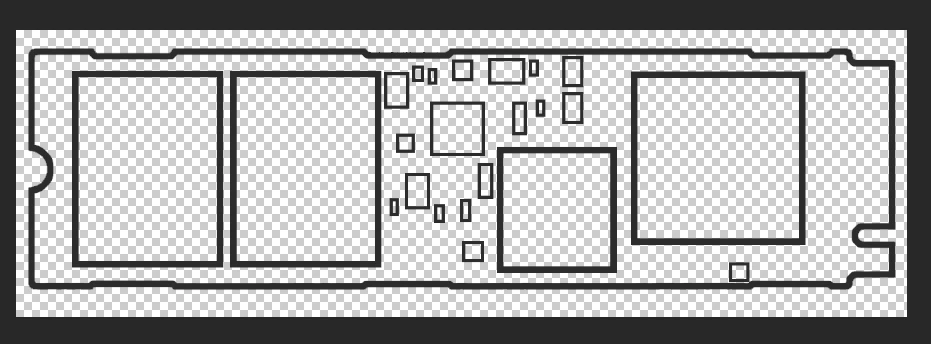
I've googled it extensively and have tried using Illustrator's image trace tool which unfortunately didn't work. It treated the black lines in the image as filled areas and the result in After Effects didn't work correctly. Notably, the rectangles, when using trim path, became filled in with white and black, and the edges were not filled in. Does anyone know a way of taking this image and making it animated as described? Thanks!!

    This topic has been closed for replies.

    2 replies

    Ton Frederiks
    Community Expert
    Community Expert
    December 29, 2016

    Try the Write On Effect:

    Generate effects in After Effects

    Larry G. Schneider
    Community Expert
    Community Expert
    December 27, 2016

    Why bother with Imagr Trace. Just redraw the objects yourself in the order you want them to appear and them use Release to Layer (Sequence) from the Layer panel flyout.

    tareyzaAuthor
    Participant
    December 29, 2016

    Could you clarify? I'm using the release to layer (sequence) command in illustrator with each of the outlines as separate layers, but the following happens when I use "create shapes from vector layers" in after effects:

    Namely, after effects is not treating the layers as outlines, but as fill shapes. Also it made all of the shapes rectangular, when the outermost outline was originally not a rectangle but a complex shape.