
Known Participant
December 1, 2023
Question

Make the adjustment of guides consistent in Adobe's apps.

  • December 1, 2023
  • 1 reply
  • 246 views

Currently in order to set a specific value for a guide one needs to perform absolutly different actions in Photoshop, Illustrator, Premiere Pro, and After Effects.


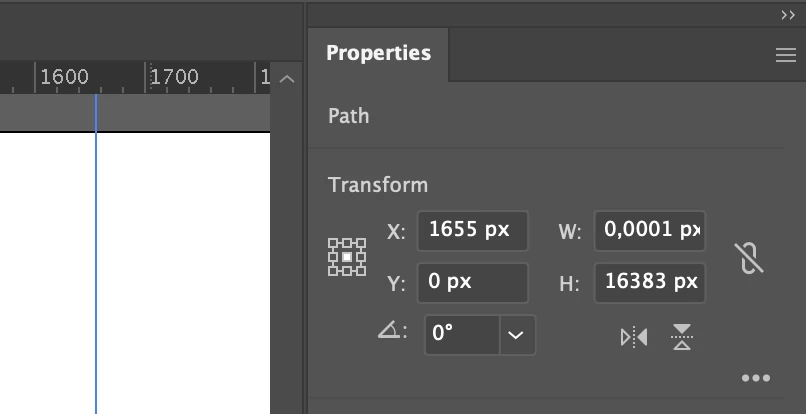
In Illustrator you need to create a guide, select it and adjust its position in the Properties panel under the Transform section:
 

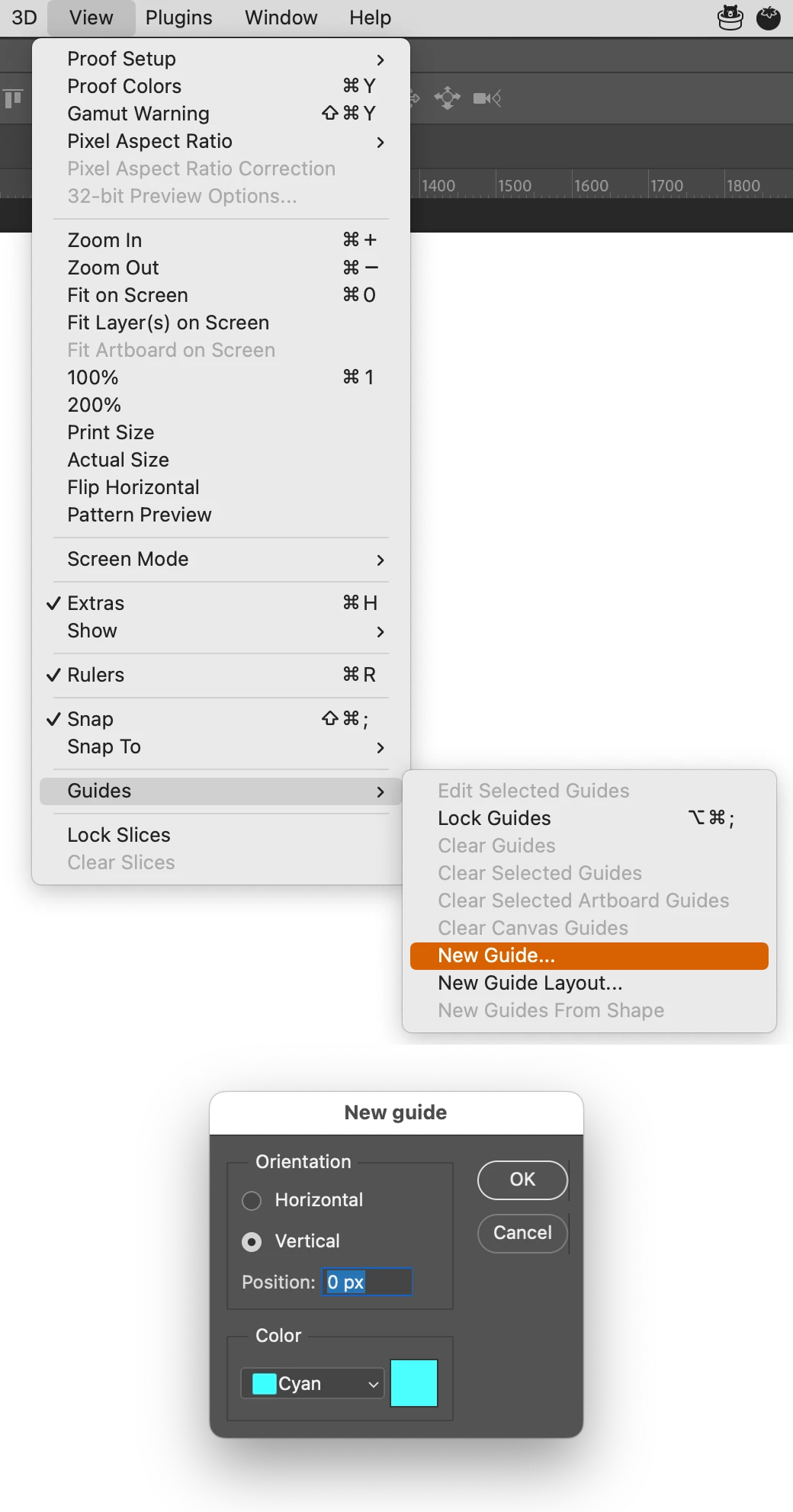
In Photoshop you need to click "View → Guides → New Guide…" and then enter a specific value for a guide :
 

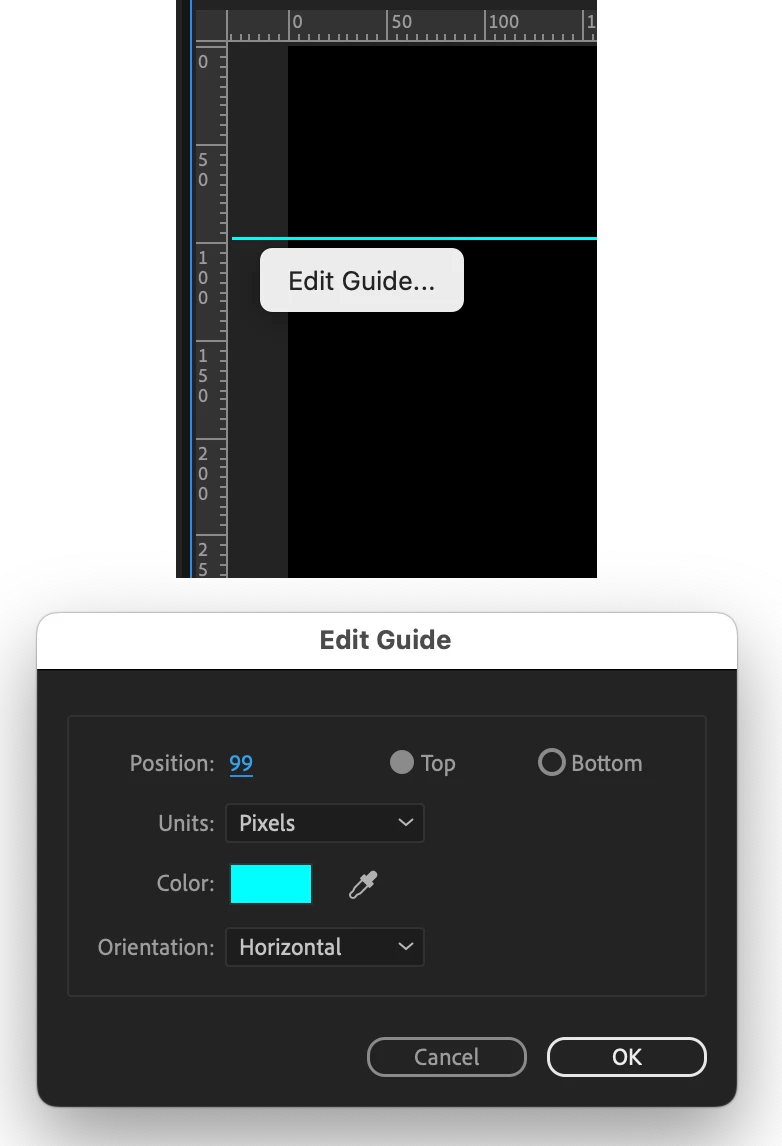
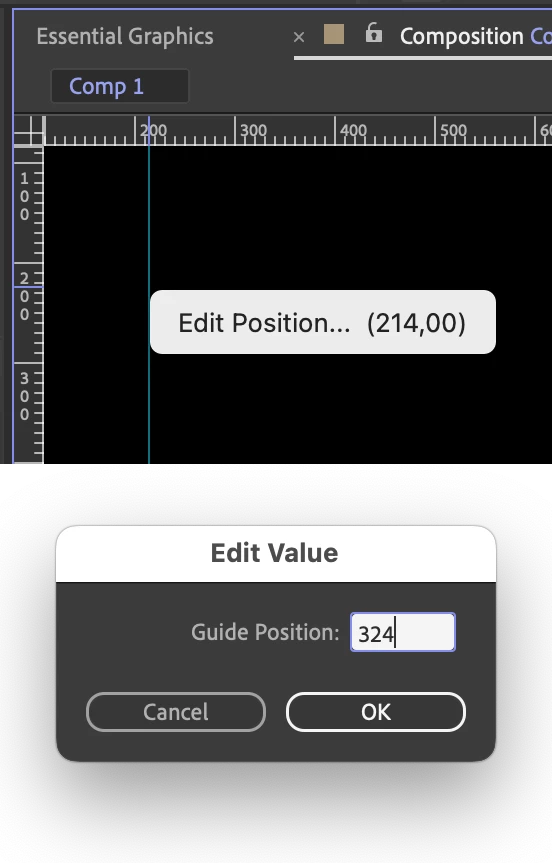
In Premiere Pro and After Effects, you need to right-click on a guide, then select "Edit Position…" in After Effects or "Edit Guide…" in Premiere Pro. After that, you can edit the value inside the window (even these windows look different in Premiere Pro and After Effects):


Premiere Pro:
 

After Effects:
 

Due to the inconsistency among the apps within Adobe's Suite, it's challenging for new users to learn how to use it. The same result is achieved differently in each app for some reason. Please make it consistent to decrease the steep learning curve that is present nowadays.

This topic has been closed for replies.

1 reply

Monika Gause
Community Expert
Community Expert
December 1, 2023

Please post feature requests to https://illustrator.uservoice.com 

Known Participant
December 1, 2023
quote

Please post feature requests to https://illustrator.uservoice.com 


By @Monika Gause


Gosh, even this forum is inconsistent. 


To post a feature or an idea in the other sections (Photoshop, Premiere Pro, and After Effects), one needs to select the radio button "Idea" before posting:

But for some incomprehensible reason it doesn't work for Illustrator.  🤦‍♂


By the way, the equivalent page for Photoshop (https://photoshop.uservoice.com ) doesn't work at all:


To be honest, the more I try to learn how to work with Adobe's products, the more my dislike for Adobe grows.

Monika Gause
Community Expert
Community Expert
December 2, 2023

Each of the engineering teams is organized slightly differently. You can continue post here and reach nobody or use the dedicated channels.


For Photoshop, it's in the forum.


The forum is 95% volunteers by the way. We can't change anything.