

Make with Top Object - Text Distorted
So I am attempting to create a word art graphic in AI and am having a problem with the text distorting. I hope I can explain this in detail in hopes that you can create the problem if needed and help me troubleshoot it.
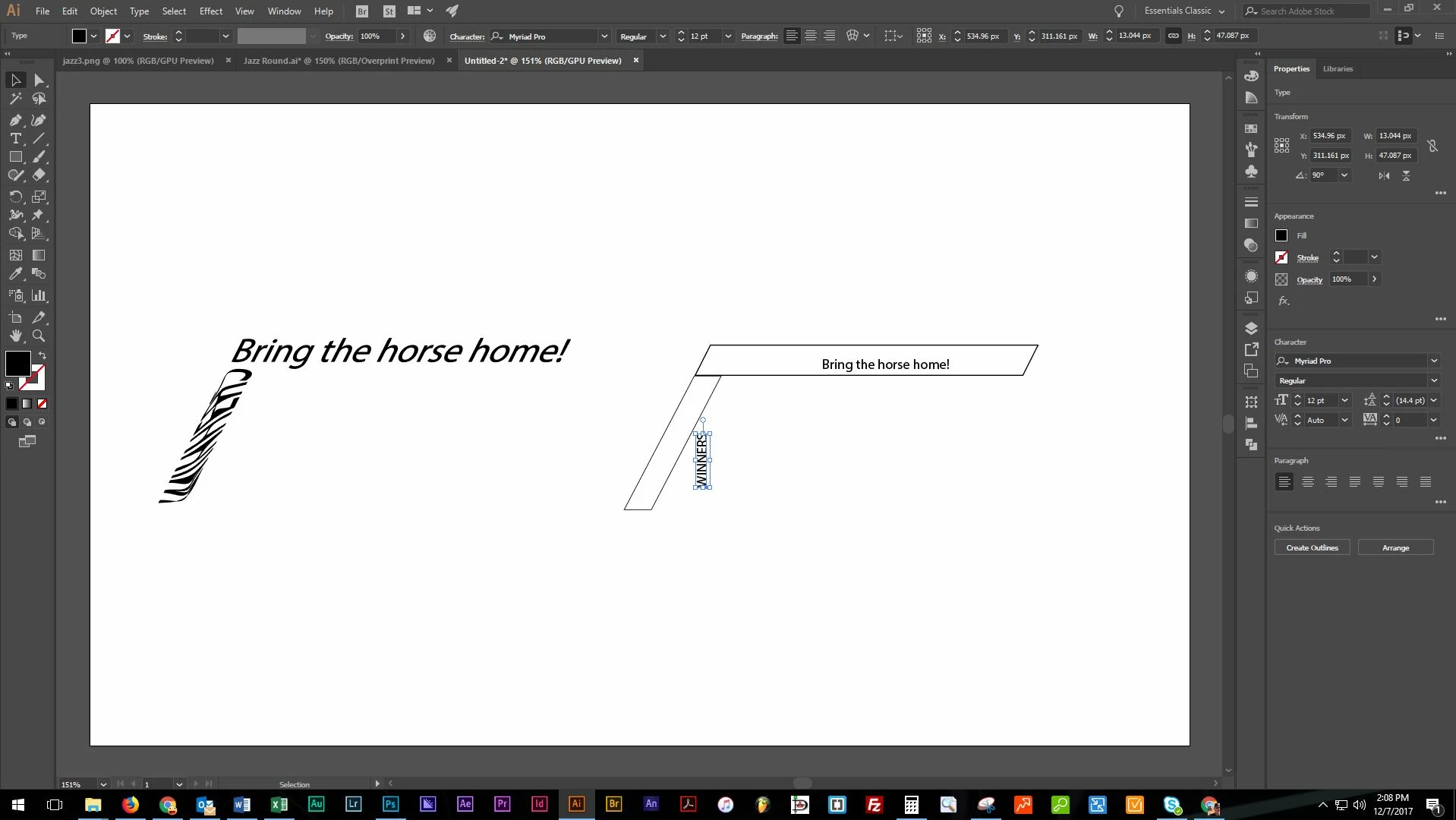
I have attached a photo of my workspace in hopes of getting the help that I need.
When I draw shapes ( I've tried both the pen tool and the shape tool ) and still get the same results.
After drawing a shape, if the place the text horizontal, it matches the shape for the most part. When I rotate that text (whether it be actual text or converted to outlines) I get the same result of the text shown, on the left bottom example. The shape is the top layer and text is under the object.
I have also tried to create under Object -> Envelope Distort -> Make with Mesh, setting it to 1 row and then set the number of columns to match the number of characters in the text, I still get the same skewed / skiwampused results. Any help would be great!
On a side note, I have done a similar project and didn't run into this problem. Here is an example of a former project without any problems.

 AdChoices