Participant
January 30, 2022
Question

Making a path as a clipping mask

  • January 30, 2022
  • 2 replies
  • 318 views

Please help. I have tried searching everywhere for how to do this but I can't find an answer.  I am trying to make a path into a clipping mask so that everything around it is cropped out so to speak.  See picture below.
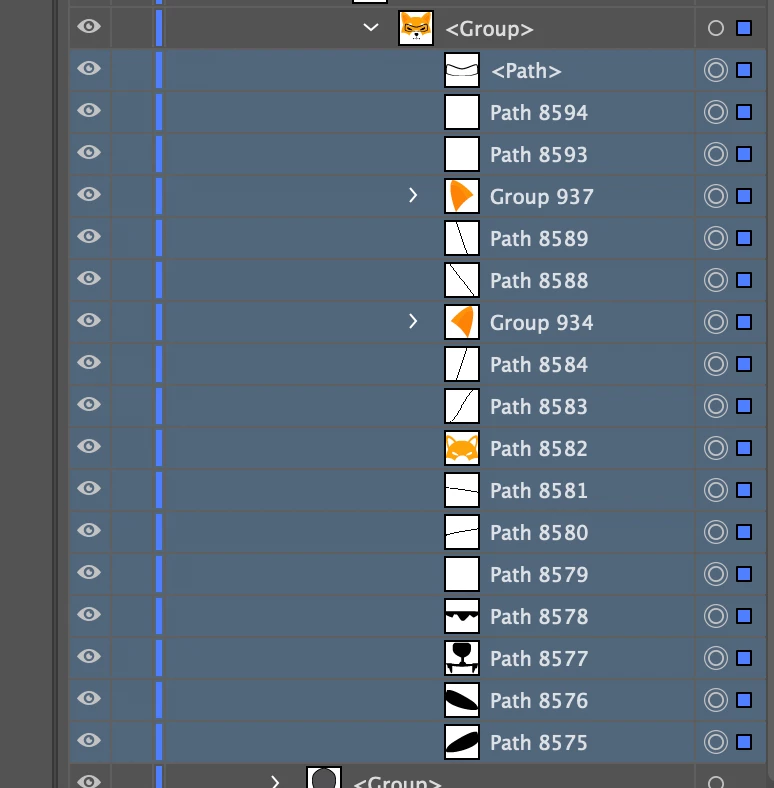
I am wanting everything beneath the top path to go into that path but when i try to make a clipping mask i get this error.

How do i convert the path into an object so that I can do what I need to do?

This topic has been closed for replies.

2 replies

Anna Lander
Inspiring
January 30, 2022

Which path do you want to use as a mask?
If the top one (the fox's "face"), then ungroup the object,  select all the paths. The top one becomes the mask. 

This operation creates a Clipping group, the top path (just close path, not group) becomes a clipping path.

Is it what you want to get?

Mylenium
Legend
January 30, 2022

If you want to "crop" the outside content, then you need a contiguous path, which in your case simply doesn't seem to exist. You need to duplicate your stuff, merge paths, define compound paths, expand appearance and so on so the function actually knows what to punch out and what to leave in place.


Mylenium