valeriew76310969
Participant
September 15, 2023
Question

Making edges of artwork in Illustrator choppy

  • September 15, 2023
  • 2 replies
  • 105 views

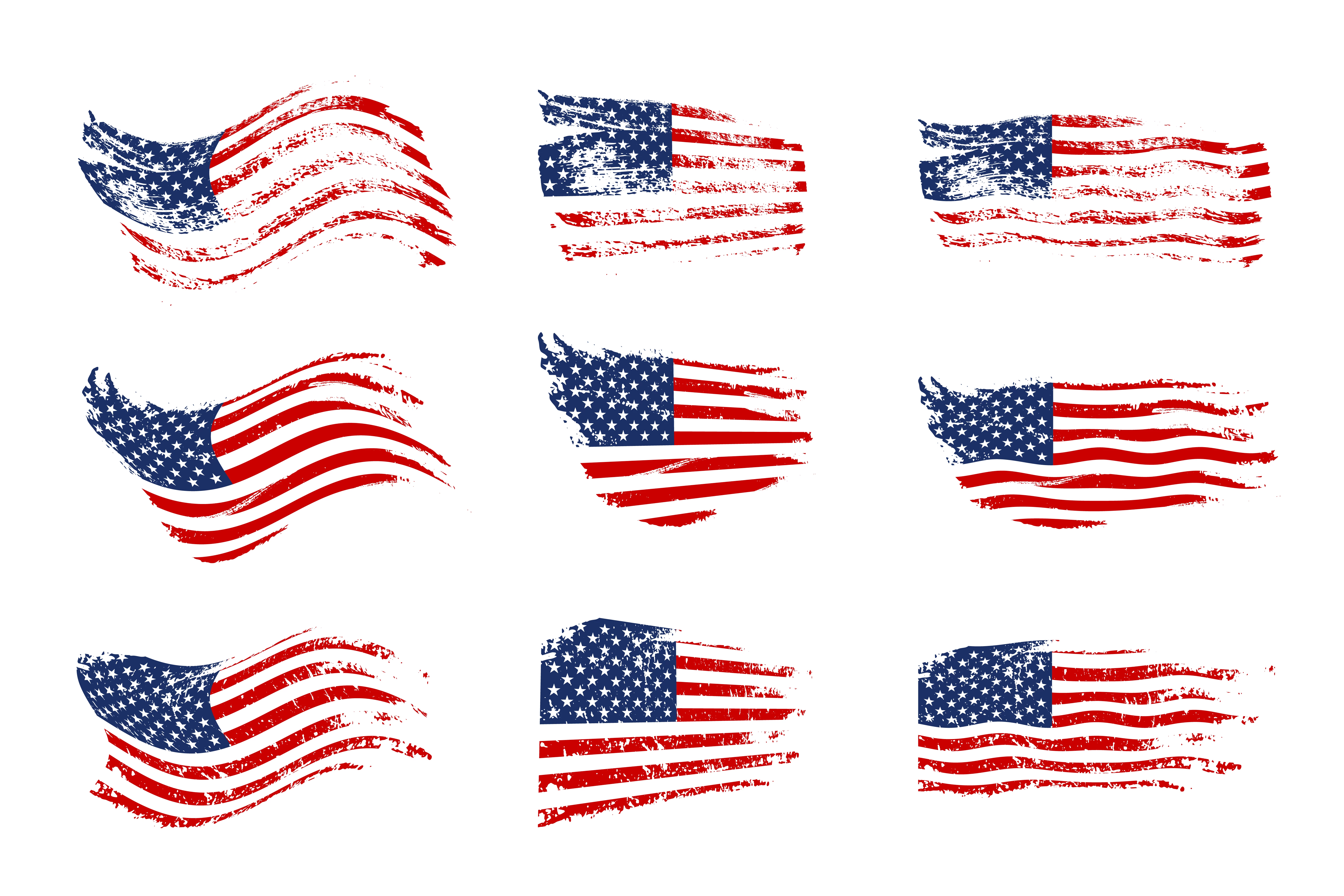
I am trying to make the outside edges of a piece of artwork choppy like the attached art, but cannot figure out how to do it. I tried using grunge and artistic paintbrushes all the way around, but it has to have a stroke which won't work because because the color of stroke will show when put on a shirt. Any help is greatly appreciated. Thank you 

 

This topic has been closed for replies.

2 replies

Community Expert
September 16, 2023

The artwork in the example you posted doesn't have a stroke and doesn't look like it would work with a stroke that is visible. The first flag image looks like something that might have originally been a raster-based image that was given a pass through Live Paint. The group of flags in the second image has a more simple flat red and blue color scheme. If the original flags are vector based the grungy stuff cutting through the flags could be a clipping mask or even grungy white-filled objects placed above the flags. But those alternatives can't be used if you want to apply a stroke to the object edges.


It's going to be tricky making that appearance work with a stroke applied to it. The grungy stuff can be cut through the blue star field and red stripes with Pathfinder operations. But it might need to be done in pieces -not the entire flag at once. Generally it's not a good idea for vector objects to have more than a couple thousand anchor points. Paths with too many anchor points can be rejected by printers and other output devices due to being too complex. So you might have to cut through one red stripe at a time and then group the end results.


If you have to apply a stroke (or an Offset Path) to the finished flag graphic I would recommend coloring the stroke the same color as the shirt. Also be sure to use the Appearance panel to move the stroke behind the object fills.

Monika Gause
Community Expert
Community Expert
September 15, 2023

You mean the final art has to have a stroke?

Can you show an example?