Gareth_Williams
Inspiring
July 29, 2026
Answered

Making Rounded Diamonds?

  • July 29, 2026
  • 45 replies
  • 386 views

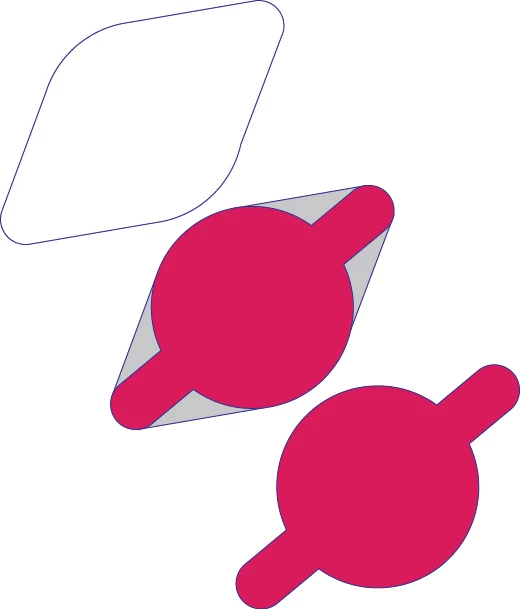
Hi everybody, I am trying to make these weird rounded diamond shapes out of another shape consisting of a tube and a circle. I want to blend the ends of the tube smoothly with the edges of the circle with straight lines to make a new shape. As illustrated. I hope that makes sense! 

When making the grey shape to merge with the original red shape, with snap to point and smart guides on, you can kind of do it by eye, but you have to guess exactly where on the circle circumference to put the point to get a smooth blend. As you can see if you zoom in, the bottom right side of the new shape is not quite right. Is there a better more reliable of doing this than just going by eye and guess work?

 

    Correct answer Jacob Bugge

    Gareth,


    Just to go vintage with the whole solution, based on the Common Tangents script answer by Kurt with addition of another script from the same collection and rounding up in a way that has been with us for decades (see comments below):


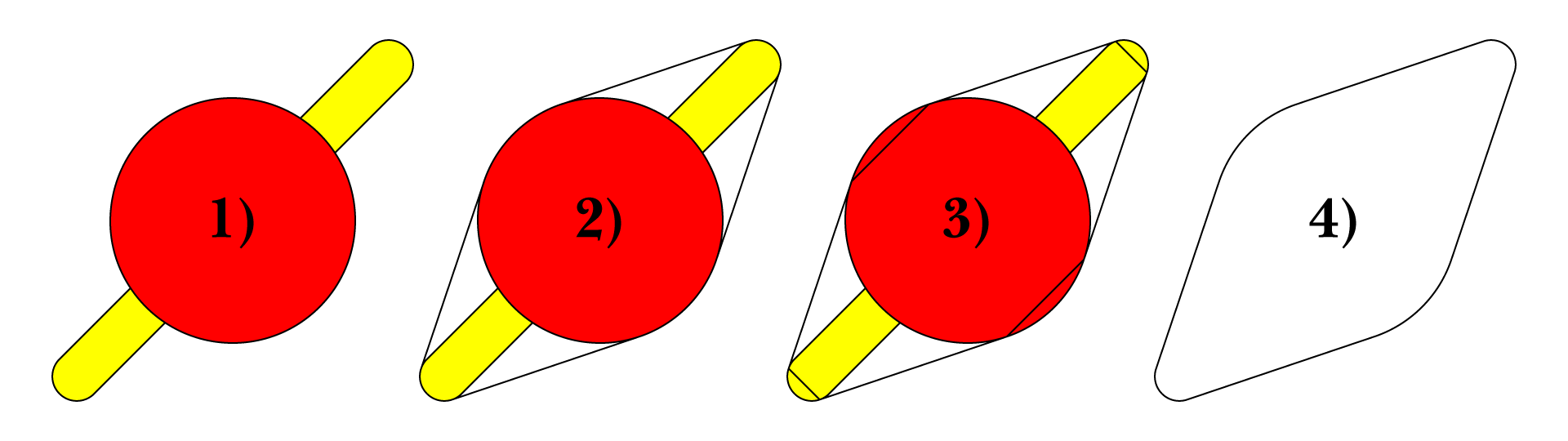
    1 ) Starting with the paths,

    2 ) Select both, then apply Common Tangents,

    3 ) Select all, then apply Join Reasonably,

    4 ) Apply Pathfinder>Unite (different wording over time).


    Click to get closer, Click again to get closer still

    You can find the scripts in the free set of scripts by 佐藤浩之 (Satō Hiroyuki), either here or here,

    https://github.com/shspage/illustrator-scripts/tree/master/etc

    https://shanfan.github.io/Illustrator-Scripts-Archive/


    Comments:


    The description and images are based on the two closed paths in 1). If there are open paths or two smaller circles instead of the long path with rounded ends, it becomes a bit more complicated, as follows:


    2 ) If there are two small circles together with the large one, there will be superfluous Common Tangents which should be removed so only the four relevant ones remain (quite easy).


    3 ) If there are any other open paths than the four Common Tangents, the Join Reasonably will lead to a mess instead of the orderly creation of the octagon including them,


    45 replies

    Kurt Gold
    Community Expert
    Community Expert
    July 29, 2026


    In current versions of Illustrator smart guides can detect tangents, but for your task you may also have a look at Hiroyuki Sato's script called "Common Tangents" and then Shape Builder tool to unite.

    Note that the script will only work when your circles and tubes are separate objects.


    Jacob Bugge
    Community Expert
    Community Expert
    July 29, 2026

    Ah Kurt, it is always such a pleasure to see one of the scripts in this old and most trusted collection, which you brought into this forum so many years ago.