
Participant
March 29, 2022
Question

Making shapes from lines?

  • March 29, 2022
  • 4 replies
  • 375 views

Good evening all!  I made a design and I need a little help.  All these are lines put together to make a design.  I would like to be able to pull the shapes out so I can have a file that is a cut sheet of the shapes.  The end idea is to use the design to cut different sheets of acrylic and then put them together like a puzzle.

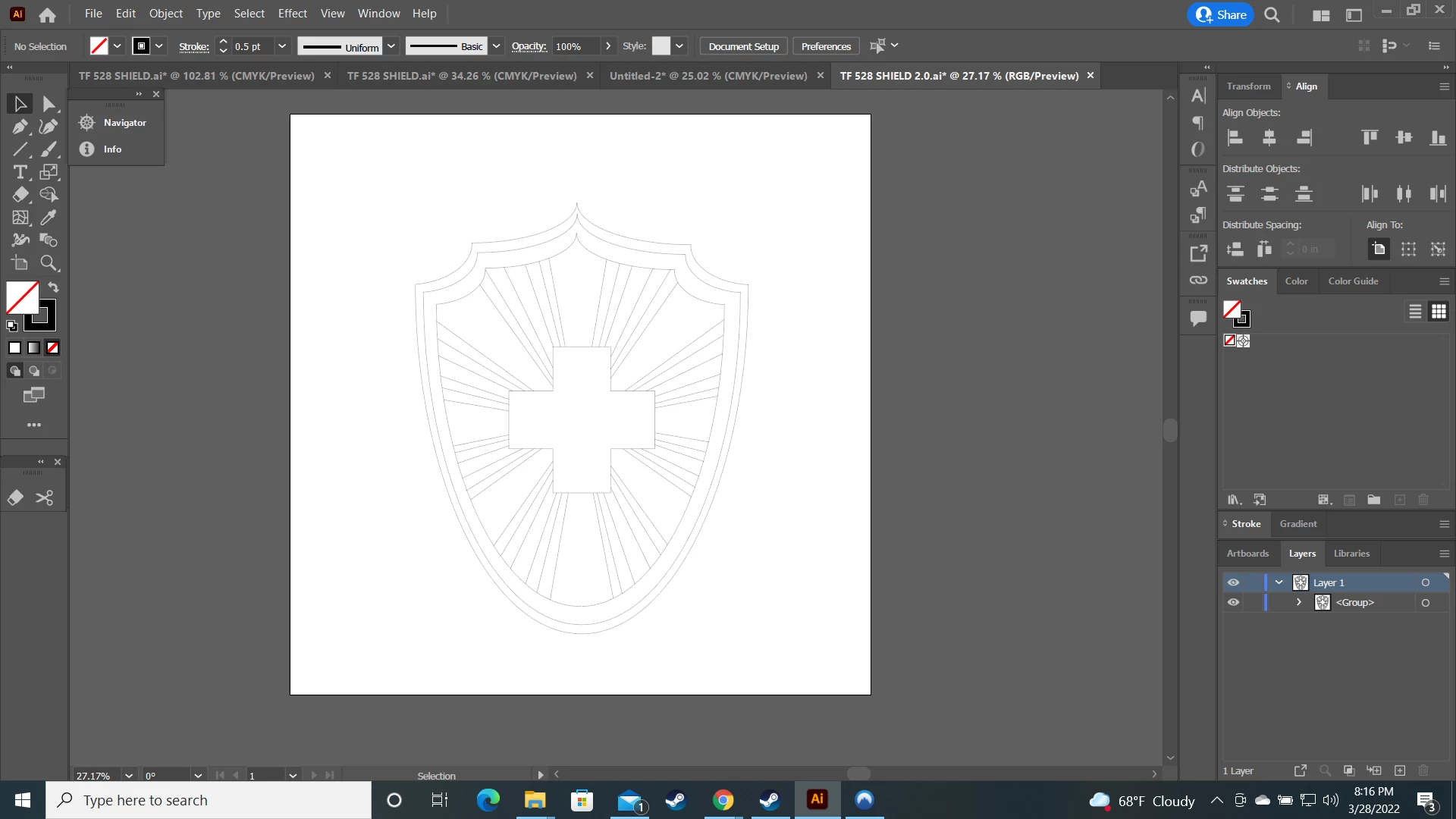
End result would be a file where all the different shapes of different colors could be moved individually so I can keep them grouped tightly together.


Any help would be much appreciated.

This topic has been closed for replies.

4 replies

Jacob Bugge
Community Expert
Community Expert
March 29, 2022

Jason,


A) If you already have an expanded Live Paint Group, you ought to be able to just open the Group in the Layers panel and delete the (Group of) stroked paths, then regroup the filled paths by colour, and take it from there; in this way there will be no gaps left by (or including unmanageable) formerly stroked paths.


B) If not, you can start over, maybe from the paths your started out with (stroked lines and filled (and maybe stroked (Compound) paths, then create the Live Paint Group and (re)colour and expand into a normal Group, and proceed with A).


Or, based on the basic stroked/filled paths you can do it in a more elaborate way with one or more Pathfinder tools (such as Minus front and Divide), which may give you a most likely unnecessary improvement in accuracy.


manal shanableh
Legend
March 29, 2022

other idea, after expanding the artwork, so you have no longer have strokes.

use the shape builder tool by just one click on each part so you will have a devided shapes form each others.

Ton Frederiks
Community Expert
Community Expert
March 29, 2022

Make a copy before you try this:

Choose Object > Expand... and select both Stroke and Fill.

In the Pathfinder panel click Merge.

Ungroup and you should have separate colored objects.


Mylenium
Legend
March 29, 2022

Convert it to a Live Paint group, use the Paint Bucket to generate the fills, expand the appearance, clean up stray points.


Mylenium