
Many problems with accuracy, shape builder, scaling and snapping.
I've ran into serious issues with Adobe Illustrator lately. I'm using the newest 25.0 version (updated today, although the previous update had the same problems) and I'll break this post into four sections for better comprehension.
1. Fills and paths are not lining up when scaled in close. It becomes frustrating when I'm working on something that needs accuracy, because it's impossible to decide which one to trust (if either one is to be trusted at all).
2. The shape builder tool is acting very weird. In this sample, I've placed a circle over an object to subtract the corner according to the curvature of the circle. Note that while the path and fill are also not lining up as explained above, the shape builder preview appears in a third altogether random position! And when I give the tool the command to subtract, it doesn't only affect the corner as would be expected, but it changes the shape of the circle too, resulting in two totally random inaccurate shapes.
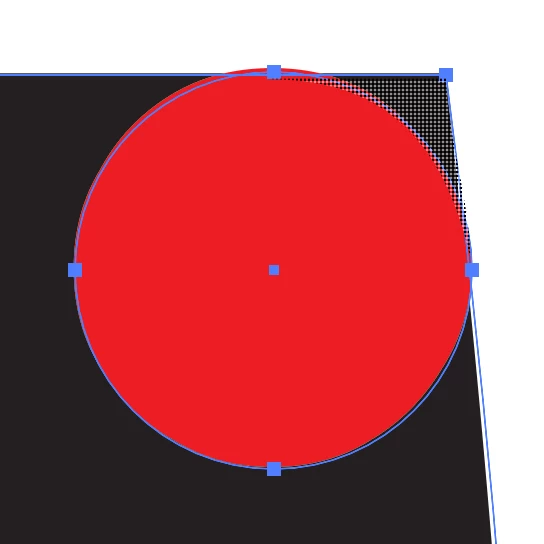
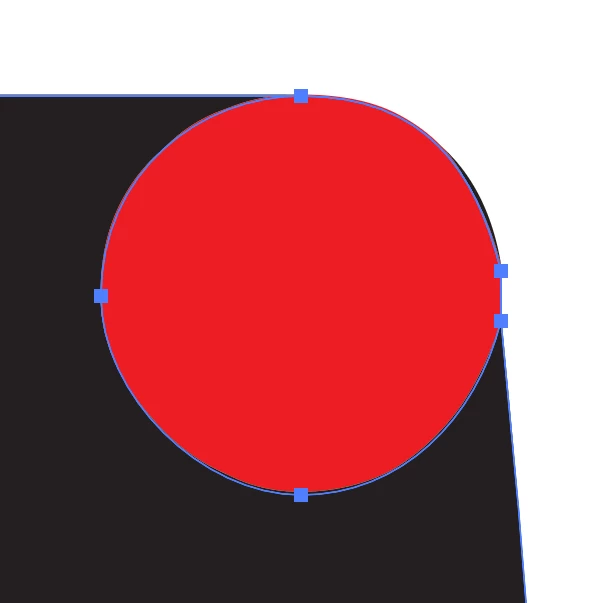
3. When using the selection tool (V) to scale objects, especially those created with the ellipse or rectangle tool, I can't do so, because rather than scaling, the object rotates instead. Despite the tool showing me cursors for scaling. It's not always like that, but about 50% of the times.
4. When using the pen tool, it still snaps to points and other seemingly random places, although I have unticked all snapping features (including: smart guides, snap to perspective grid, snap to pixel grid, snap to grid, snap to pixel, snap to point and snap to glyph). Am I missing some hidden settings?
 AdChoices