Participant
Dec 3, 2022 2:26 AM UTC
Answered

Merge anchor points without distortion

Hello again! I'm looking for the best way to cleanly merge two anchor points of a curved object without changing the slope of the curvature.

I've tried using the Average function and Simplify as well as others but can't seem to find any that have the desired effect.

Thanks in advance!
This topic is closed to new replies. Start a new post to keep the conversation going.
Monika Gause
Monika GauseCorrect answer
Community Expert
Dec 3, 2022 9:10 PM UTC

I separated it at the desired places, it went well. My problem arises due to the fact that I want to get rid of the extra 'jutting-off' bit while till keeping a smooth curve with no straight sections.

https://www.dropbox.com/s/5jn30hr8kba5zud/tiiliitianchars.ai?dl=0 


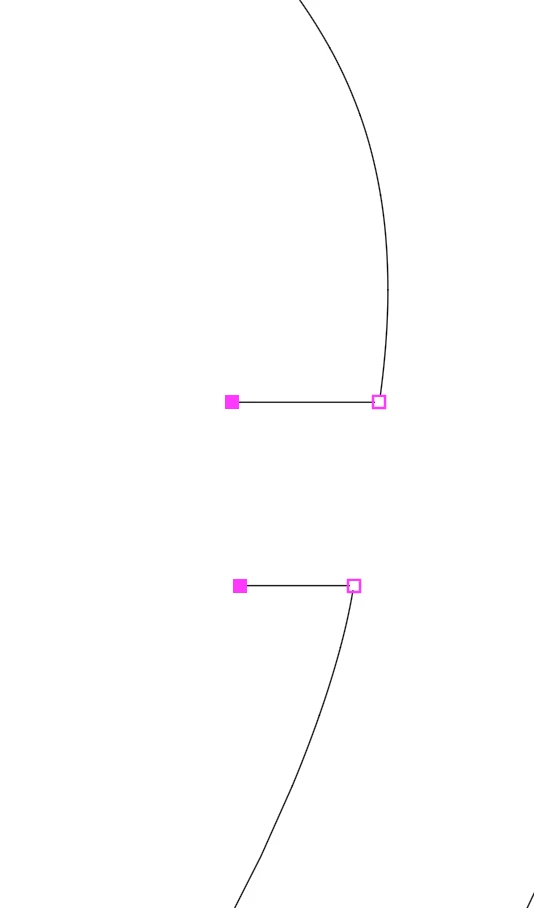
You need to get rid of those points:


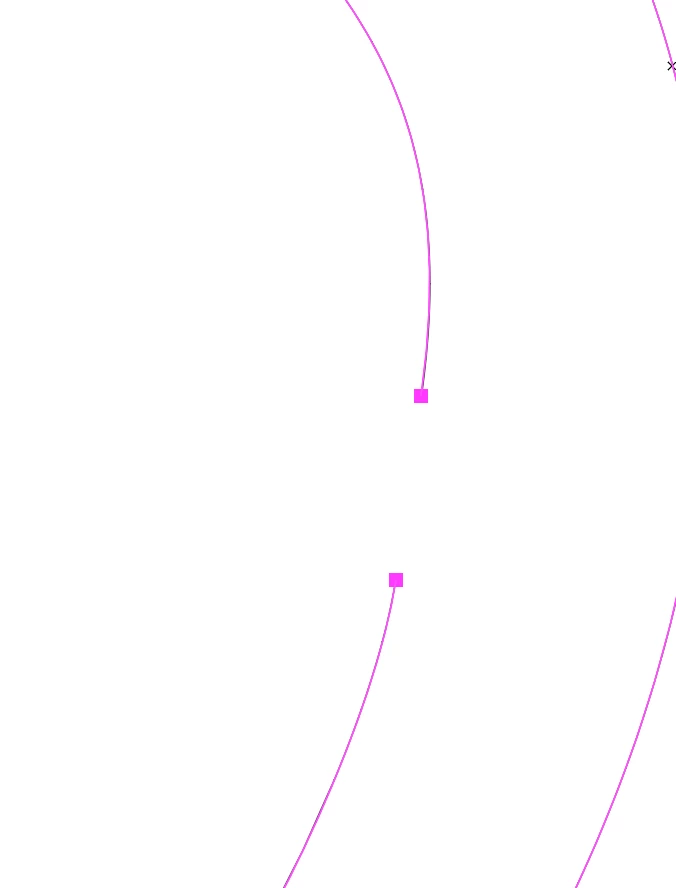
then connect these 2 


then adjust the anchors and handles. You will need to slightly edit the upper curve, because otherwise there will be a wrong connection.


https://shared-assets.adobe.com/link/918b01da-447d-4dcf-5dd6-341ef86f0233 

7 replies

Monika Gause
Community Expert
Community Expert
Dec 3, 2022 9:56 AM UTC

Please show the artwork.


Translate
Participant
Dec 3, 2022 7:53 PM UTC

This is the artwork in question. Thank you for all your help.

Translate
Monika Gause
Community Expert
Community Expert
Dec 3, 2022 8:27 PM UTC

So it's related to your other thread?

Did you not separate the paths at the correct places?


Can you please upload that file to Dropbox or the like and post a link in here?

Translate
Mylenium
Legend
Dec 3, 2022 8:28 AM UTC

You may want to consider the Astute plug-ins. The have smart curve reshaping tools. That aside the typical procedure with such stuff is to add more points near the points to be merged to stabilize the curves, then join and later delete the extraneaous points again.


Mylenium

Translate