Sleazebagger
Participant
June 12, 2018
Answered

Mesh Envelope. Keeping a straight line.

  • June 12, 2018
  • 4 replies
  • 3510 views

Hello there,

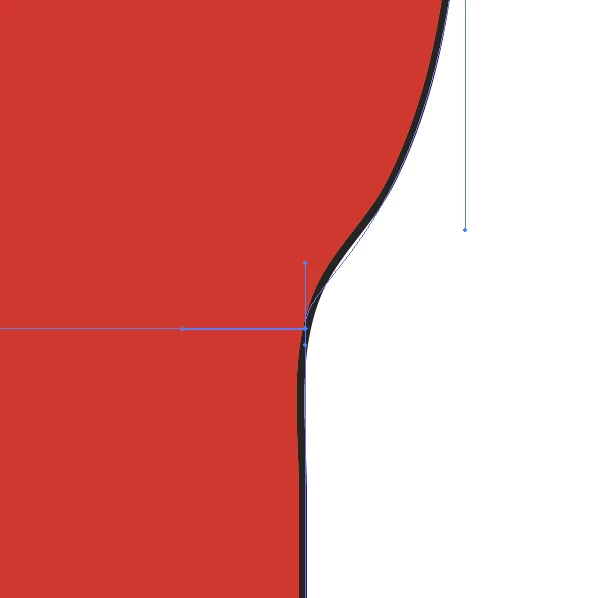
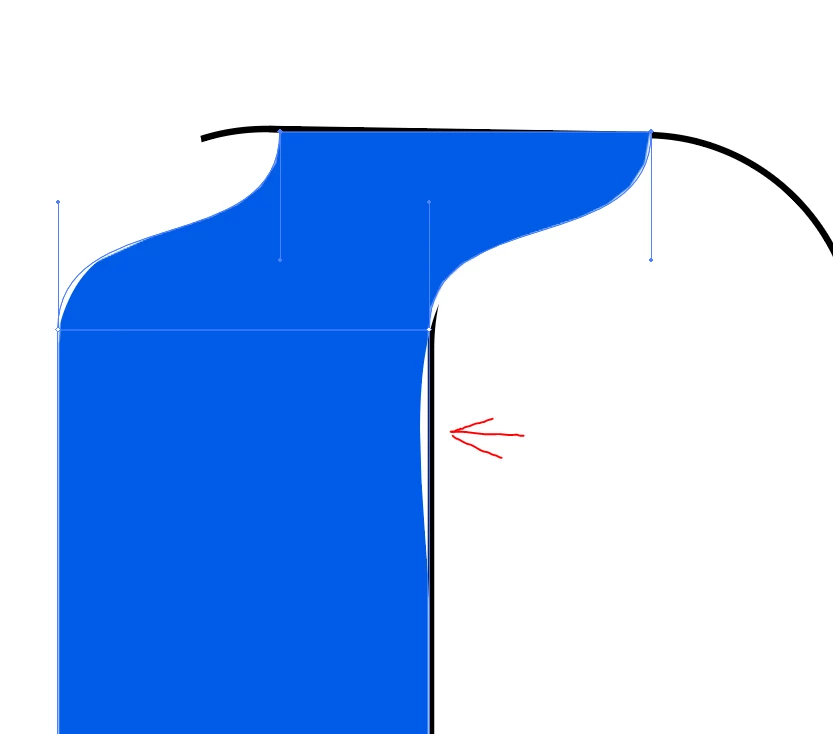
I am trying to distort one part of a rectangle while keeping the part beyond the row unchanged.

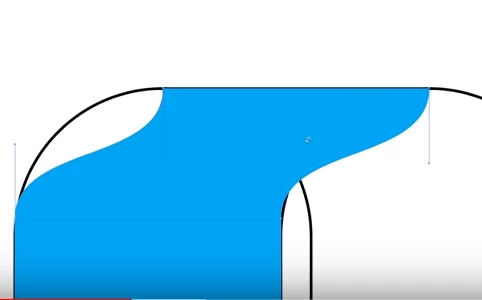
The first picture is my attempt at distorting the rectangle. The second is from a tutorial where the teacher has no issues throughout the process. Nothing beyond the teachers row moves while he is distorting the shape to fit the curve.

Thank you.

    This topic has been closed for replies.
    Correct answer redwards_

    he uses the mesh to sub divide the envelope shape then watch how he drops the vertices down further (not the default sub divide) then he only edits the bezier handles for the lower portion that is bent.... any art contained inside the envlope shape is going to try to conform to its shape (when the bottom 'bends' it to bends... the top part literally has no curve so it doesn't)

    play with AL the handles -- you see how they affect each other... when I pulled most of them in closer to the vertex pint seemed to dull the bump.Notice the ones that are horizontal... mess with those. and then mess with the vertical handles to get what you want.  Tutorials are just starting points, you gotta play with settings until it is right for your file. Experiment

    If you subdivide it one more time than the tut did... gives more control... see below.

    4 replies

    redwards_
    redwards_Correct answer
    Inspiring
    June 13, 2018

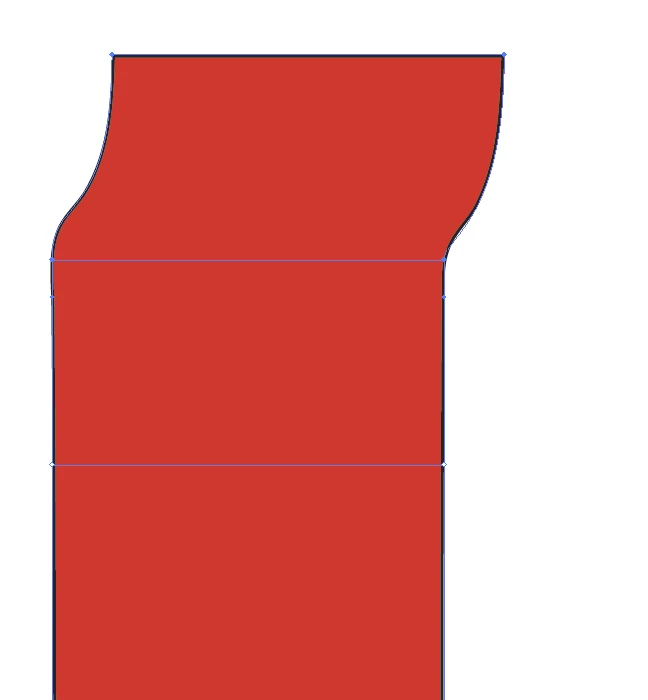
    he uses the mesh to sub divide the envelope shape then watch how he drops the vertices down further (not the default sub divide) then he only edits the bezier handles for the lower portion that is bent.... any art contained inside the envlope shape is going to try to conform to its shape (when the bottom 'bends' it to bends... the top part literally has no curve so it doesn't)

    play with AL the handles -- you see how they affect each other... when I pulled most of them in closer to the vertex pint seemed to dull the bump.Notice the ones that are horizontal... mess with those. and then mess with the vertical handles to get what you want.  Tutorials are just starting points, you gotta play with settings until it is right for your file. Experiment

    If you subdivide it one more time than the tut did... gives more control... see below.
    Sleazebagger
    Participant
    June 13, 2018

    You are awesome!

    c.pfaffenbichler
    Community Expert
    Community Expert
    June 13, 2018

    What is the Object > Envelope Distort > Envelope Options > Fidelity settings?

    tromboniator
    Community Expert
    Community Expert
    June 12, 2018

    Could you please provide a screenshot of your Layers panel, with all shapes disclosed?

    Sleazebagger
    Participant
    June 12, 2018

    Thank you.

    Monika Gause
    Community Expert
    Community Expert
    June 13, 2018

    OK. I withdraw my question in #5.

    Have just glimpsed into that video and saw what this guy wants to build. Now why do you you even use envelopes for that?

    It can be cleanly built without them.

    You need this:

    Which is really just some quarter circles attached to some lines and then duplicated.

    Then you use the live paint tool to get this:

    Will take you about 5 minutes to build.

    The hardest part is to not get lost in the stripes with the live paint tool.

    redwards_
    Inspiring
    June 12, 2018

    Maybe sub-divide your blue shape some more... might even out the bends and get rid of the distortion.

    I can't too much more from the images

    Sleazebagger
    Participant
    June 12, 2018

    Thank you but this is the same layout the person in the tutorial is using and he gets no distortion on the vertical lines. There has to be something that he is doing in the settings to make this work correctly.

    Here is a link to the tutorial.

    Graphic Design | Overlap | Illustrator Tutorial - YouTube

    Monika Gause
    Community Expert
    Community Expert
    June 13, 2018

    Sleazebagger  schrieb

    Thank you but this is the same layout the person in the tutorial is using and he gets no distortion on the vertical lines. There has to be something that he is doing in the settings to make this work correctly.

    In that case: why don't you ask that person?