Ancolie94
Known Participant
February 22, 2020
Answered

Mesh tool

  • February 22, 2020
  • 4 replies
  • 1460 views

Hello everybody,


A former work colleague who left today left this job. Could you tell me how he achieved this look on this form? I tried with the mesh tool but my lines are not straight?
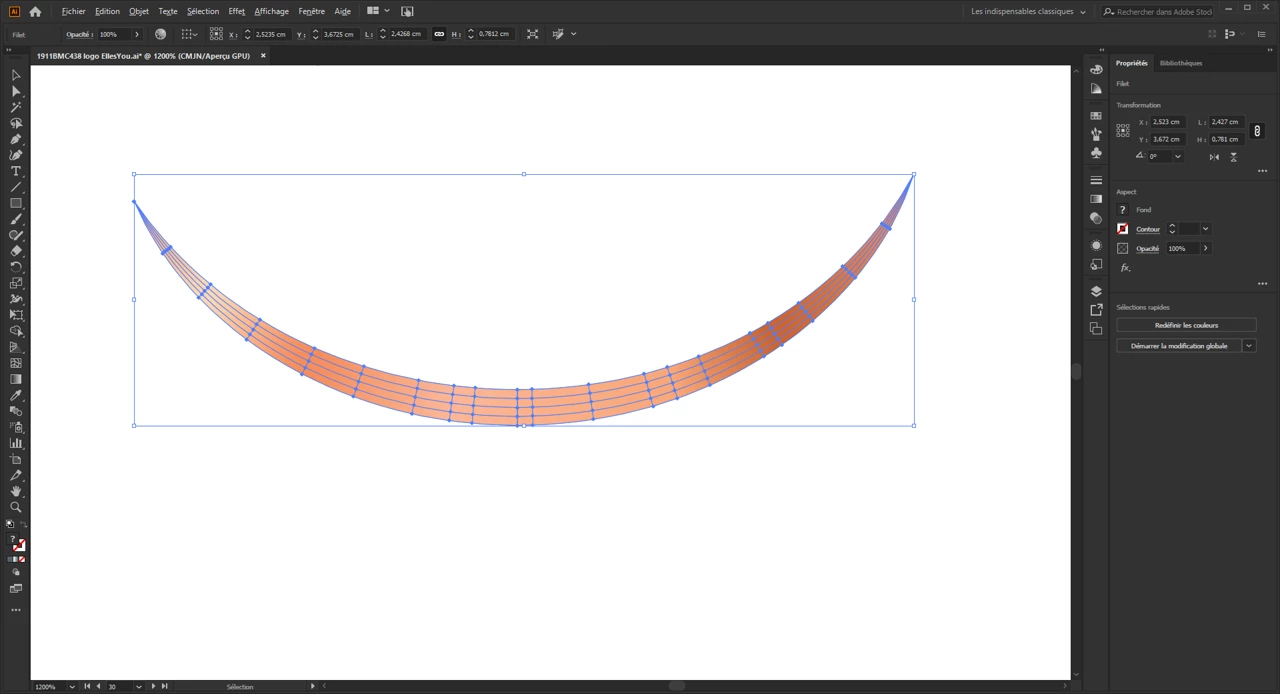
 

Thanks for your help


Anne

This topic has been closed for replies.
Correct answer Monika Gause

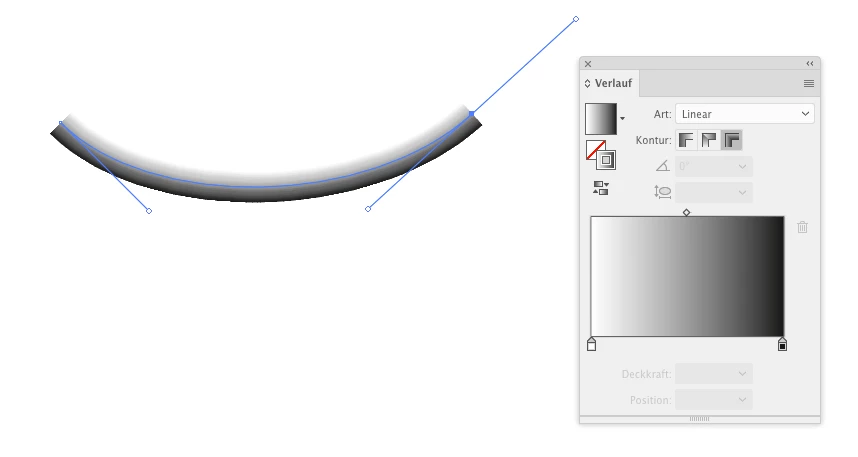
Gradient across a stroke

Variable width profile
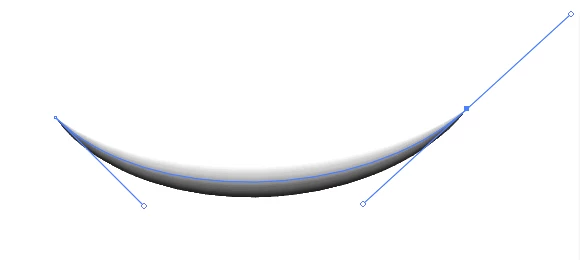
 

Object > Path > Outline stroke
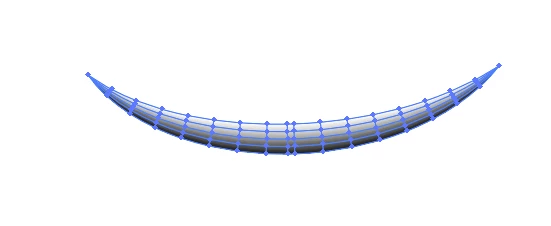
 

Then use whatever tools to edit the gradient mesh: lasso, direct selection tool, mesh tool ...

4 replies

Monika Gause
Community Expert
Monika GauseCommunity ExpertCorrect answer
Community Expert
February 22, 2020

Gradient across a stroke

Variable width profile


Object > Path > Outline stroke


Then use whatever tools to edit the gradient mesh: lasso, direct selection tool, mesh tool ...

Ancolie94
Ancolie94Author
Known Participant
February 22, 2020

I think it's the good solution thank you so much✌️

Ancolie94
Ancolie94Author
Known Participant
February 23, 2020

Hello

It's perfect, thks a lot;)

Simmer1
Community Expert
Community Expert
February 22, 2020

Here is tutorial you may find helpful:

https://www.youtube.com/watch?v=jNH7g0jAaKw

Ancolie94
Ancolie94Author
Known Participant
February 22, 2020

Thanks for the information! 

Inspiring
February 22, 2020

I would simplify the artwork by first creating the shape ( thereby reducing anchor points ) and then creating a linear gradient as a fill. 

Ancolie94
Ancolie94Author
Known Participant
February 22, 2020

OK thank you! 👍

Monika Gause
Community Expert
Community Expert
February 22, 2020

Youcan start with a gradient across a stroke. Then apply a variable width to that stroke and then expand the stroke.

Ancolie94
Ancolie94Author
Known Participant
February 22, 2020

I'll try this thks a lot👍