


Participant
July 24, 2019
Question

Mesh tool & rounded corners

  • July 24, 2019
  • 7 replies
  • 1149 views

Hi there

I am trying to create a triangle with rounded corners and a gradient mesh at the same time. Every time I apply the mesh tool, the rounded corners disappear.

Basically trying to get the top image with the bottom image's rounded corners effect.
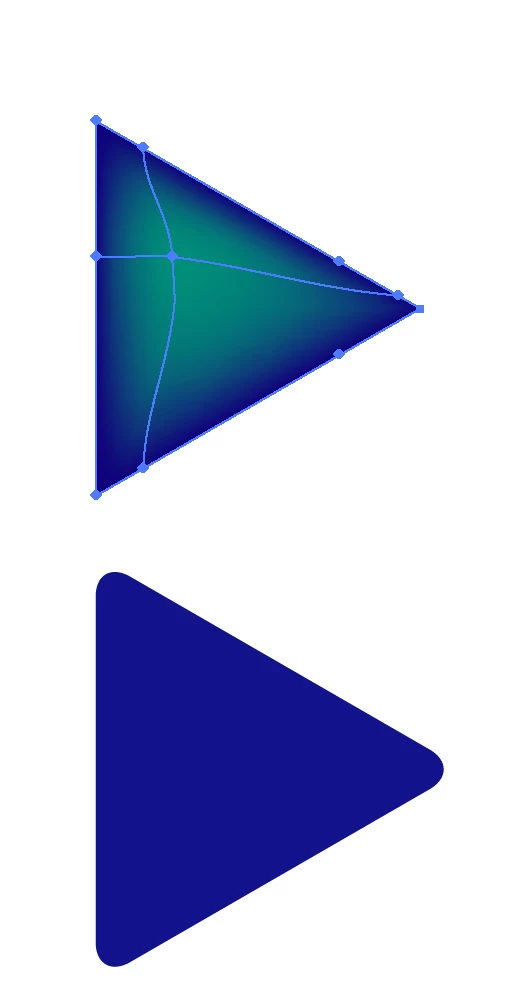
Any help would be greatly appreciated! Thank you

This topic is closed to new replies. Start a new post to keep the conversation going.

7 replies

Monika Gause
Community Expert
Community Expert
July 24, 2019

Do you use the rounded corners effect?

Try the round corners widget instead.

Participant
July 24, 2019

I don't think I have the widget. I just manually adjust each anchor point now to make them rounded instead of a sharp triangle. Not ideal, but it works for now.

Thanks

meganchi
Legend
July 24, 2019

If you are using Illustrator CC, then you should have the widget. To use the corner widget, simply use your direct select tool and click on all of the triangle points, then you should see a white circle with a blue dot in the center on the inside edges near the points you selected. With you direct select tool, click on the circular widget and pull inward. This should create consistent rounded corners.