
Participant
November 3, 2021
Question

Minus front not working, cant understand why

  • November 3, 2021
  • 2 replies
  • 6836 views

I'm fairly new to AI and there is a lot that confuses me.


Currently I am trying to hole punch my white paths through the black image underneathe. The reason I'm doing this is because the programe my artwork is going into needs to follow the paths, so the white area on my drawing needs to be transparent with no remaining paths or anchors.
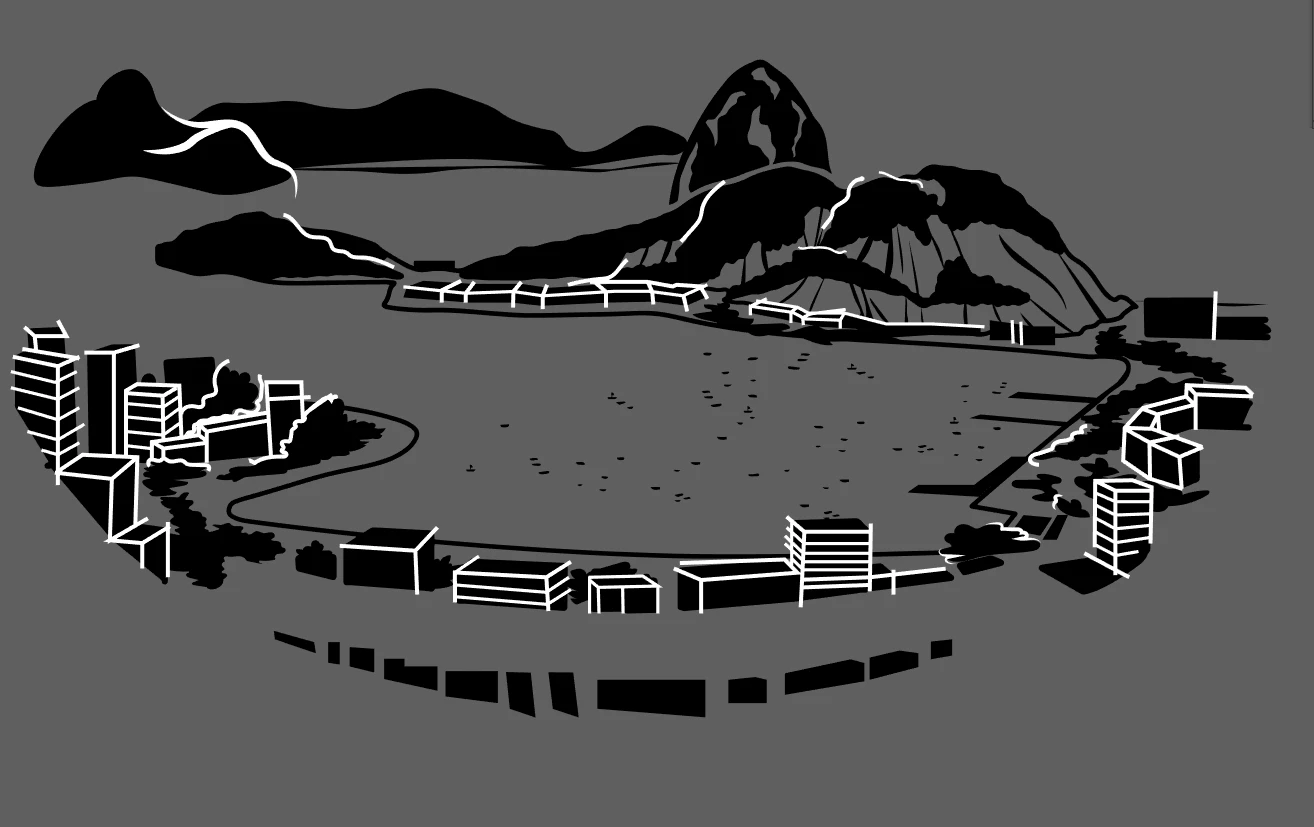
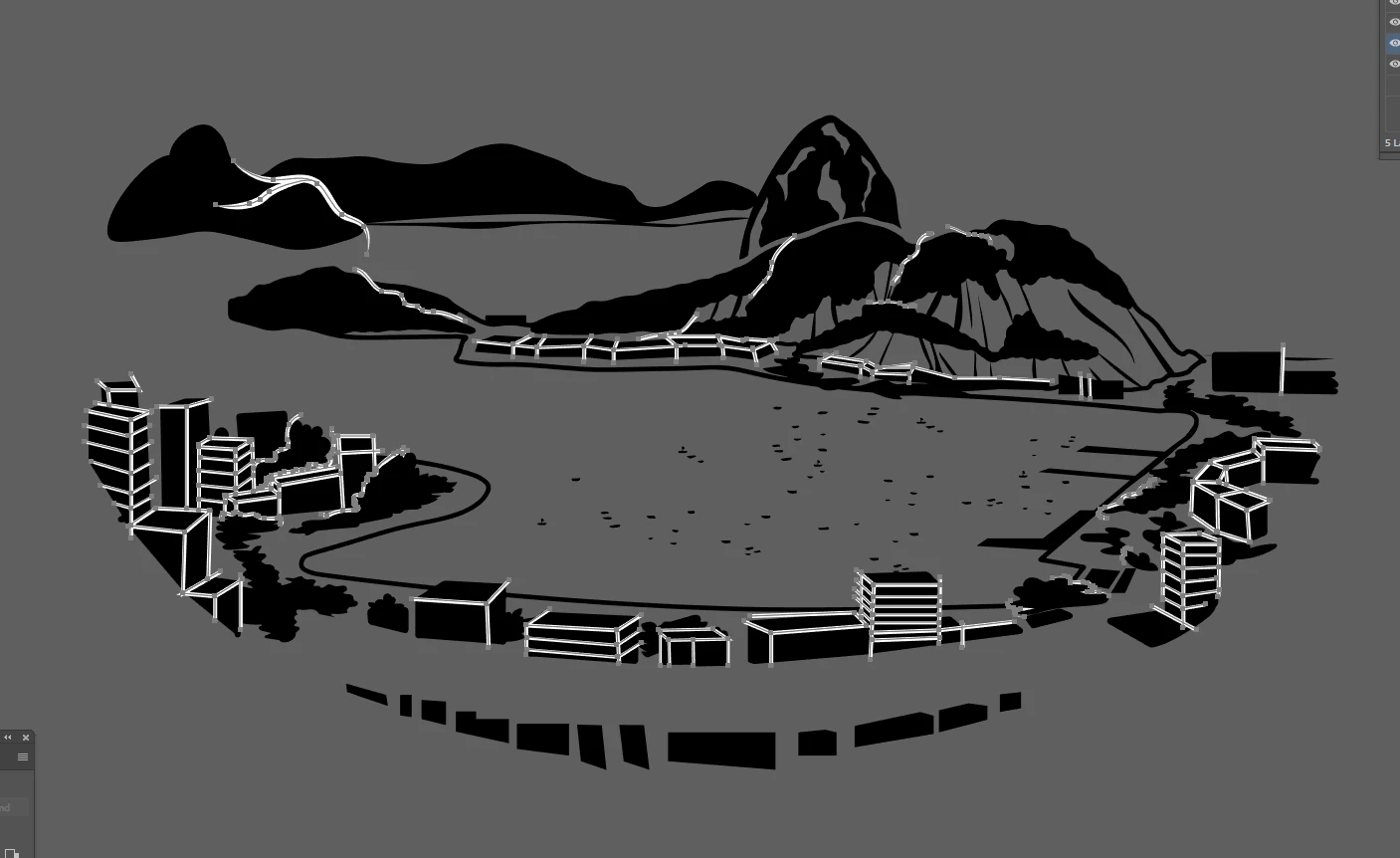


This is what happens when I try to use the minus front feature :
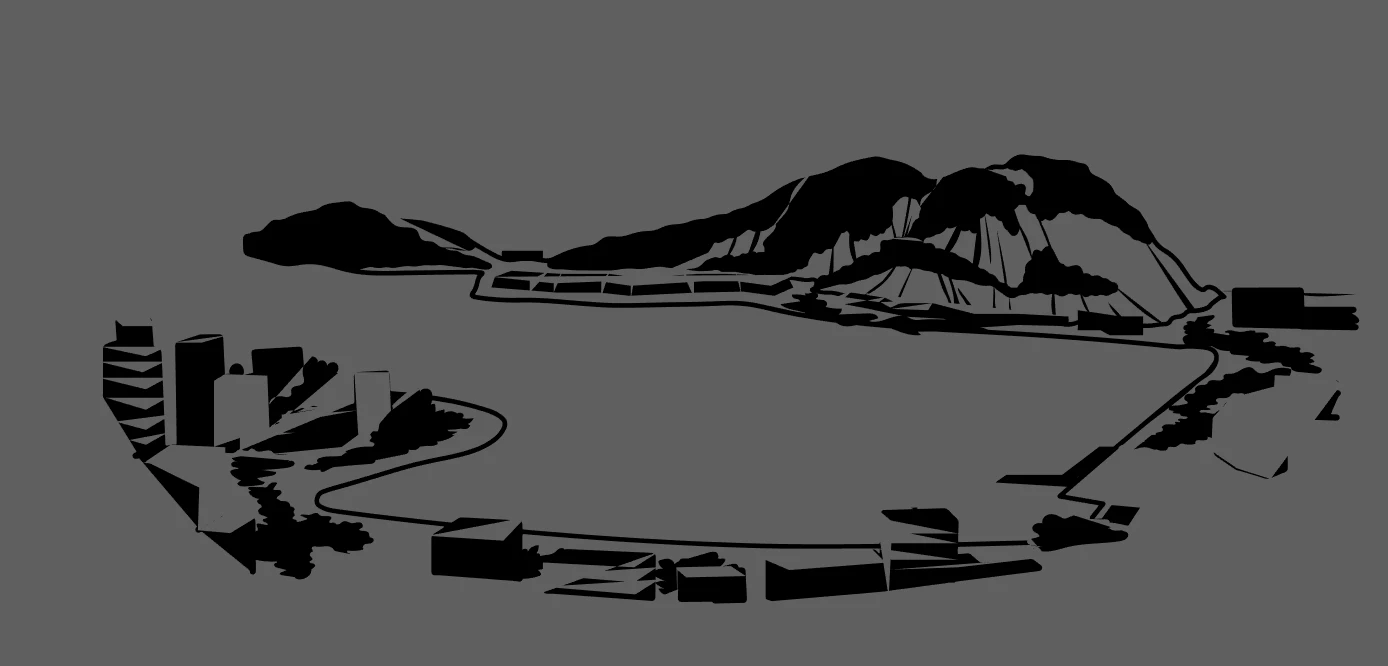
 

It deletes random areas in the artwork and doesnt actually cut through in the areas I'm trying to...

Any ideas why this is happening and how I can fix it? I'm so stuck and have a deadline 😞

This topic has been closed for replies.

2 replies

John Mensinger
Community Expert
Community Expert
November 3, 2021

To expand on Brad's suggestion, here's how I'd do it (there are always multiple ways):

  1. Select all the white-stroked paths (select one, then choose Select > Same > Stroke Color)
  2. Choose Object > Path > Outline Stroke
  3. With all the results of #2 still selected, choose Object > Compound Path > Make
  4. Deselect
  5. Select all the black-filled paths (select one, then choose Select > Same > Fill Color)
  6. With all the results of #5 still selected, choose Object > Compound Path > Make
  7.  Select All (Ctrl/Cmd+A)
  8. Click the Minus Front button
Maryrose S
Participant
July 30, 2024

Thank you! This helped.

Brad @ Roaring Mouse
Community Expert
Community Expert
November 3, 2021

It's because your white "paths" are strokes. They need to be closed shapes to work with the Minus Front.

Select all your white paths and Expand them to outlined shapes, then try again.