rosek624
Participant
August 22, 2021
Answered

Minus Front on Gradient

  • August 22, 2021
  • 1 reply
  • 1701 views

Hey all!


I have been trying for so long to find a solution to this but keep coming up short and thought you all might be able to help. 


Whenever I try to use the Minus Front feature in Pathfinder on an object with a Freeform gradient like below:
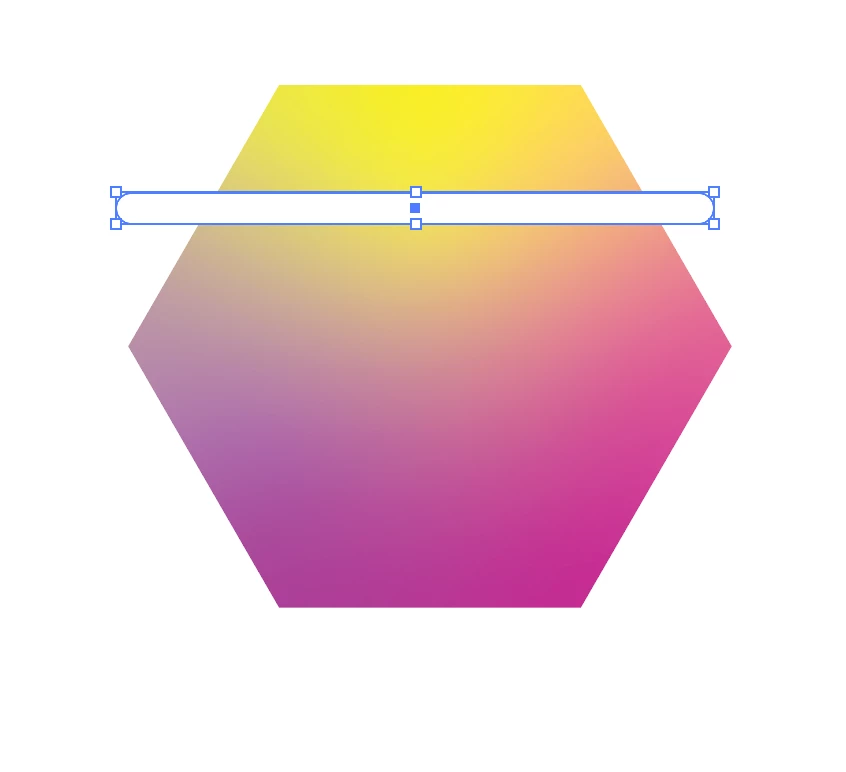
it will change the gradient to apply seperately to the new divided parts like this

when I'm trying to just remove a part without altering the gradient. It seems to do this perfectly fine to the Linear gradient, but with Freeform and Radial, it changes once the Minus Front is applied. 


Any advice? 
This topic has been closed for replies.
Correct answer Ton Frederiks

Yes, I was just about to say the same thing. I do not get the gradient divided across the new shapes, just mismatched like you've shown Tom. Is there a solution for this?


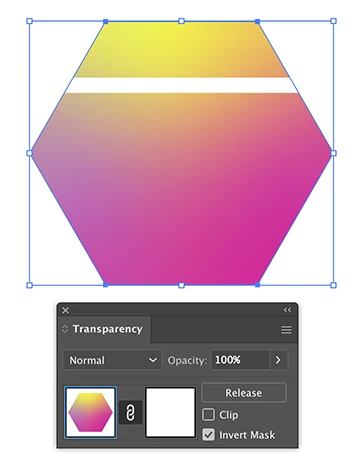
I found a workaround.

Normally selecting the freeform gradient and the shape on top should give you the expected result when you click Make Mask in the Transparency panel. But that behaves buggy.

The workaround is to first group the freeform gradient (even though it is a single object) and then select the freeform gradient group with the object on top and make the mask (you may need to change the clip and invert boxes).

1 reply

Participant
August 22, 2021

Make the 2 shapes a compound path.


Ton Frederiks
Community Expert
Community Expert
August 23, 2021

If you make a compound path you will get this:

rosek624
rosek624Author
Participant
August 24, 2021

Yes, I was just about to say the same thing. I do not get the gradient divided across the new shapes, just mismatched like you've shown Tom. Is there a solution for this?