
Participant
December 13, 2023
Question

Mirror changes

  • December 13, 2023
  • 3 replies
  • 225 views

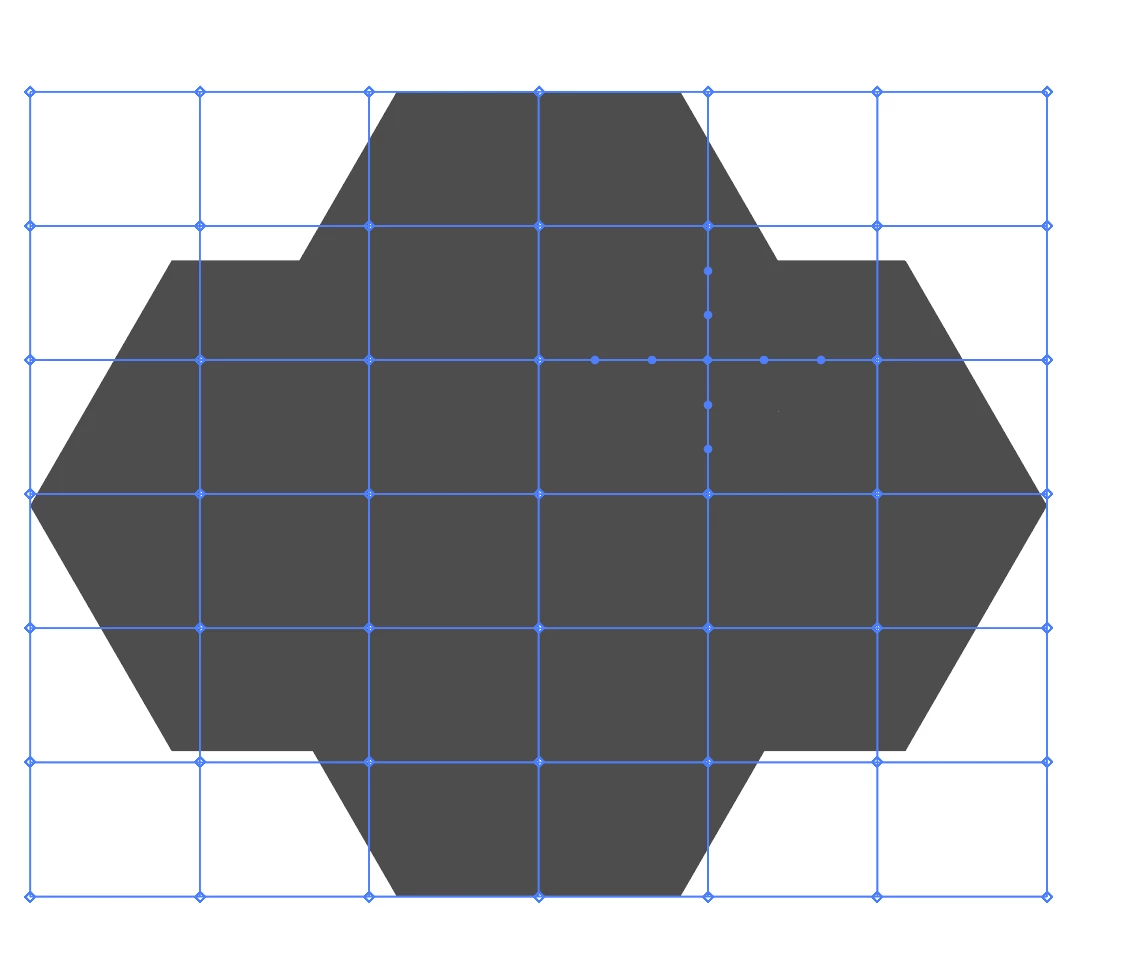
I created this mesh to make changes in this shape. What I wanted is that all the changes I make on the left side of the mesh (for instance) automatically change the right side of the mesh as well, as if I am mirroing it. How do I do it?
 

This topic has been closed for replies.

3 replies

Ares Hovhannesyan
Community Expert
Community Expert
December 13, 2023

I find out that we can use Mirror and then Warp from effect that allows to make symmetrical warp. Just my 2 cents. For custom warp we can change rectangle form. 

Doug A Roberts
Community Expert
Community Expert
December 13, 2023

Cut your object in half, remove one half, apply an envelope to that, and add a Transform effect with Reflect X and one copy:

When you're done, expand appearance (if you need to edit the complete object further).


Edit: Monika beat me to it.

Ton Frederiks
Community Expert
Community Expert
December 13, 2023

Actually, you both beat me to it 🙂

Monika Gause
Community Expert
Community Expert
December 13, 2023

Create only one half of the design and then use the transform effect to mirror it.