
Participant
September 8, 2021
Question

missing artboards?

  • September 8, 2021
  • 2 replies
  • 347 views

Okay. I have a bit of a problem here. It's 1am, and I saved my document with some 35 artboards. Only thing is, it saved to the same name as another file. However, thinking that it had overwritten it (and confirmed to have overwritten it!!), I closed the program to restart it since it wouldn't export as a pdf (weird bug? idk).

Normally I'd just think it was all gone for good.

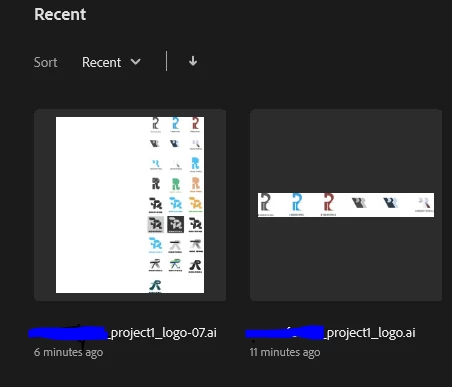
Except the data is still in the file somehow? Except it won't show up when I open it. The thumbnail shows all of my artboards, and when I click "new artboard" it came up as Artboard 39 and not, Artboard 4 or 5 as it would have been if it was the original file before I had overwritten it.

Is there any hope to recover the data? In progress critique is tomorrow morning :'(


Thumbnail when I first open up AI
 

When I actually open the file:
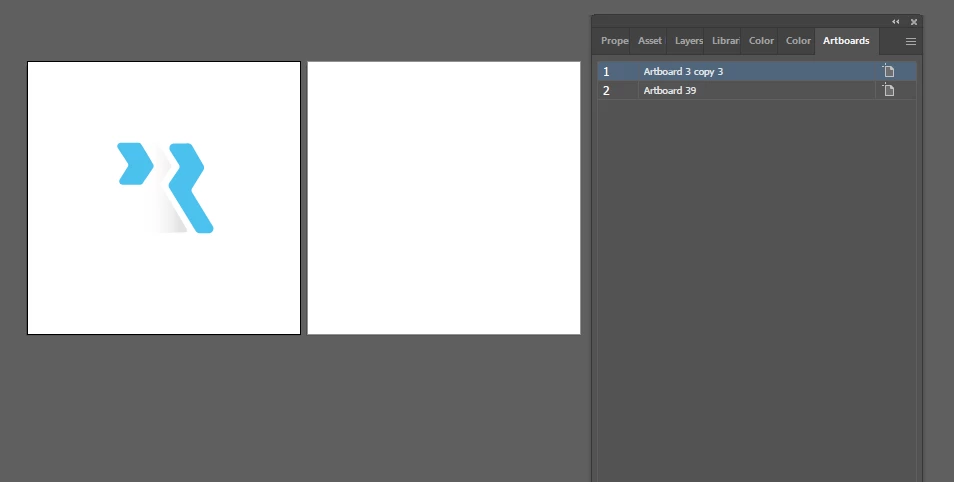
This topic has been closed for replies.

2 replies

Anshul_Saini
Community Manager
Community Manager
September 8, 2021

Hi there,


Sorry to hear about the trouble you are facing. As you said, you have overwritten the file and confirmed it is overwritten. In this case, thumbnails are saved for the previous file, which will disappear when you reopen and save it again or delete the cache and temp files. If you have already recreated your file, I would still request you to share a few more details like:

  • OS and version of Illustrtaor
  • Where did you save the file (Network Drive/ System HDD/ Shared Folder on System/ External HDD)?
  • Could it be possible to share the original file with us in which Artboard naming was populating in the wrong manner? You can upload it to the Creative Cloud (https://helpx.adobe.com/in/creative-cloud/help/share.html) and share the download link here or via Dm.  We will try to recover it, but I must also inform you that file recovery can't be guaranteed with 100% success. We'll surely try our best.


Looking forward to your response.


Thanks & Regards,

Anshul Saini

Mylenium
Legend
September 8, 2021

Start by zooming out as far as possible and do a "select all". Maybe some boxes or outlines will show up somewhere...


Mylenium

Rowan5CFCAuthor
Participant
September 8, 2021

Unfortunately, did not work.

The file is still 1.15 mb, which is way too large for just the one artboard. Something has got to be in there.

In the mean time I'm assuming the worst and recreating everything. 😞