Salmon Gram
Known Participant
June 15, 2017
Question

Missing Installed Fonts

  • June 15, 2017
  • 1 reply
  • 2721 views

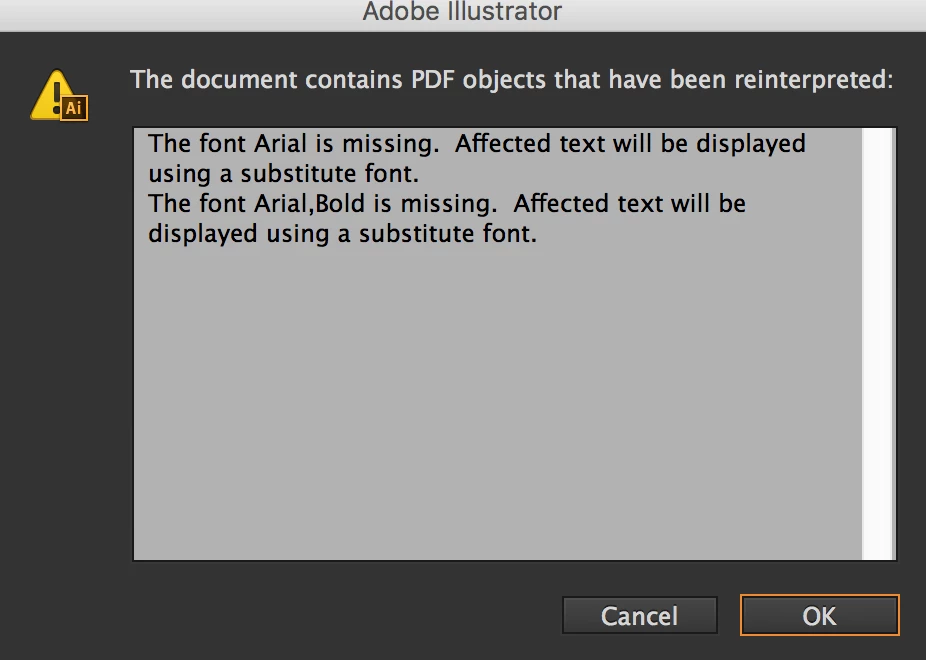
Hopefully someone can help with this.  I have searched far and wide trying to find an answer, but I can't seem to find anything that works.  Whenever I try to open up a document in Acrobat, Illustrator, and even InDesign, I almost always get a message saying something like this:

The font Arial is missing.  Affected text will be displayed using a substitute font.

The font Arial,Bold is missing.  Affected text will be displayed using a substitute font.

I am running CS6 programs and Acrobat X Pro on MacOS Sierra 10.12.5

I just had the above message popup minutes before coming here to post this, and it happens with many other fonts also.  I have gone through my FontBook and validated all of my fonts there, as well done the restore standard fonts option with no luck.  All the ones Adobe programs are saying are missing, are definitely installed.  Based on other suggestions I found on the web, I was able to find a few of the font cache files (with .lst extensions) and removed those, rebooted the computer and restarted the programs.  All to no avail.  Does anyone have any new or better ideas that I could try to get this issue fixed?
This topic has been closed for replies.

1 reply

Srishti_Bali
Legend
June 15, 2017

Hi Salmon Gram,

Does this font " Arial" and "Arial,Bold " available in Font book> all fonts?

If yes,  also check on new file if you try to use these same fonts from system , does Adobe applications allow you to use these fonts?

Regards

Srishti

Participating Frequently
October 11, 2017

Hi,

I am having this same issue, with a font that is valid and installed, and is showing up in "All Fonts". And, I tried this suggestion of opening a new file and it does indeed see the font (Cambria) without issue. I have many files (that I cannot rebuild) that use Cambria, yet InDesign refuses to recognize it, nor will it allow me to replace it using "Find Font". HOW do I resolve?

Thank you,

Lori

Monika Gause
Community Expert
Community Expert
October 11, 2017

JohnnyMargaret  schrieb

Hi,

I am having this same issue, with a font that is valid and installed, and is showing up in "All Fonts". And, I tried this suggestion of opening a new file and it does indeed see the font (Cambria) without issue. I have many files (that I cannot rebuild) that use Cambria, yet InDesign refuses to recognize it, nor will it allow me to replace it using "Find Font". HOW do I resolve?

Thank you,

Lori

So you also run CS6 on Sierra?

If not, please create your own thread.