
Inspiring
May 19, 2020
Answered

Missing paths on output

  • May 19, 2020
  • 2 replies
  • 1590 views

Hi,


When I printed my AI image not all of the visilble paths were present on the print. 


The missing paths are located above a path that had been manipulated, using the effects tool, directly below the printing window (the brown wooden ties). As far as I can tell, these paths are the only ones missing on the print.


Any help would be much appreciated.


Sand Patch
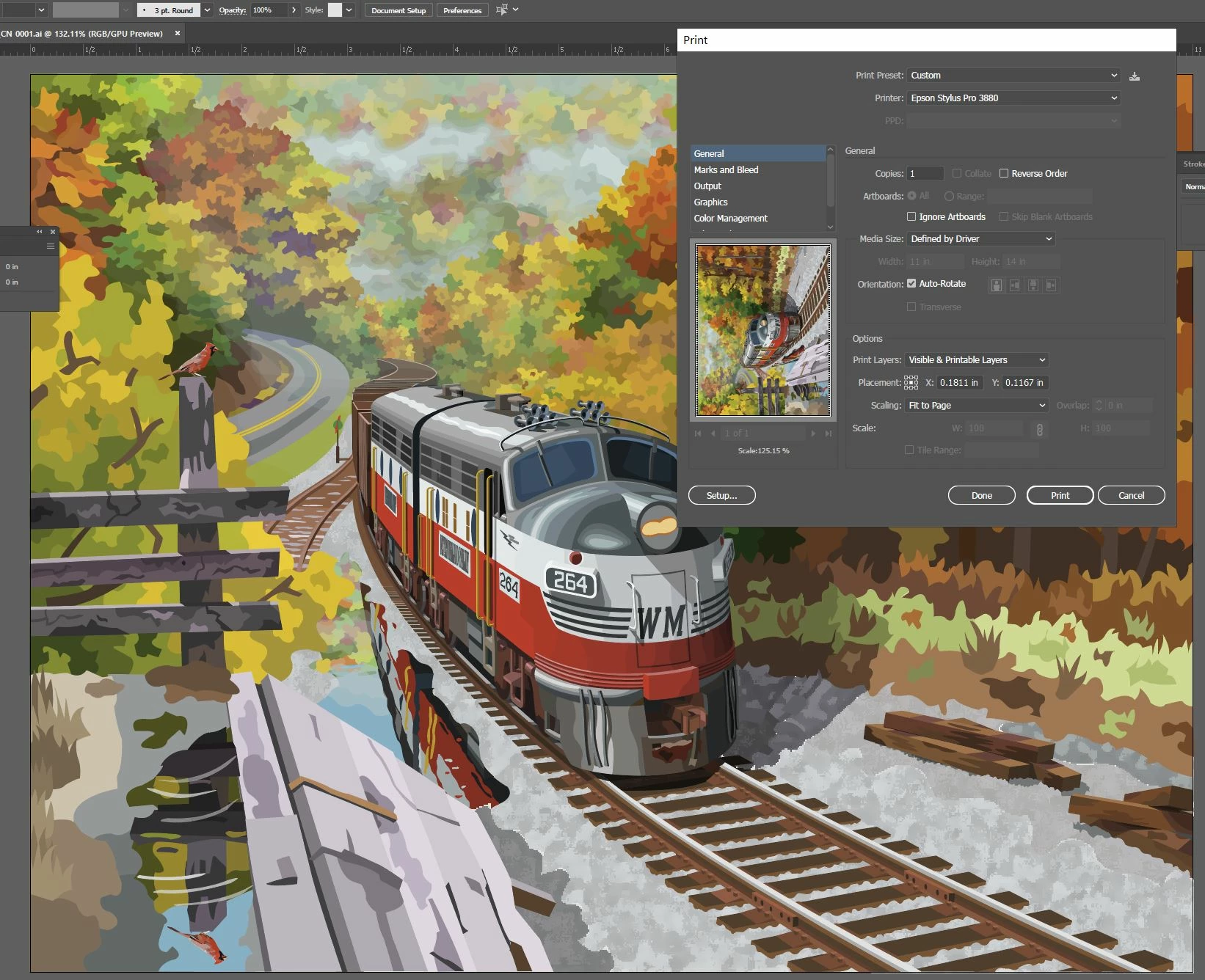
 

. The thumbnail image on the output window does not contain the missing paths either. 

This topic has been closed for replies.
Correct answer federico platon

Maybe those sparing wood trunks are in a non printable layer?

In the Print window dialog, change the Print Layers: All Layers, and preview if those pieces show up.

2 replies

Monika Gause
Community Expert
Community Expert
May 19, 2020

Not much too see in that small image, but nice train.


If you can't find out in the layers panel, please show screenshots of it. Select the missing paths and then locate them in the layers panel and show us screenshots.


Legend
May 19, 2020

Yes, as Monika points out, select the trunks and in the Layers panel menu: Locate Object to find there and change layer properties if needed.

federico platonCorrect answer
Legend
May 19, 2020

Maybe those sparing wood trunks are in a non printable layer?

In the Print window dialog, change the Print Layers: All Layers, and preview if those pieces show up.

Inspiring
May 19, 2020

Thanks so much!


Sand Patch