
Monitor display is DULL and incorrect
Hi all,
I am having an issue where my additonal monitor displays colours in Illustrator as very dull and faded.
In my office we have various different monitors we use, we've bought better quality ones to try and resolve this problem etc but none seem to be able to fix the issue.
We have tried playing with colour profiles in Illustrator, sycning profiles across the Adobe suite through Bridge. We have tried looking at the settings of the individual monitors, of the macs and are all still having the same issue/cant seem to resolve it. Rgb/Cymk files both do it.
It's just Illustrator, and the screens are capable of displaying correctly as when I drag my Illustrator window from my macbook screen to my monitor, you see a colour shift - video attached for ref.
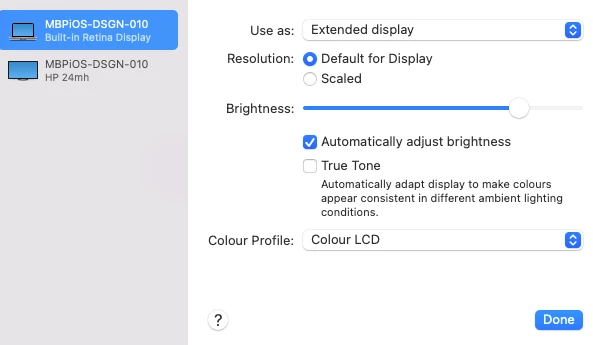
Below mac display settings: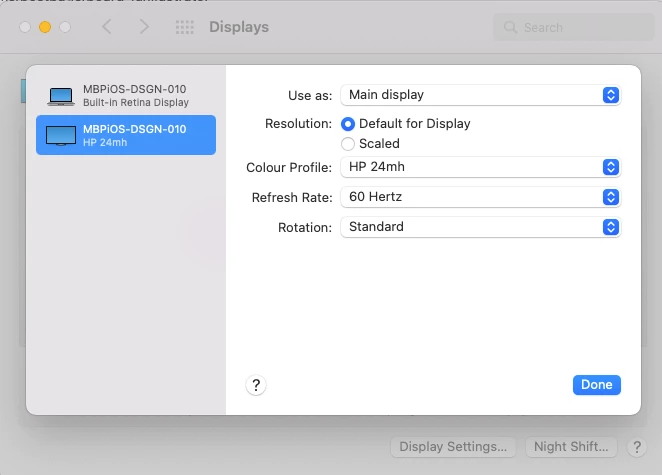
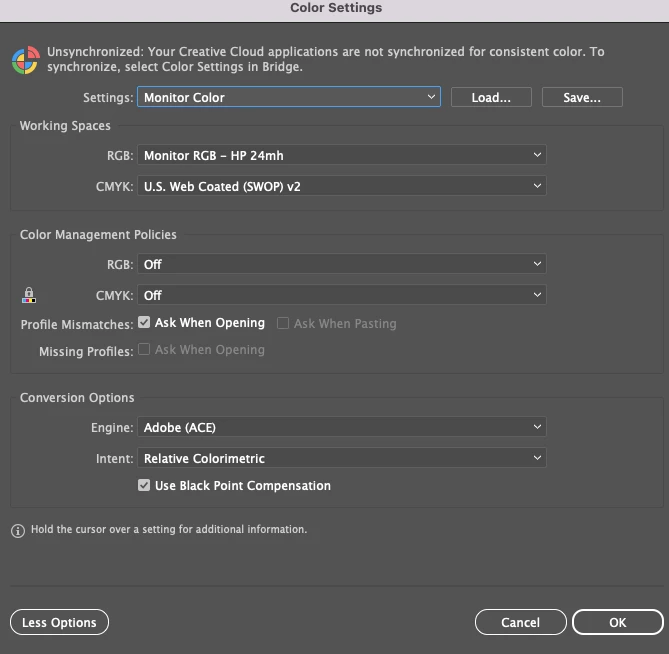
Current colour settings in Illustrator (although I have tried various different settings in here based on different forum suggestions)
Video attached shoring the colour change when I drag the window from my macbook screen back to my monitor and let go of the window.
Any help would be super duper appreciated! Finding it tricky with our graphics coming out differently to how they are previewing.
Thanks so much in advance.


 AdChoices