
Participant
April 24, 2020
Answered

More efficient way to isolate part of a traced image

  • April 24, 2020
  • 2 replies
  • 1049 views

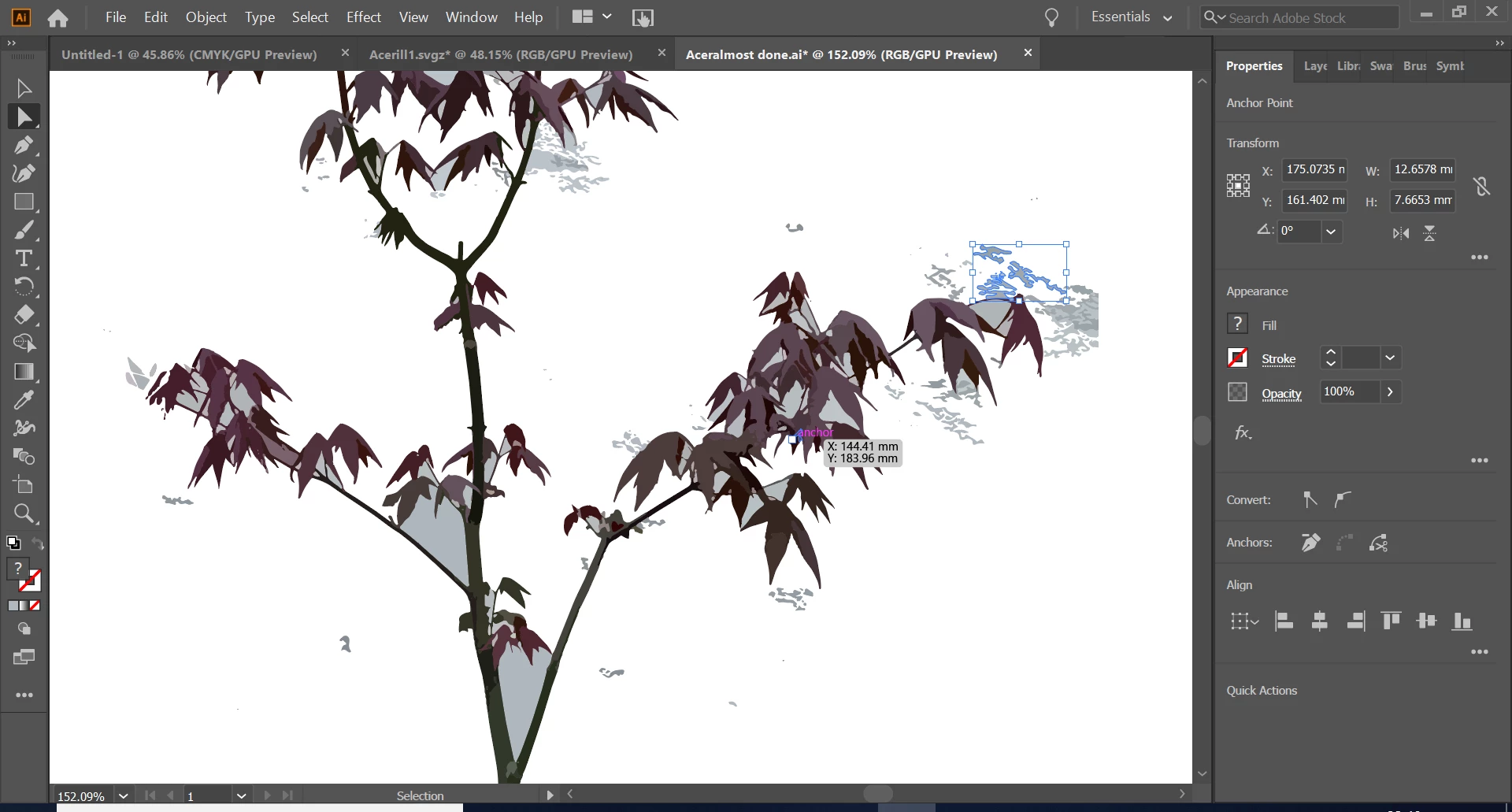
Using image trace to turn photos of plants into vector models that can be put into design sketches or copied and manipulated to create whole garden illustrations.


Isolating the actual plant from its surroundings is very time consuming, manually removing every shape that isn't the plant.  'select', 'same fill colour' helps slightly but not when there are many colours.


Is there a better way?
 

This topic has been closed for replies.
Correct answer federico platon

In your example, it does not seem that hard, you may also try to use the Magic Wand Tool.

Double click it to access the options, where you have a tolerance adjustment for the fill color.

It may be able to do a good job in a very short time.

2 replies

federico platonCorrect answer
Legend
April 26, 2020

In your example, it does not seem that hard, you may also try to use the Magic Wand Tool.

Double click it to access the options, where you have a tolerance adjustment for the fill color.

It may be able to do a good job in a very short time.

James1990Author
Participant
April 26, 2020

That's brilliant thank you, that gets the whole process done really quickly

Monika Gause
Community Expert
Community Expert
April 24, 2020

Autotracing them might not be the best method at all.

But if you want to do it that way, then maybe eliminate the background in Photoshop before tracing.

James1990Author
Participant
April 26, 2020

Thanks, what's an alternative to image tracing them on illustrator?

Using Photoshop for this is also a good idea thank you